









































In this article
A migration can import every row and still produce the wrong catalog. Attributes may use inconsistent units, images may attach to a parent instead of a variant and a title change may create a duplicate item. Preparation should focus on preserving meaning and relationships. A clean row count is only one checkpoint in a much larger acceptance decision.
What should you inventory before moving product data?
List the sources that contain approved product facts, buyer descriptions, translations, media and operational status. Record the owner, export method, update frequency and known gaps for each. Include files people rely on outside the main system, such as a distributor-specific spreadsheet or an image manifest maintained by marketing. Preserve a read-only source snapshot for the migration exercise so the team can explain what changed.
Define what is in the first migration and what remains out of scope. Historical records, discontinued products and replacement relationships may matter to customers even if they are not currently sold. Identify which records must remain searchable for service or support. Align this scope with the PIM buyer’s guide rather than copying every file into a new repository. The migration inventory should point to accountable owners who can resolve exceptions; it should not become another spreadsheet that records problems without assigning decisions.
How do you prevent duplicate or mismatched product identities?
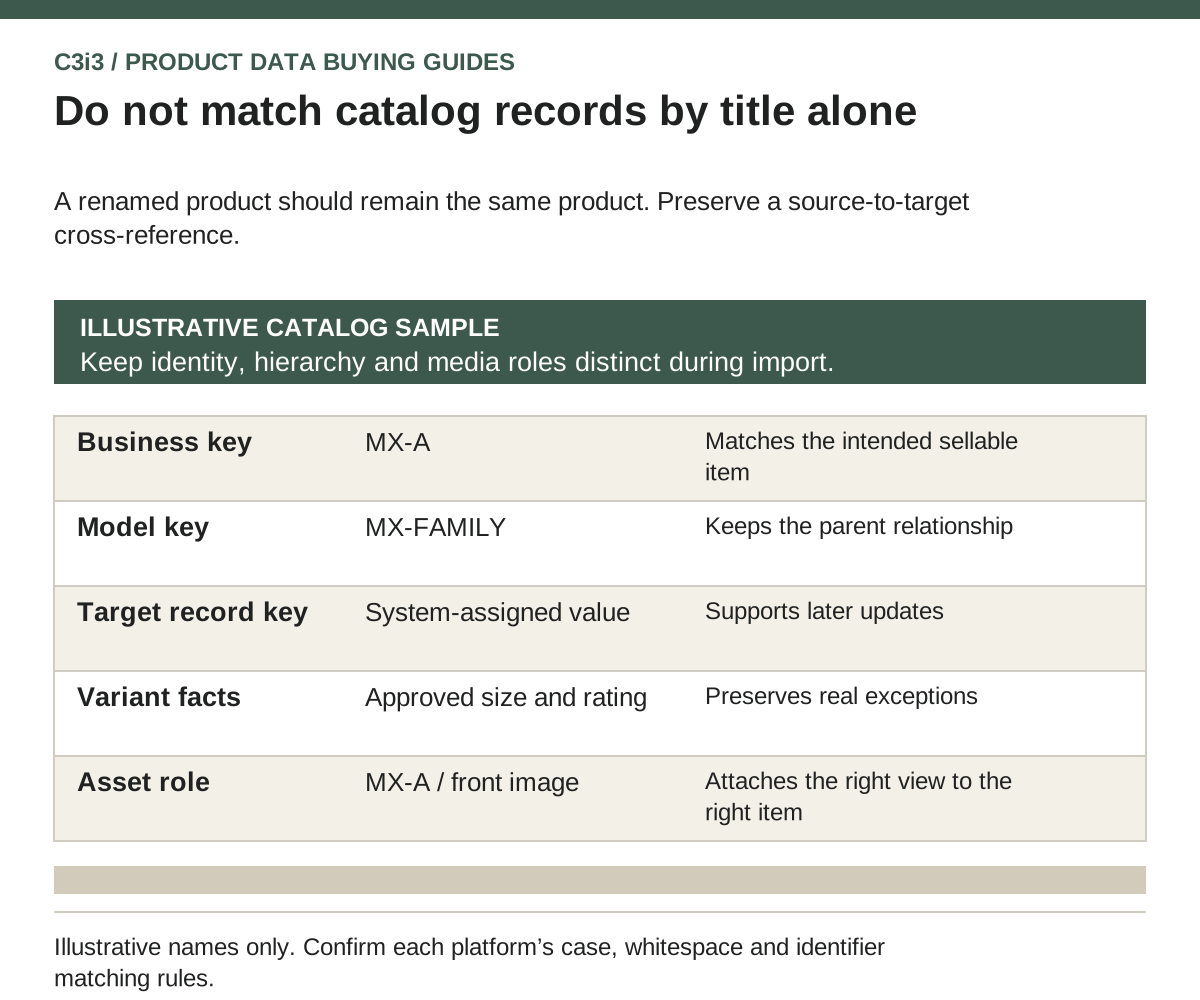
Build a cross-reference between the source business identifier, parent or model identity, variant identity and the target system’s record key. Keep these values separate from titles and presentation labels. Confirm how the chosen tools handle case, whitespace, leading zeros and changed identifiers. A spreadsheet editor can silently alter identifiers that look numeric, so inspect the exported file as data rather than trusting its visual formatting.
Akeneo’s import documentation notes that its identifier matching is not case-sensitive. That is a concrete example of a behavior to test before import, not a universal rule for every PIM. Its identifier guidance also distinguishes a business key from a technical UUID. Ask the implementation team how each target record will be identified on a second import. Re-importing a corrected sample should update intended records without creating new ones or changing unrelated products.
How should attributes, units and allowed values be cleaned?
Create a data dictionary that defines each attribute’s purpose, type, unit, allowed values, owner and destination use. Merge duplicate concepts only after checking whether their meanings differ. A shipping weight is not necessarily a product weight, and an overall height may differ from an installed height. Preserve those distinctions even if a simplistic cleanup would make the column list shorter.
Normalize values through explicit, reviewable rules. Converting measurement units should preserve meaning and the precision required for the product task. A missing value should remain distinguishable from zero, not applicable and not yet reviewed. Keep the original source value beside the proposed correction in the exception process. Use catalog structure documentation to confirm the selected platform’s modeling options, then apply your approved definitions. Do not let a migration script invent a technical specification simply because the destination requires a nonempty field.
How do you preserve model and variant relationships?
Separate facts shared by a product model from facts that genuinely vary by sellable item. Determine which dimensions identify a variant and whether all theoretical combinations are valid. A manufacturer may sell only particular size, material and rating combinations. Generating every combination during migration can create products that were never approved or manufactured. Preserve the source identity for each real variant and flag ambiguous relationships for review.
Test a shared specification change and a variant exception in the sample catalog. Verify that inheritance does not overwrite a legitimate exception. Confirm how discontinued variants and accessory associations appear in the target. The field ownership guide helps decide which team approves those relationships. Where the website supports equipment configuration, keep the distinction between descriptive variation and a validated compatibility rule. A successful migration of option names is not proof that the configurator can safely combine the options.
How should images, drawings and documents be migrated?
Create an asset manifest that links each file or managed asset to the correct product or variant and defines its role. Include a primary product image, alternative view, drawing or instruction document only where those roles are valid. Record revision, approval and rights information needed by the business. A shared filename does not prove that two files are identical or equally current.
Check that each receiving system can actually retrieve and use the asset. A URL may require authentication, expire or point to a low-resolution preview. Confirm whether the integration transfers the binary file, keeps a reference or generates a rendition. Test the result in the destination’s product context, including a variant-specific view. Shopify’s product CSV documentation is one example of channel-specific field and image requirements. Review the chosen destination’s current rules instead of assuming a single media export works everywhere.
What should be reconciled before and after cutover?
Compare expected and actual records by stable identity, not only by total count. Reconcile parent-child links, approved attribute values, language coverage, media associations and destination publication status. Keep rejected records and intentional exclusions visible. A sample that includes exceptions provides better evidence than a random set of perfectly complete products. Ask business reviewers to inspect the buying task as well as the data export.
Plan how new edits are handled while the migration is underway: a change freeze, a recorded delta process or another explicitly agreed approach. Define who can authorize cutover and how the team can return to the prior publishing route if acceptance fails. The vendor demo guide provides observable tests, and the implementation cost guide helps include reconciliation in the proposal. C3i3 can support the buyer-facing catalog and ecommerce connection; the data owner should approve the source-to-target evidence before release.
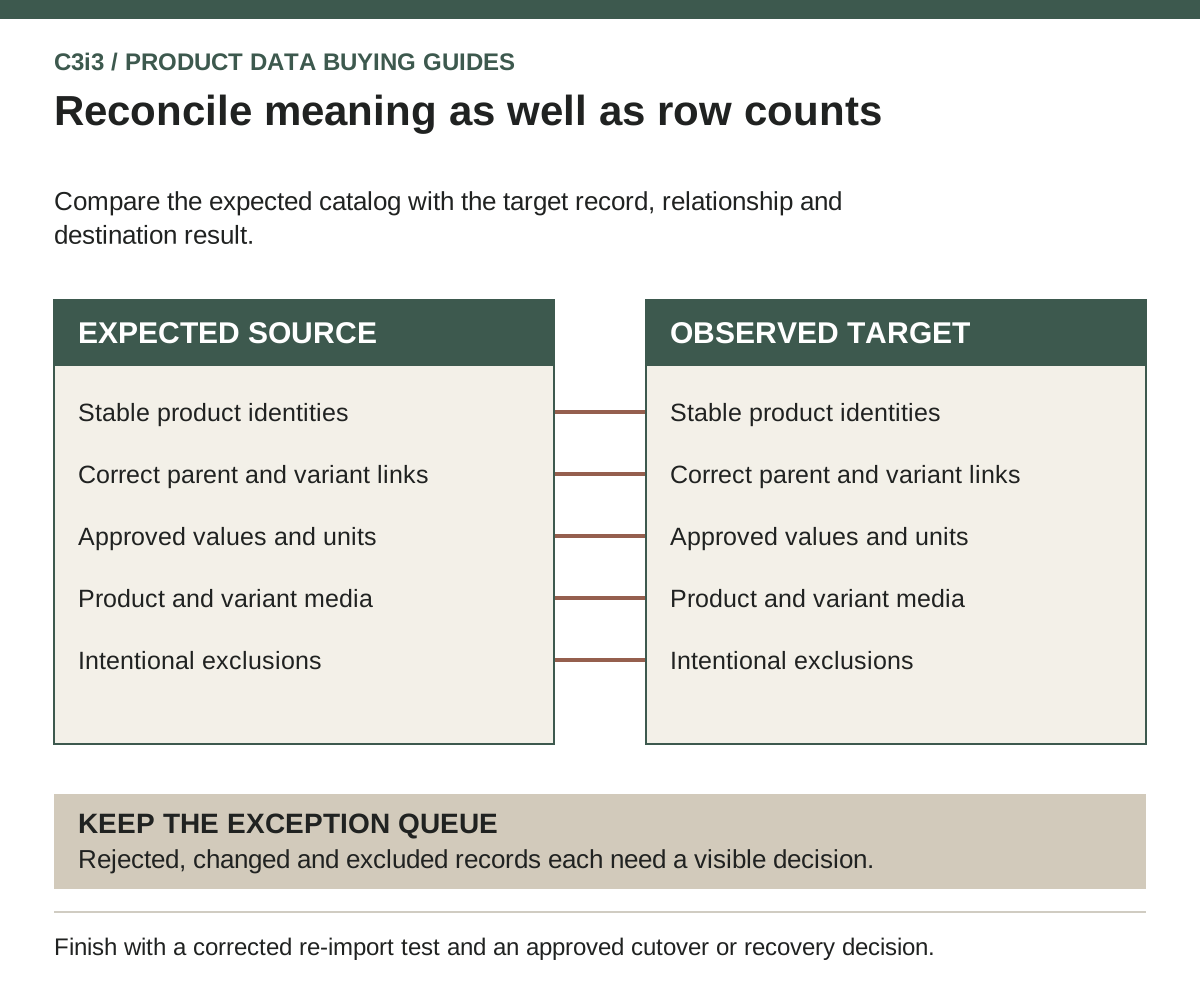
A migration acceptance ledger to complete with your team
| Checkpoint | Compare or test | What should remain visible |
|---|---|---|
| Identity | Expected business keys against target records | Created, updated, excluded and rejected identities |
| Attribute meaning | Approved source values against mapped target fields | Units, null rules and reviewed corrections |
| Variant structure | Each sellable child against its intended parent | Valid combinations and inheritance exceptions |
| Media | Product and variant asset roles in destination pages | Current files, revision and accessibility failures |
| Second import | Re-import a corrected sample | No unintended duplicates or unrelated overwrites |
| Cutover changes | Edits made after the baseline snapshot | Approved deltas, release owner and recovery route |
A hypothetical migration catches an image and identity mismatch
A hypothetical manufacturer prepares a connector family for import. Two source rows differ only in the case of their identifiers, while several variants reference an image filename without a product relationship. The implementation team stops these records from automatic release and asks the source owner to confirm whether the identifiers represent separate sellable items.
After the owner resolves identity, the team creates an explicit asset manifest and tests one corrected variant in the destination store. A second import updates that record without creating another item. The reconciliation report retains the original exceptions and their decisions, so the team can review the rest of the family using the same rules. This is an illustrative acceptance process, not a report of a customer migration or a platform performance test.
Key takeaways
- Preserve a source snapshot and a stable identity cross-reference.
- Clean attribute meaning before changing formats or field names.
- Validate real variant combinations rather than generating all possibilities.
- Reconcile media relationships in the receiving product experience.
- Test a corrected re-import and a controlled recovery path before release.
Frequently asked questions
Should we clean all catalog data before selecting a PIM?
Establish the key definitions, representative exceptions and ownership before procurement. You can phase broader cleanup, but providers need enough evidence to estimate the work and model the catalog. Avoid delaying every decision until the implementation is already underway.
Is an equal source and target row count enough?
No. Matching counts can conceal duplicates, missing variants, incorrect values and misplaced images. Reconcile stable identities and relationships, inspect exceptions and confirm what the destination accepted and displayed.
Can AI fill missing technical attributes during migration?
It can assist with organizing source material or flagging gaps, but an inferred specification is not an approved product fact. Require traceable evidence and the responsible technical reviewer’s approval before publishing a value that affects product selection or use.
Sources and editorial method
Prepared from linked primary documentation checked November 20, 2026. Vendor documentation establishes stated features and operating conditions. Comparisons and worksheets are C3i3 editorial analysis; worked examples are hypothetical.
- Akeneo: import your data
Current file-import behavior and catalog structure dependencies; verify the version used in a project.
- Akeneo: product identifiers
Distinguishes business identifiers from the immutable technical UUID.
- Akeneo: catalog structure concepts
Vendor documentation for attributes, families, categories and family variants; implementation behavior depends on the selected edition.
- Shopify: product CSV import and export
A commerce-platform example of product transfer fields, dependencies and update semantics.
- Akeneo: product and product model exports
Export profile options and the need to preserve catalog hierarchy.
- Microsoft: product identifiers
An ERP implementation example for consistent product and variant identification across business processes.
Map your product information before choosing another platform.

Tell us about your catalog, variants, selling channels and current systems. C3i3 can help clarify the website, content and product-data requirements so your implementation brief addresses a defined business task.
Explore ecommerce development or tell us about your project.