








































In this article
A customer sees an item marked available on a shopping channel, clicks through and discovers it is sold out. The marketing dashboard may record a visit while the customer records a broken promise. Solving the problem requires following the data, not repeatedly editing the channel listing in isolation.
Where does incorrect stock information usually enter the product feed?
It can enter at the inventory source, during a system synchronization, in a cached page or in the feed transformation. A correct feed may also be waiting for channel processing. Start with one affected product and record its variant ID, location, stock state and timestamps in each system.
Distinguish physical stock from stock available to sell. Reserved units, safety stock and warehouse restrictions may change what customers can buy. The feed should reflect the merchant’s selling rule for the destination and variant, rather than an unrelated total. Resolve disagreements about that rule before adjusting update frequency.
How do variant IDs and multiple warehouses create mismatches?
Parent-product availability can hide a sold-out size or configuration. A channel link that opens the wrong variant may display a different price or stock state even when the submitted item record is correct. Use stable identifiers and verify the selected variant in the actual landing page.
For multiple warehouses, decide whether the buying destination can be fulfilled from each location and how reserved inventory is deducted. Do not publish a global available quantity when the checkout cannot ship it to the buyer. Keep product identity, inventory allocation and fulfillment eligibility connected through the data pipeline.
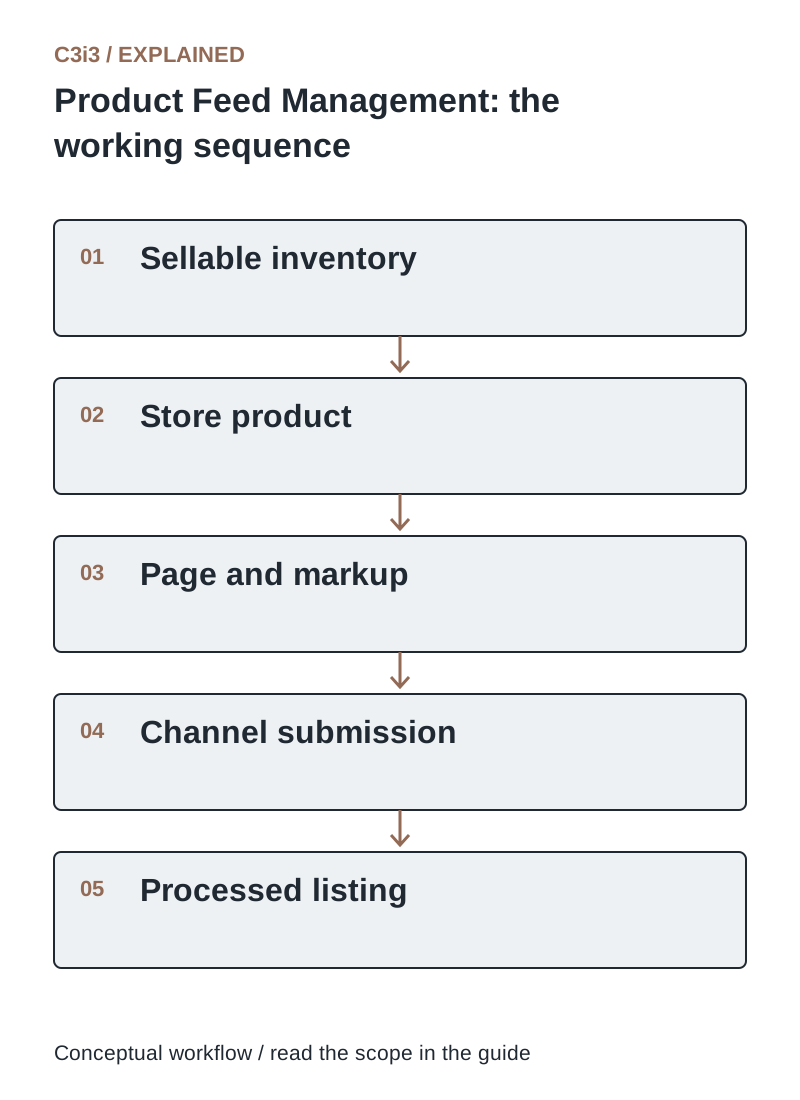
The sequence is: Sellable inventory. Then Store product. Then Page and markup. Then Channel submission. Then Processed listing. Each handoff needs the scope and conditions described in this guide.
How often should inventory feeds update?
Choose the cadence from how quickly sellable stock changes and the consequences of a mismatch. A slow-moving industrial catalog and a limited restock campaign need different update strategies. Measure the delay from inventory change to channel display instead of choosing an arbitrary daily schedule.
Google’s automatic product-update guidance recommends regular accurate updates and describes Merchant API use for frequently changing information. Event-driven updates can reduce waiting, but they still need retry handling and reconciliation. Test what happens when the inventory connection fails during a busy selling period.
Why can the feed, product page and structured data disagree?
They may be generated from different fields or refreshed on different schedules. A theme may display current availability while embedded structured data retains an older value. Cached HTML can introduce another delay. Compare what a visitor receives, the page’s machine-readable product data and the submitted channel value for the exact same variant.
Google can use landing-page information for automatic item updates, so inaccurate page data can undermine a correct submission. Assign one inventory authority and make dependent representations consistent. Verify production output after a change; checking only the administration screen does not establish what customers and crawlers receive.
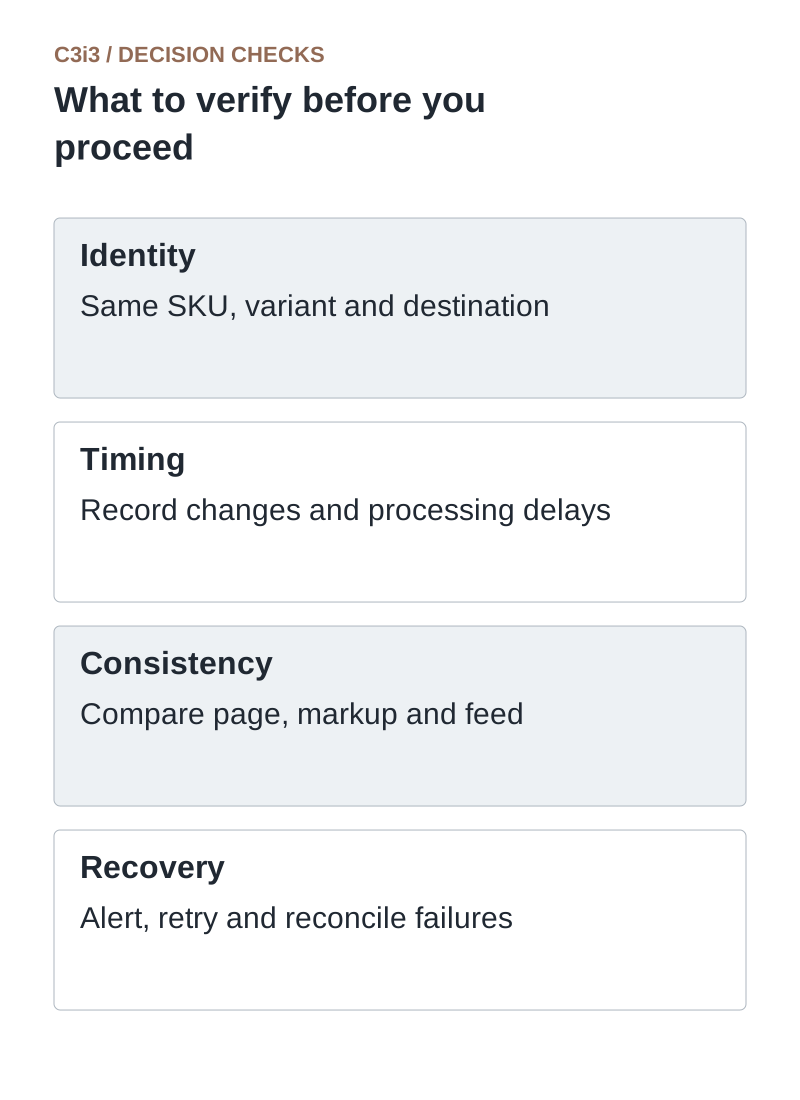
Identity: Same SKU, variant and destination. Timing: Record changes and processing delays. Consistency: Compare page, markup and feed. Recovery: Alert, retry and reconcile failures.
Can automatic item updates fix stock errors for us?
They can help with some discrepancies, but should not become the primary update method. Google explicitly describes automatic updates as a way to address sporadic issues and says frequent accurate product-data submissions remain necessary. Large or recurring mismatches may still affect product eligibility.
Use channel diagnostics to identify affected products, then correct the source and confirm the next successful processing result. Keep a record of recurring causes such as stale cache, missing variant mapping or failed sync jobs. Repeatedly clearing symptoms without correcting the source makes the next stock change likely to reproduce the same customer problem.
What should a product-feed monitoring dashboard show?
Show update failures, processing delays, mismatched variants, rejected items and products whose last successful update is older than your operational threshold. Include an owner and recovery action for each alert. A green “feed uploaded” message is insufficient if the channel rejected important records.
Sample high-risk products after restocks, promotions and catalog changes. Reconcile channel values against the inventory authority and checkout. Measure mismatch duration and the number of affected buying attempts where observable. This gives the business a practical quality target: customers should see an offer the merchant can actually fulfill.
Where should you look when stock is wrong?
Use these distinctions when reviewing your own workflow.
| Comparison | Possible issue | Evidence to retain |
|---|---|---|
| Warehouse versus store | Allocation or synchronization rule | Same variant, destination and timestamp |
| Store versus page markup | Theme or cache inconsistency | Actual rendered product and embedded data |
| Submission versus channel | Rejected record or processing delay | Item-level processing result |
How would this work in a practical example?
Illustrative example: A distributor has one unit in warehouse A and none in warehouse B. Its feed publishes the combined stock as available, but some customers can only receive shipments from B. Faster uploads do not fix the incorrect selling rule. The team first corrects destination-based availability, then measures how quickly that corrected value reaches each channel.
Key takeaways
- Identity: Same SKU, variant and destination.
- Timing: Record changes and processing delays.
- Consistency: Compare page, markup and feed.
- Recovery: Alert, retry and reconcile failures.
Frequently asked questions
Should out-of-stock products be deleted?
Use the channel’s supported availability rules and your catalog policy. Temporarily unavailable and permanently discontinued products are different cases, and stable identifiers can help preserve continuity.
Can a cache cause the mismatch?
Yes. Test the rendered product page and structured data after inventory changes, including the relevant variant and location.
Does a successful upload mean every listing is current?
No. Inspect processing results, rejected records and the actual affected item. Upload completion and accepted item updates are separate events.
Sources and editorial method
Primary documentation checked November 20, 2026. Linked vendor materials establish stated capabilities and announcements; they do not establish independently tested performance at your business. The workflows, comparisons and illustrative examples are C3i3 editorial analysis.
- Google: automatic product-information updates
Automatic corrections and their limits; regular accurate product-data updates remain necessary.
- Google: high-quality product data
Consistency among submitted information, product pages and the actual selling offer.
Plan a clear buying journey for your product catalog.

C3i3 helps product businesses connect clear websites, useful content and practical customer workflows. Explore ecommerce development and discuss the customer task you want to improve.