








































In this article
“Can our products appear in AI Mode?” and “Can customers buy our products inside AI Mode?” sound similar, but they are different questions. A marketing team needs to establish which opportunity it is evaluating before assigning development work. This guide provides a practical eligibility review without implying that an approved product listing guarantees a particular AI placement.
What is the difference between product visibility and purchasing eligibility?
Product visibility concerns whether information about an item is available to a shopping surface and selected for a particular search or conversation. Purchasing eligibility concerns whether a supported transaction feature can be shown and used for that merchant and product.
Google’s UCP checkout help page describes select-merchant participation and a dedicated product eligibility attribute for the Buy experience. That is a separate requirement from ordinary catalog preparation. Avoid reporting a product mention as an activated checkout feature. Save evidence of the exact interface and account state being discussed.
What should you review in Merchant Center first?
Review account status, website ownership, product diagnostics and the information customers rely on to purchase. Check actual product URLs, supported destinations, shipping costs and return policies. Make sure an available product variant leads to the same item and selling conditions on your website.
Choose several representative items, including a variant and a temporarily unavailable item, then compare feed values with rendered pages and checkout. Assign unresolved issues to the catalog or operations team. Adding an AI integration to inconsistent merchant data usually creates another place for the same discrepancy to appear. Document what is verified and what still needs correction.
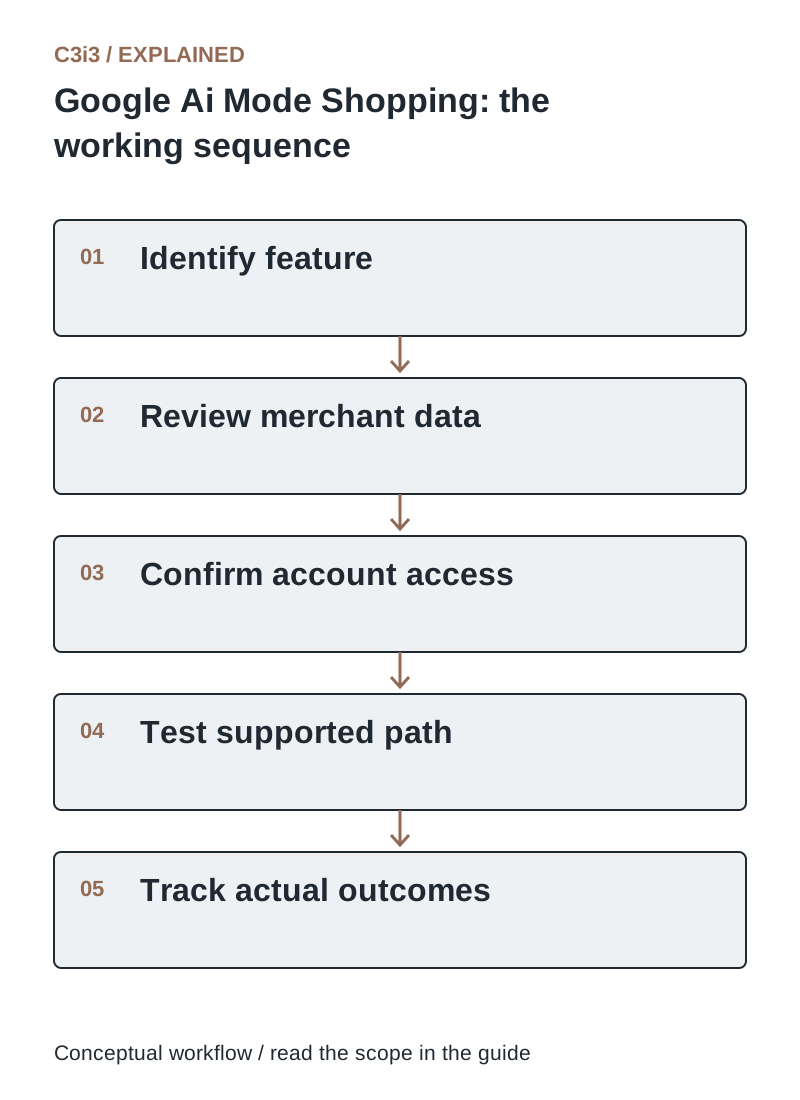
The sequence is: Identify feature. Then Review merchant data. Then Confirm account access. Then Test supported path. Then Track actual outcomes. Each handoff needs the scope and conditions described in this guide.
How do you verify access to UCP-powered Google shopping?
Use Google’s current onboarding documentation and the controls visible in your Merchant Center account. The developer overview says integrations require approval before going live on the named AI surfaces. If an integration hub is available in your account, follow the corresponding account-specific path.
Record the country, merchant entity, provider and supported purchasing path. Geographic statements across help pages may describe different rollout stages, so account access and current onboarding instructions matter. Ask your platform provider which steps it completes and which steps remain your responsibility. An interest-form submission is not an approval.
Which product-data details are most likely to block a useful buying experience?
Wrong variant URLs, missing identifiers, stale availability and unclear pack quantities can prevent a buyer from receiving the intended item. Incomplete shipping information can make an apparently suitable product unusable at checkout. Product restrictions and program rules require an account-specific review.
Build a small evidence table with product ID, submitted value, live page value, checkout value and observed issue. Fix the authoritative source rather than editing only the channel display. When a product cannot be purchased through a supported path, preserve a clear route for customers to review details or contact the merchant. Do not imply availability that your fulfillment team cannot honor.
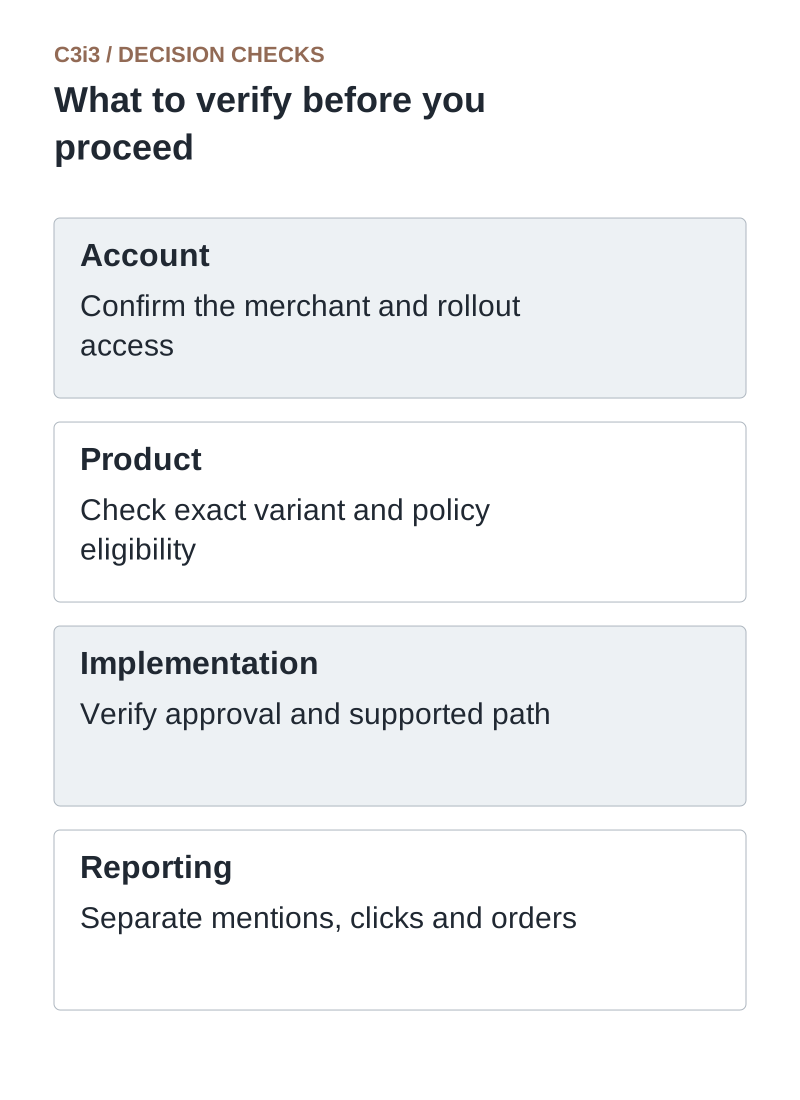
Account: Confirm the merchant and rollout access. Product: Check exact variant and policy eligibility. Implementation: Verify approval and supported path. Reporting: Separate mentions, clicks and orders.
How can you test shopping readiness without claiming a ranking?
Test specific customer tasks with defined products and expected outcomes. For example, ask whether the correct size is identified, whether the listed stock matches the store and whether a supported purchasing route works. Record search wording, date, market and interface because results can vary.
Use the tests to diagnose readiness, not to announce a permanent AI ranking. A result seen in one session does not establish coverage across every shopper or location. Reconcile completed test orders where appropriate, and keep cancellation or refund handling controlled. Operational checks should be reproducible even when recommendation placement varies.
What should a brand do if its account is not eligible yet?
Improve product facts, policy clarity, accessible product pages and the reliability of the existing store. Those changes help buyers regardless of when a particular feature becomes available. Monitor the official onboarding route and your provider’s account guidance rather than rebuilding the store around an unconfirmed launch promise.
Create a short readiness backlog: data issues, integration dependencies, platform approvals and support procedures. Give each item an owner. When access becomes available, the team can evaluate a focused implementation instead of starting with an unexplained assortment of feed errors. Participation should be a documented capability, not a marketing assumption.
What evidence supports each eligibility statement?
Use these distinctions when reviewing your own workflow.
| Statement | Required evidence | Safe interpretation |
|---|---|---|
| Our product appeared | Observed result with market and interface recorded | One discovery observation |
| Our account has access | Current account controls or participation confirmation | Access to the identified program |
| Purchasing works | Approved path and reconciled transaction | A tested purchasing capability within scope |
How would this work in a practical example?
Illustrative example: A brand sees its product discussed in an AI shopping result and asks its agency to announce “AI checkout is live.” The review finds an ordinary product link, with no approved native purchasing flow. The correct report is that one product was observed in discovery. The team can then investigate purchasing eligibility without making a claim the customer experience does not support.
Key takeaways
- Account: Confirm the merchant and rollout access.
- Product: Check exact variant and policy eligibility.
- Implementation: Verify approval and supported path.
- Reporting: Separate mentions, clicks and orders.
Frequently asked questions
Does Merchant Center approval guarantee AI Mode placement?
No. Account and product approval do not guarantee that a particular item will appear for a particular AI shopping request.
Will adding the eligibility attribute activate checkout by itself?
No. Google describes merchant participation, onboarding and technical requirements in addition to the product attribute. Follow the current instructions for your account.
Should I change platforms to become eligible?
First establish the actual blocker. Data quality, account access and unsupported purchasing requirements may remain even after a platform migration.
Sources and editorial method
Primary documentation checked November 20, 2026. Linked vendor materials establish stated capabilities and announcements; they do not establish independently tested performance at your business. The workflows, comparisons and illustrative examples are C3i3 editorial analysis.
- Google Merchant Center: UCP-powered checkout
Program participation and product eligibility. Confirm current account access and market-specific onboarding.
- Google: UCP implementation overview
Platform integration paths and approval requirements. Feature support is distinct from the full open specification.
- Google: automatic product-information updates
Automatic corrections and their limits; regular accurate product-data updates remain necessary.
Plan a clear buying journey for your product catalog.

C3i3 helps product businesses connect clear websites, useful content and practical customer workflows. Explore ecommerce development and discuss the customer task you want to improve.