






































In this article
The store is ready to launch, but the owner cannot explain which account controls it, who receives platform notices or what happens if the development relationship ends. The catalogue looks polished while the business depends on arrangements nobody has written down.
San Francisco ecommerce web design should address operational control as well as product pages and checkout appearance. A business needs to know how its store, domain, payment services and customer information are administered. Access to one dashboard does not necessarily mean control of every connected system.
Use this guide to prepare practical questions for your platform provider, delivery team and internal account owner. Use the actual agreements and the platform’s current documentation when deciding what each party controls. The account inventory and examples are an original working method for finding gaps before they become a difficult handover.
Which account actually controls your ecommerce store?
Ask the team to identify the platform’s ownership arrangement and the business person responsible for it. Then establish where account notices go, how access is reviewed and what recovery process applies. Record the arrangement in a protected business record rather than a public project brief.
The distinction is visible in Shopify’s role documentation: an owner role and administrator roles do not mean the same thing, and some actions are restricted to particular roles. Other platforms have their own models. Use the documentation for the platform actually being delivered.
Do not settle the question by asking whether someone can edit a product. Product editing is an operational task, not proof that the business can change the store owner or manage every financial setting. Ask the appropriate account owner to verify those responsibilities without sharing credentials in a meeting or email thread.
Also identify the domain account. A store and its web address can depend on separate systems. If the people responsible for each assume that the other team controls the whole arrangement, an ordinary renewal or supplier change can become unnecessarily difficult.
Start this conversation during the brief. It is easier to document the intended arrangement before the store becomes part of everyday operations.
What belongs in the store account inventory?
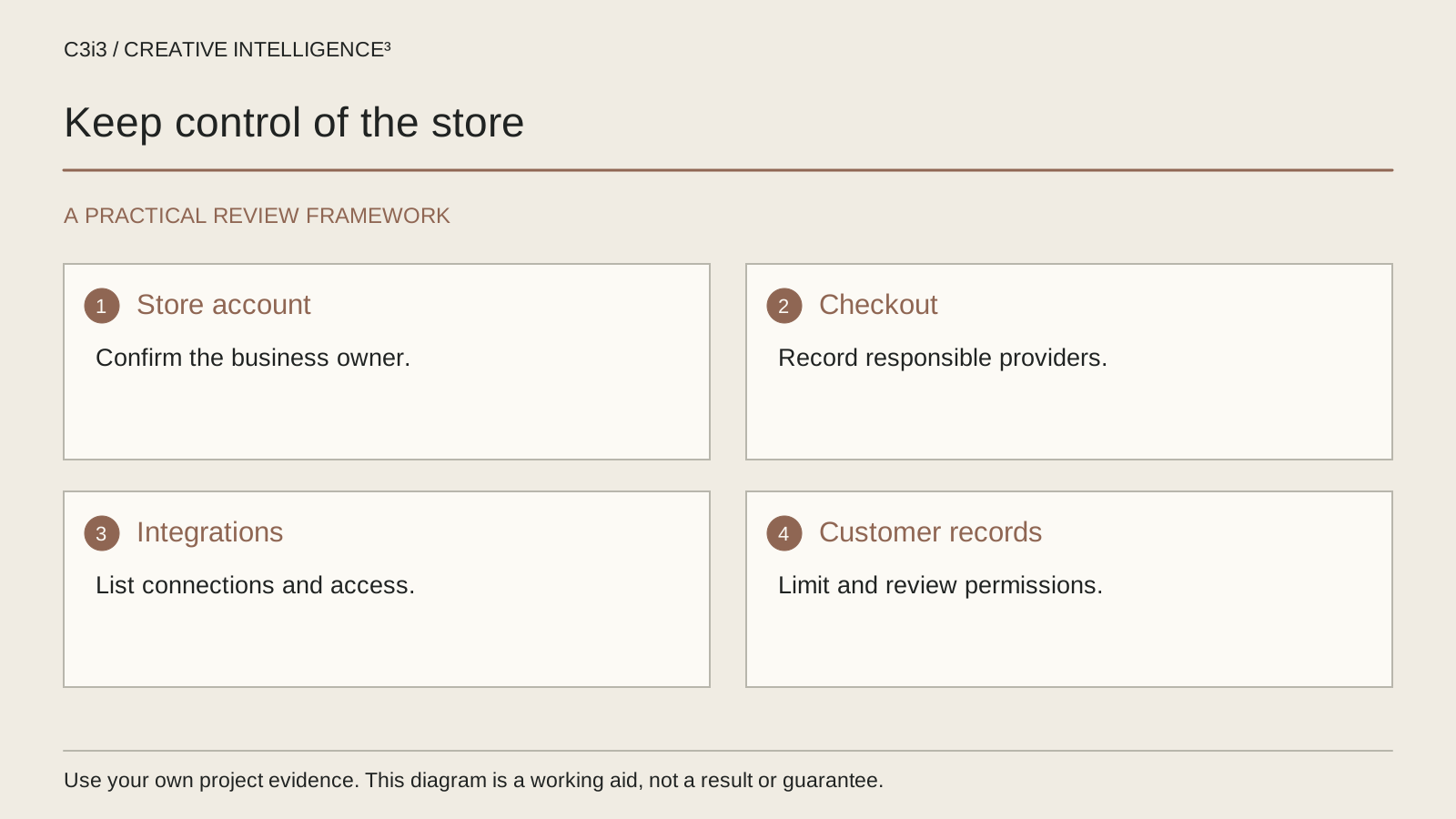
Build an inventory around dependencies, not just tools the designer uses. Include the ecommerce platform, domain administration, payment service, catalogue integrations, order notifications, transactional messages and any application required for an important customer task.
For each item record the purpose, account owner, approved users and support route. Note whether the business can continue using it if the development supplier changes. Do not include passwords, security answers or recovery codes in the inventory itself.
| System or asset | Control question | Evidence to request |
|---|---|---|
| Store platform | Who can administer the business-owned store? | Verified owner and role record |
| Domain | Who manages the address and renewal? | Business account owner and support route |
| Checkout dependency | Which service processes the intended purchase? | Named provider and test procedure |
| Product integration | What happens if synchronization stops? | Data owner and documented recovery steps |
| Customer export | Which records are available and to whom? | Approved access and export demonstration |
Look for an unnamed owner, a personal address that should not be the long-term contact or a service nobody recognizes. These are questions for the responsible account owner to resolve, not permission to weaken security or grant broad access to everyone.
The agency account handover guide provides a wider framework. A store needs additional operational detail because checkout, order handling and customer information remain active after the design project ends.
Which customer information can the business access and use?
Name the information required for the business task: order status, an enquiry, a shipping detail or a support history. Establish which system stores it and which people are authorized to use it. Avoid treating “customer data” as one interchangeable file.
Ask for an appropriate demonstration using test or otherwise approved records. Can the authorized person find the order information needed for customer support? Can a designated team produce an export for an agreed operational purpose? What does the export contain, and what would need another process? The answer should be demonstrated rather than assumed from a feature list.
Access and use are different questions. A downloadable record does not establish permission to use it for every marketing purpose. Have your business’s relevant privacy or legal reviewer assess those obligations. This article is concerned with making the operational questions visible, not deciding the legal basis for a campaign.
Document retention and deletion responsibilities at the appropriate level. A designer can help identify where information flows, but the business needs to assign the policies and approvals that apply to its records.
For enterprise or multi-team stores, ask how access changes when responsibilities change. The right handover shows how authorized work continues without leaving old users with unnecessary permissions.
How do you check checkout without confusing a polished screen with a working process?
Choose representative purchase tasks and use the platform’s approved test arrangements. Confirm which conditions are being tested, who can perform the test and how the result is recorded. Do not use real customer information simply because a test needs to look realistic.
Trace the task beyond the payment screen. Does the appropriate order record appear? Does the intended team receive the notification? Is the customer shown an accurate status? If inventory or another integration is involved, what does that system show? The responsible specialists should investigate differences before the business treats the flow as complete.
Test unsuccessful and interrupted tasks too. The customer needs understandable feedback when a purchase cannot proceed. The W3C guidance on form notifications explains the importance of clear feedback for both errors and successful completion. The broader principle is useful in reviewing the customer journey, while platform-specific checkout behavior must be checked in its own documentation.
Keep the acceptance record tied to the delivered version and the tested conditions. A test on an earlier configuration does not automatically establish that a newly added checkout dependency works. Likewise, an attractive product page cannot demonstrate that fulfilment or customer support has received the information it needs.

What should happen when an agency or developer leaves?
Describe the handover while everyone can still cooperate. Identify what will be transferred, what remains under the business’s existing control and what must be reviewed separately because it depends on a third-party licence or account arrangement.
The relevant platform may have a formal ownership process. Shopify documents changing or transferring ownership, including conditions that depend on the store or organization. That is one reason not to assume that sending a password completes a handover.
Review files and working materials separately from platform access. The business may need approved product images, catalogue sources, integration documentation and instructions for recurring updates. Ask what is included in the agreement and have the appropriate adviser resolve contractual questions where needed.
After the handover, verify authorized access and review old permissions through the approved process. Confirm that essential notifications and renewals reach the intended business contact. Removing access without first checking operational dependencies can create a different problem.
The website content handover guide helps with ordinary editing tasks. Ecommerce handover adds the requirement that order and support work continue through the change.
Which questions should you settle before approving ecommerce web design?
Bring the inventory, customer tasks and unresolved account questions to the design review. Ask the delivery team to show how the proposed site supports them. Separate a design decision, such as product information hierarchy, from an operational decision, such as who can administer an integration.
For a wider format decision, use the website, app and landing-page comparison. For the visual and customer journey work, explore ecommerce design services. These decisions connect, but they should not be collapsed into a claim that one attractive storefront covers every business responsibility.
The existing San Francisco service page and Bay Area hub provide the geographic service context. No additional location page is needed to ask these ownership questions.
Return to the marketing problem diagnosis if your store problem may be demand, explanation or follow-up rather than account control. A clear store inventory cannot guarantee sales or eliminate every risk. It gives the business a concrete way to establish who can operate the systems, what must be tested and where responsibility remains unresolved.
Keep this checklist beside you
Questions before the next step
Does being a store administrator mean we own the store?
Not necessarily. Administrative access, platform ownership and contractual rights can be different matters. Check the actual platform roles and the agreement governing the work. Identify the business person responsible for ownership questions and use the platform’s current process where a formal ownership change is required.
Should we export all customer data before changing developers?
Establish what the business needs, who is authorized to handle it and which records the platform can provide. Do not make an unnecessary copy simply because an export option exists. Have the relevant operational and privacy owners approve the purpose, storage and access arrangement before the handover.
Can ecommerce design include checkout and integration testing?
It can when those tasks are included in the agreed scope and the responsible people have appropriate access. Name the purchase scenarios, expected records and notification checks. Distinguish the design team’s work from platform support or specialist integration work so unresolved tasks do not disappear between suppliers.

How C3i3 Can Help
C3i3 helps San Francisco businesses connect ecommerce design with the operational questions that affect a store after launch. Bring the customer journey, platform inventory and handover gaps you need to resolve. We can help define the design work, tests and responsibilities without treating a polished storefront as proof that every system is under control.