








































In this article
When a business has several San Jose locations, a public listing problem can begin as a recordkeeping problem. One team refers to a branch by its street, another uses a short internal name and the website sends both locations to the same general destination. A routine update then reaches the wrong record or leaves the customer unsure which branch to contact.
Google Business Profile for multiple locations works best when the company can identify the real operation behind every profile. This guide explains the branch inventory, page mapping and change log needed to coordinate that work. It is not a guide to creating extra profiles for every city you want to reach. The broader multi-location local SEO plan explains how the listings fit with the website and customer journey.
Which locations should be included in the branch-profile inventory?
Include actual operations that need review, then document whether and how each qualifies for a profile. A branch inventory is allowed to contain unresolved records. It should not presume that every office, mailing address or target service area deserves its own public listing.
Google’s representation guidelines distinguish storefront, service-area and other operating arrangements. Review the relevant requirements against what happens at the location. If the team is uncertain, resolve that uncertainty before creating or substantially changing a profile.
Why does the operating model matter before the location count?
A company may use “location” to describe a customer-facing branch, a warehouse or an internal administrative site. Those labels do not establish identical public-profile treatment. The inventory should record the operation in plain language so the marketing team does not apply the same assumptions everywhere.
For an illustrative San Jose equipment business, one branch might accept scheduled demonstrations while another handles a different customer task. Describe the actual arrangement and check its eligibility. Do not assume that a mailing address or a shared workspace creates the same public presence as an established customer-facing operation.
For the initial setup of a single contractor business, use the existing Business Profile setup guide. This article focuses on coordinating distinct branch records, not repeating that setup process.
What should a profile-to-page map contain for each branch?
Record a stable branch identifier, the real operating model, the public profile reference, the canonical branch-page URL and the appropriate inquiry destination. These connections make it possible to identify the correct location before an editor changes anything.
Keep recognizable internal aliases in the record if staff use them, but distinguish them from the approved public business name. The purpose of an internal identifier is to prevent mistakes. It should not become a reason to add extra phrases to the name customers see.
How detailed does the map need to be?
It should be detailed enough for another authorized team member to find the same assets without guessing. Include the public name as observed, the date checked and the person who can confirm branch facts. Keep passwords and other sensitive access information in the organization’s approved secure system.
A useful mapping row could read: internal branch code, scheduled demonstration location, current public profile reference, demonstration branch page and appointment inquiry route. This is an illustrative record, not a claim about a real business. It shows how the branch’s purpose should remain visible through the whole path.
Check the website page as well as the URL spelling. A link can work while taking a visitor to a page that describes another branch or every company service. The location-page content guide explains what an individual page should clarify. If the correct page does not exist yet, record that as a dependency instead of hiding it behind a general home-page link.
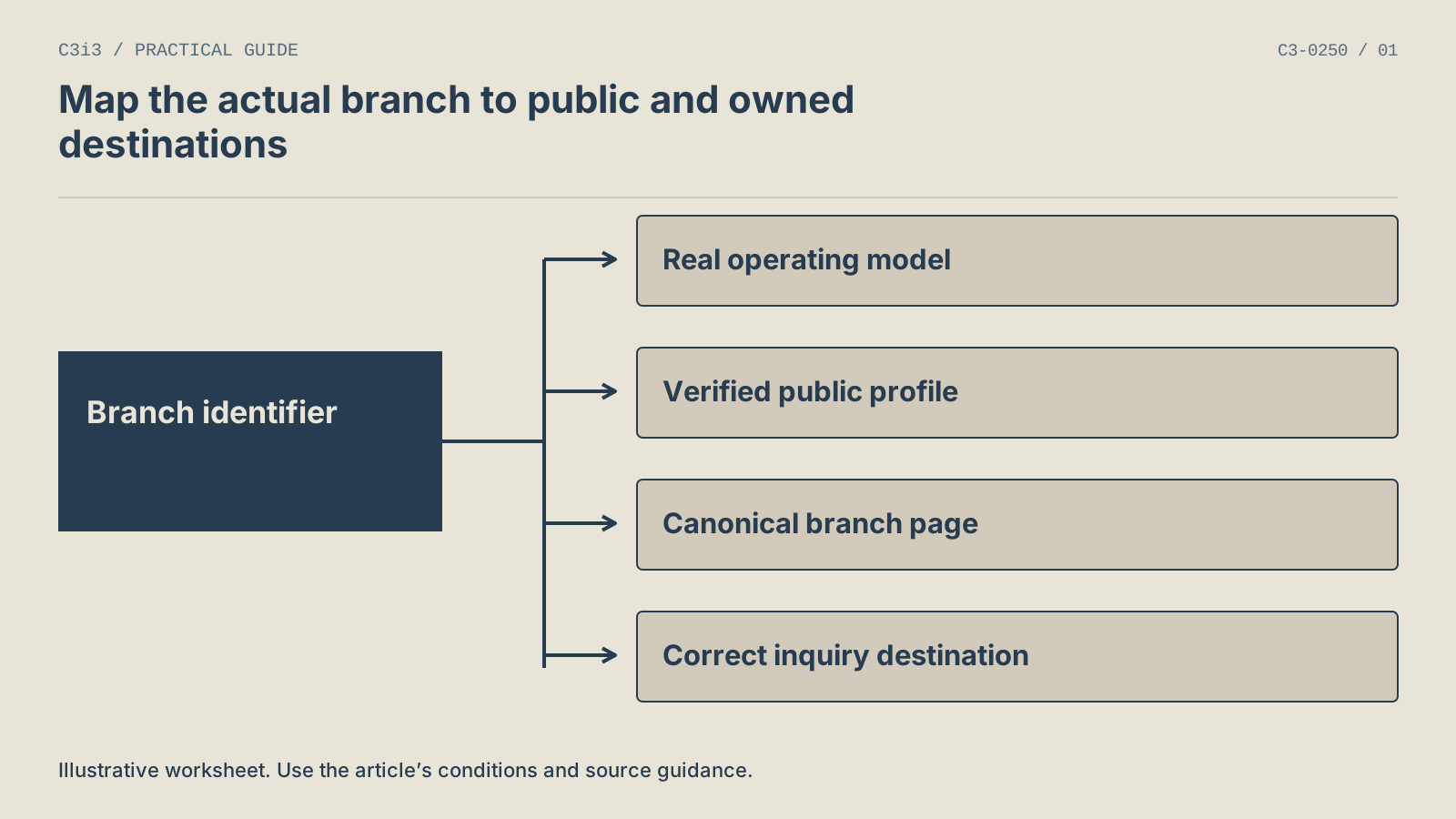
Record a stable branch identifier and its actual operating model. Map that record to the verified public profile, canonical branch page and correct customer action.
What should the branch-listing update workflow look like?
Confirm the source fact, identify the affected record, request the edit and verify the public result. Keep each stage visible. A change request is evidence of work being submitted, not evidence that the customer now sees the correction.
Start a change record when the business confirms an operational change. Name the branch and the specific field rather than writing “update locations.” Record the effective date and the related website destinations that also require attention. This helps the team coordinate the owned page with the external platform.
How should an unresolved edit be handled?
Leave it open with its observed state and next action. Avoid repeatedly submitting the same edit without reviewing what the platform shows. Google’s profile-editing documentation explains its editing process and notes that changes are reviewed before they appear publicly.
A practical log can contain: confirmed fact, requested value, date submitted, current public value, related page check and next reviewer. An illustrative service-hours change is complete only when the relevant public record has been checked and the customer route still makes sense. The internal request alone is not the finish line.
For a new branch, add a separate launch stage rather than treating it as an ordinary field edit. The new-location listings guide explains how to sequence the source record, website page and public announcement.
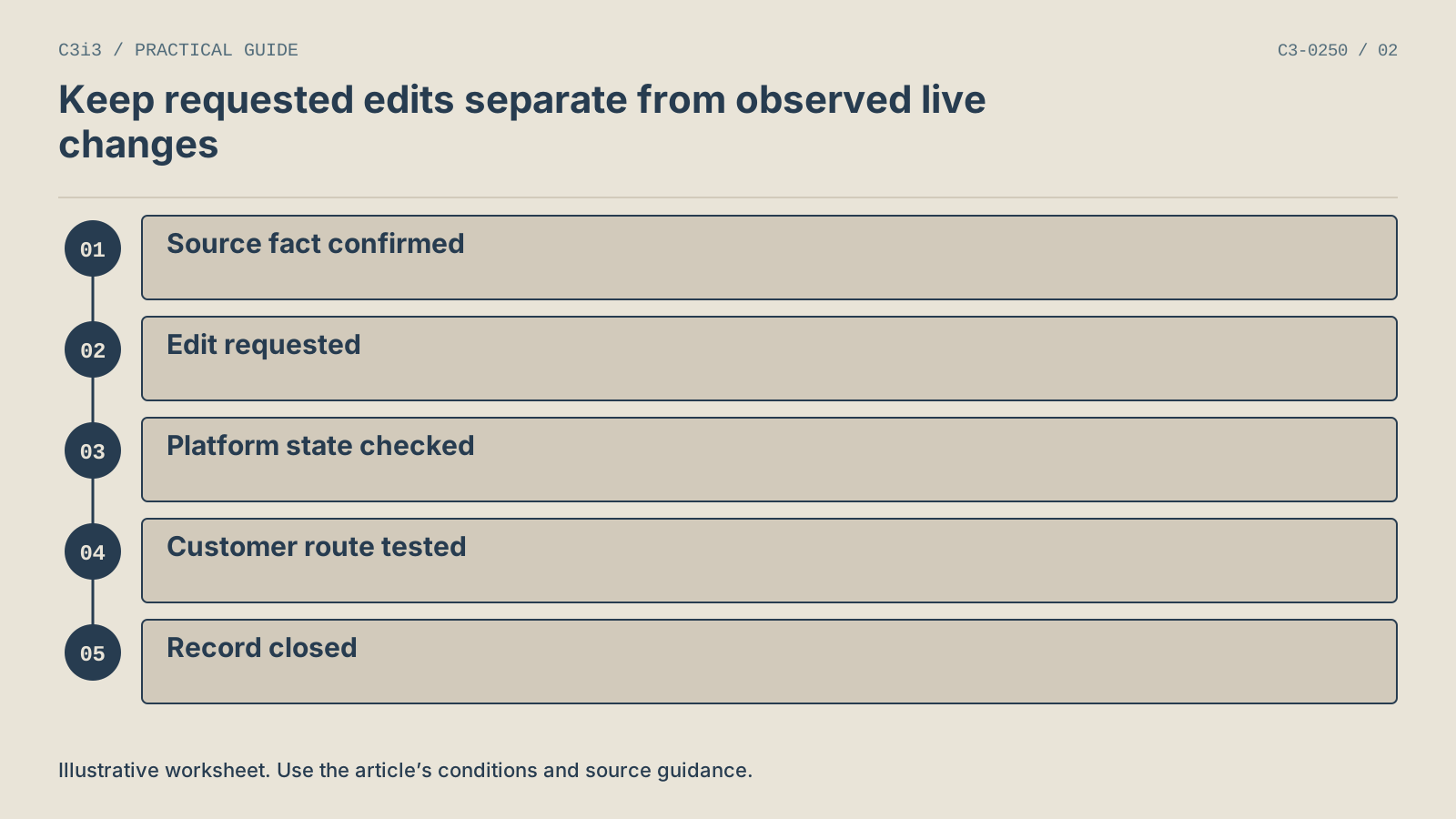
Confirm the source fact, request the edit, check the public platform state, test the customer route and close the record with evidence. Leave unresolved changes open.
When should a team consider bulk tools instead of individual profile edits?
Consider bulk tools when the volume and consistency of confirmed changes make a structured process useful. The decision should follow a reliable inventory, not substitute for one. A spreadsheet containing uncertain branch facts can distribute mistakes more efficiently.
Google’s bulk-upload documentation describes supported spreadsheet fields and the use of unique business codes. Follow the current template and instructions rather than adapting an old export from memory. Review how omitted fields and blank cells are handled before preparing an update.
What should be checked before a bulk operation?
Confirm the intended branch set, identifier matching and exact fields being changed. Compare a sample against the source record. If different branches need different information, make that difference explicit rather than filling a column with one convenient default.
Keep the original reviewed inputs and a record of the intended changes in the organization’s normal working system. That allows another reviewer to understand the operation without relying on a summary saying that all profiles were updated.
Afterward, check the actual public outcomes and any platform-reported issues. A successful upload does not establish that every listing is visible or that every field displays as intended. For a small team making a few distinct changes, individual edits may be clearer. The right method is the one the team can verify accurately at its current scale.
How do you verify the customer journey after branch listings change?
Open the public profile, compare its details with the confirmed source record and follow its website destination. Check whether the customer can still identify the branch and take the appropriate action. This verifies the connection between the listing and the business, not just the appearance of one edited field.
Use a specific task for the check. An illustrative customer might want to arrange a demonstration at the branch they found. The test should establish whether the destination explains that arrangement and preserves the location context. Do not submit a real appointment or inquiry as part of an unapproved test.
What should performance reporting keep separate?
Keep listing accuracy checks separate from performance outcomes. Google’s performance documentation defines its supported profile interactions. Those observations do not, by themselves, establish that a person reached staff or became a qualified customer.
The branch reporting guide explains how to compare San Francisco and San Jose operations without mixing unlike actions or operating periods. Use the same branch identifier to connect the records while preserving what each system actually measured.
Schedule the next check around meaningful changes such as a new service, a move or a changed customer route. A profile inventory becomes useful when the business can keep it current, not simply when the first spreadsheet is complete.
What else do teams ask about managing multiple Business Profiles?
Can we create one profile for every city we serve?
Service coverage and eligible locations are different concepts. Review the actual business model against Google’s current guidelines before creating profiles. A city in a marketing plan does not establish a separate operation. The website can explain truthful coverage without presenting a service area as a storefront or adding a fictitious address.
Should every branch profile point to the same home page?
The destination should represent the individual operation accurately and help the customer continue the task. A useful branch page can provide more direct context than a general company introduction. Check the page itself before changing links. A location URL is not sufficient if its contents are outdated or describe another branch.
Is a business code the same as the public business name?
No. Treat the internal identifier and public name as separate fields. A code helps the organization match records consistently, while the public name describes the business as customers recognize it. Follow the current platform instructions when using business codes in bulk tools. Do not alter public naming just to make internal records easier to sort.
Does a submitted update mean the profile is corrected?
No. Record the submission, then inspect the public result and any reported issue. If the displayed information has not changed, leave the task open with the observed state. This distinction prevents a team from reporting a correction as completed when a customer can still encounter the previous information.
Should all locations be measured by the same action?
Use consistent definitions when the business tasks are comparable. Where branches have different roles, keep the difference visible. A demonstration appointment and an equipment intake inquiry are not interchangeable outcomes. The reporting framework can share a structure while preserving each location’s meaningful customer action and operating period.
Can an agency organize the records without creating new profiles?
Yes. An inventory and mapping review can identify missing facts, uncertain eligibility and disconnected destinations before any creation or edit occurs. That preparation is often the most useful first step. The business can then decide which changes are appropriate, supported by an actual branch record and a documented customer task.

How C3i3 Can Help
C3i3 can help your team organize the connection between real branches, public listings and website destinations. Bring the current branch inventory, representative profile links and the customer actions each location supports. We can identify missing information and prioritize the connections that need attention.
Our local SEO work can include a focused branch-information and website review. Talk with C3i3 about making the location network easier to understand, update and measure.