



































In this article
You search for your company and find a listing you never created. Or you begin a new profile and discover that Google wants an address, while customers have never visited your home office. The setup suddenly feels more complicated than putting your name on a map.
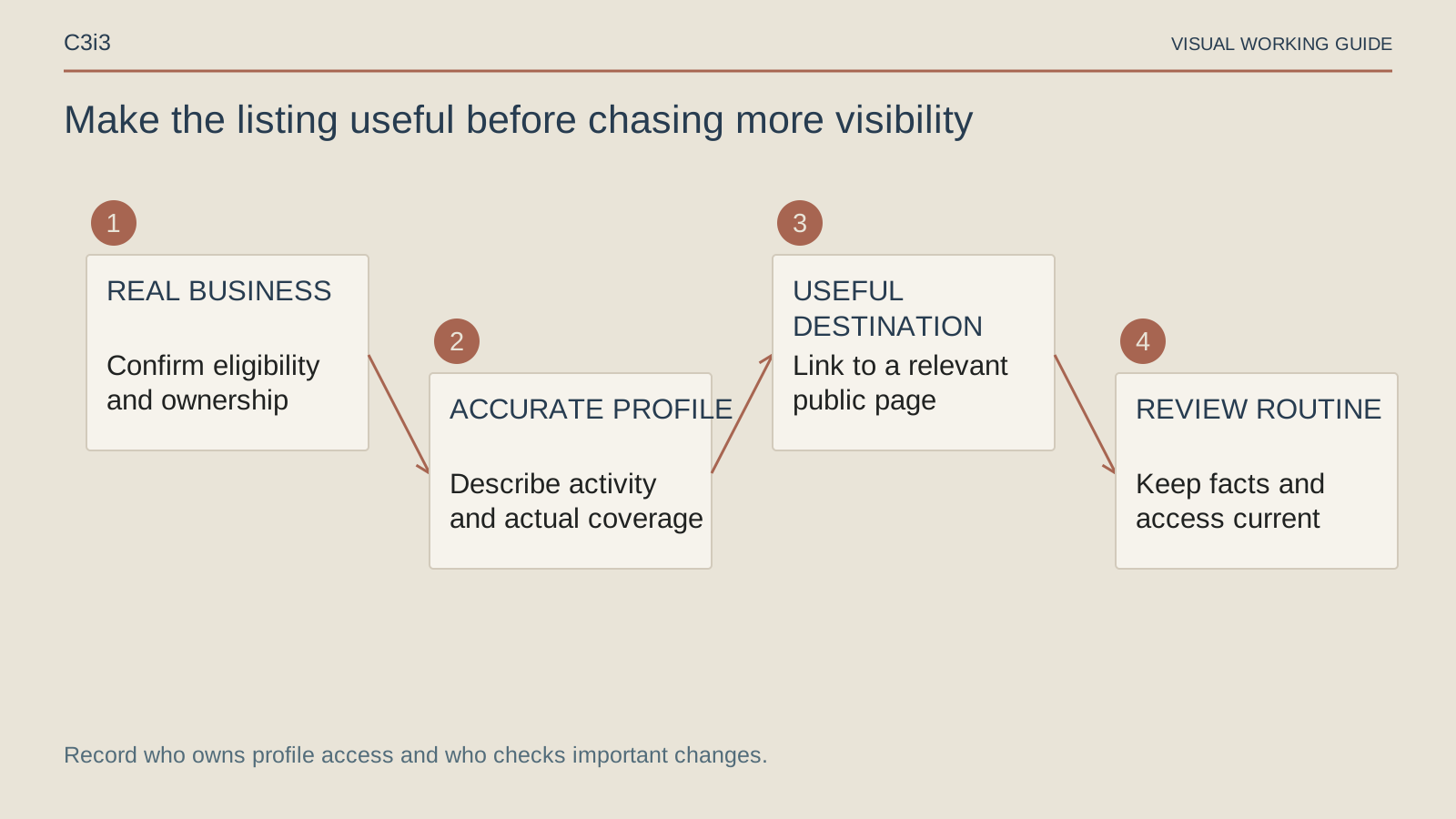
For a contractor, a useful Business Profile starts with the real operation: who owns the listing, where customers can meet you, what work you provide and how an inquiry reaches the business. Get those decisions straight before adding more services or paying someone to “optimize” the profile.
Should you claim an existing profile or create a new one?
Search for the actual business name and inspect the identity, location and contact details. An existing profile may already represent your company, even if nobody currently on your team remembers creating it. Do not create a second listing just because the first is inconvenient to access.
Record what you found and establish who controls it. Google's ownership guidance distinguishes situations, including service-area businesses. Follow the route that applies rather than assuming every business can use the same claim button.
Keep the account under business control and give staff or agencies appropriate access. A former employee's personal login should not be the only way to maintain a listing that customers depend on. Record responsibilities without sharing passwords among everyone involved.
Which location model fits your contractor business?
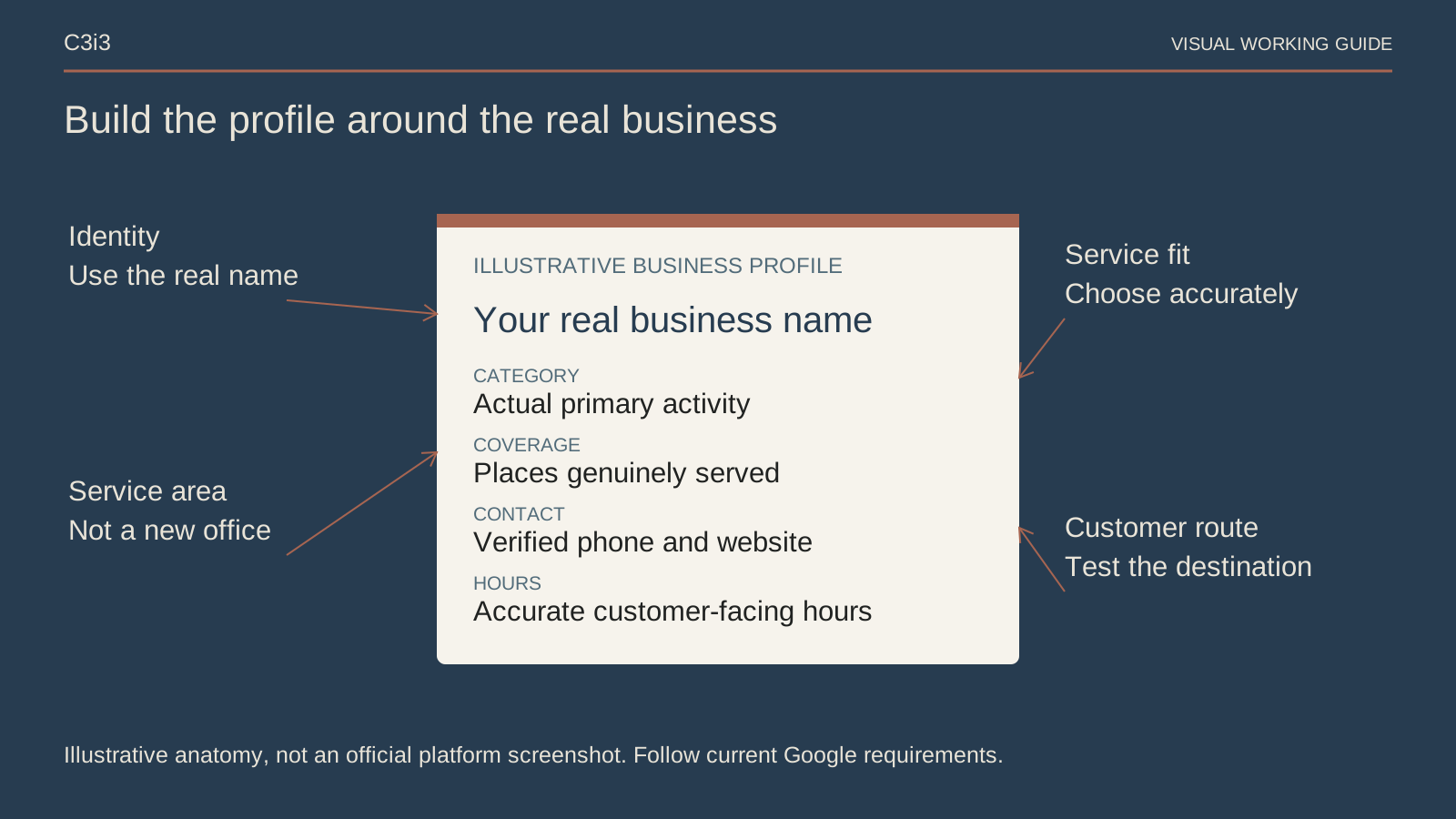
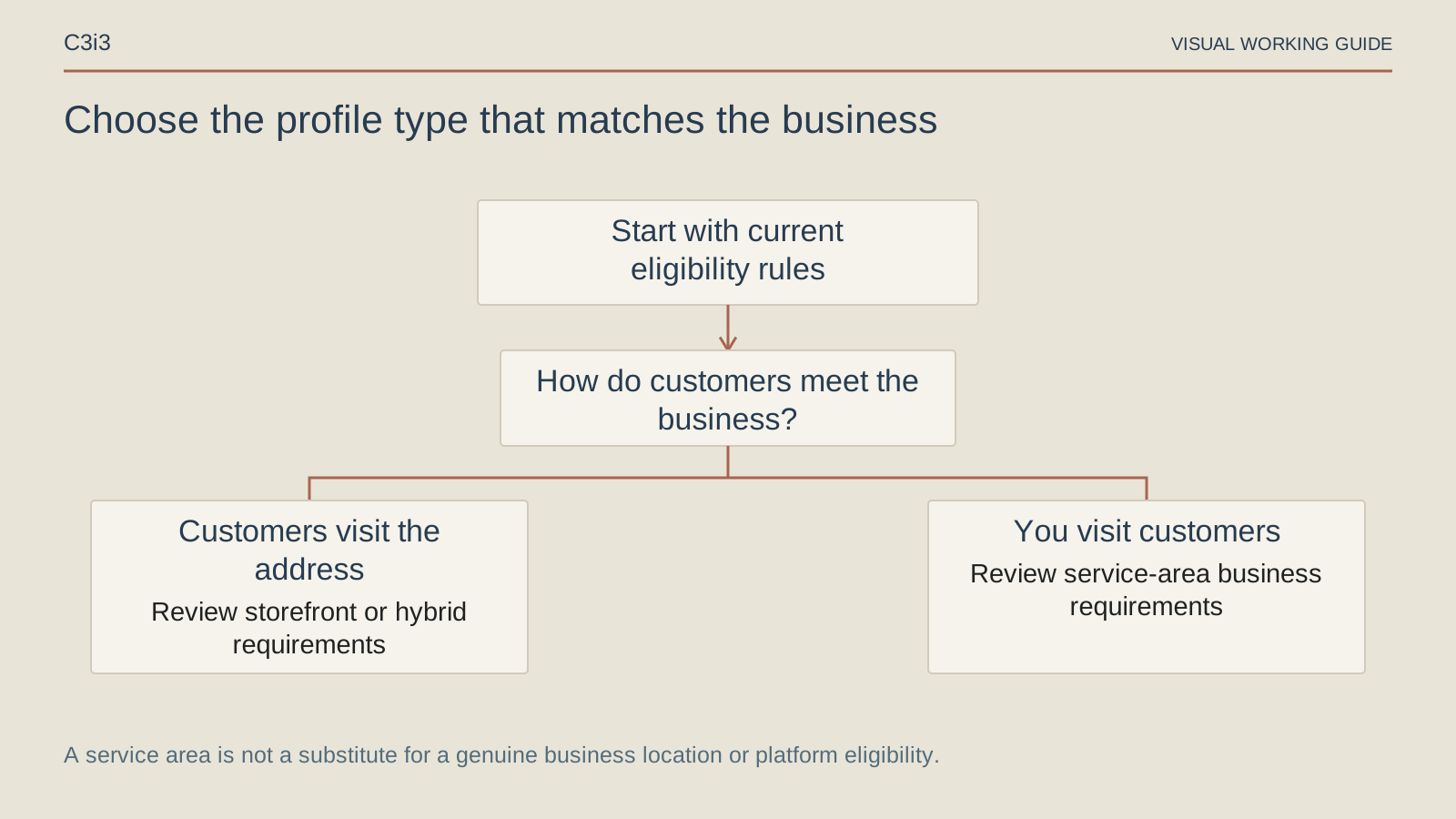
A contractor who travels to customer properties and does not receive customers at the business address generally needs the service-area setup. A genuine customer-facing location has different representation requirements. Choose the model based on actual operations, not the location you wish customers would associate with you.
Google's service-area instructions explain when to remove the public address. Do not invent a showroom, use a mailbox as a staffed office or create extra profiles for each city on your route.
Describe the coverage your team can support. Adding a desirable city to a coverage list does not make the business physically closer to every searcher there, and it does not establish a dispatch promise. The office should be able to explain the same boundaries shown online.
How should you choose the name, category and services?
Use the real business name, consistent with how the company represents itself. Do not append a string of city and service keywords because you hope they will improve ranking. Choose categories that describe the business and offered services that reflect work the team actually performs.
Start with a maintained service list. A plumbing company can distinguish its genuine drain-cleaning work from services it does not provide. The profile should help a customer recognize fit; the website can explain assessment, scope and exclusions in more detail.
Use Google's business representation rules when a field is uncertain. Keep credentials, availability and claims accurate. A profile is public business information, not a place to test exaggerated wording that the office will have to explain later.
What should be ready before verification?
Prepare to demonstrate the real business using the method Google makes available. Verification options depend on the business and circumstances. Do not buy a promise that a vendor can choose the method or guarantee approval.
Check that the business information you submit is consistent and that the authorized person can complete the required steps. If Google offers video verification, follow its current instructions about what to show. Do not include unrelated personal, customer or financial information.
Our verification guide for a plumber without a storefront focuses on that preparation. Verification establishes a basis for managing the profile; it does not certify workmanship or guarantee a particular search position.
Where should the profile send a potential customer?
Open the website destination on a phone. Does it explain the service, coverage and next step that the profile promises? A general homepage may work for an overview, but it still needs a clear route to the relevant work.
Confirm the phone number and actual hours. If a request goes to a form, check that the message reaches the person responsible for responding. A button that works technically can still lead to a business process nobody owns.
Use real photographs and useful explanations when permissions allow. Avoid treating every field as a keyword container. The contractor local SEO framework connects profile discovery with the service page, qualification and booking process.
How should you maintain the profile after setup?
Assign a person to review business information when hours, phone numbers or coverage change. Keep a short record of what was edited and who approved it. Respond to customer feedback appropriately without disclosing private job details.
Read reporting definitions before calling every interaction a lead. Google's performance documentation explains that a call metric can describe a call-button click, rather than an answered conversation. Keep office booking records alongside profile activity.
When someone sells you a ranking package, ask what work it actually includes. Google explains local visibility factors; no profile editor can remove distance from the equation. Accurate information and a dependable customer path are useful work you can inspect.
Keep this checklist beside you
Questions before the next step
Can I create a profile for every city I serve?
Do not create city profiles without genuine eligible business locations. A service-area listing should represent the real operation and follow Google’s current rules.
Does verification mean Google recommends my company?
No. Verification concerns the profile and authorized management. It does not guarantee rankings, customer inquiries or the quality of a contractor’s work.

How C3i3 Can Help
C3i3 can help connect your contractor Business Profile and local SEO with the website information customers need. We can review ownership arrangements, public details, service-page destinations and the route from an inquiry to the office.
Bring the listing you found, your actual coverage and the services you want to promote. We can identify inconsistencies, define the work that needs an authorized owner and plan useful supporting content. The aim is accurate representation and a better customer journey, with clear limits on what a profile change can establish.