




































In this article
Your crews do good work. The calendar still has gaps, the phone brings jobs outside your service area, and the marketing report celebrates visits that never become estimates. It is tempting to buy another campaign before asking a more useful question: which jobs are you actually making easy to find and book?
A contractor does not need every local searcher. You need the right person, in a workable location, asking for a service your team can deliver profitably. Build your local SEO plan around that journey, from the customer's problem to a booked appointment and eventually a completed job.
Which jobs should your local SEO actually bring in?
Start with your dispatch board and recent estimates. A plumbing business might want water heater installations more than low-margin calls far from its base. An HVAC contractor may have capacity for planned heat pump installations but limited emergency coverage. An electrician might prioritize panel upgrades while declining unfamiliar commercial work.
Write a simple acceptance rule: service, location, customer type and scheduling constraints. Then review recent inquiries against it. A smaller number of suitable leads can be more useful than a rising total that consumes office time. Your SEO brief should name those priorities before anyone proposes another dozen pages.
For example, “residential panel upgrades in our actual South Bay coverage area” is a workable starting brief. “Rank everywhere for electrical services” does not explain who should call, what the site must prove, or which inquiries your team can accept.
What should each priority service page answer?
Build around the decision a customer faces. A drain-cleaning page should explain the situations you investigate, how appointments work, what information to provide and what might require a different service. A heat-pump page needs a different conversation about suitability, site assessment and installation scope.
Give each genuinely distinct service a clear home. Link to it from navigation and relevant guides. Describe actual coverage, introduce the business responsible for the work, and make the next step visible on a phone. Avoid inserting every trade and city into every heading.
Use a real project example when permission allows. Describe the problem, what was assessed, the scope completed and any limitations. A stock photograph with “quality guaranteed” offers less practical help than a specific explanation of how your team approaches a familiar job.
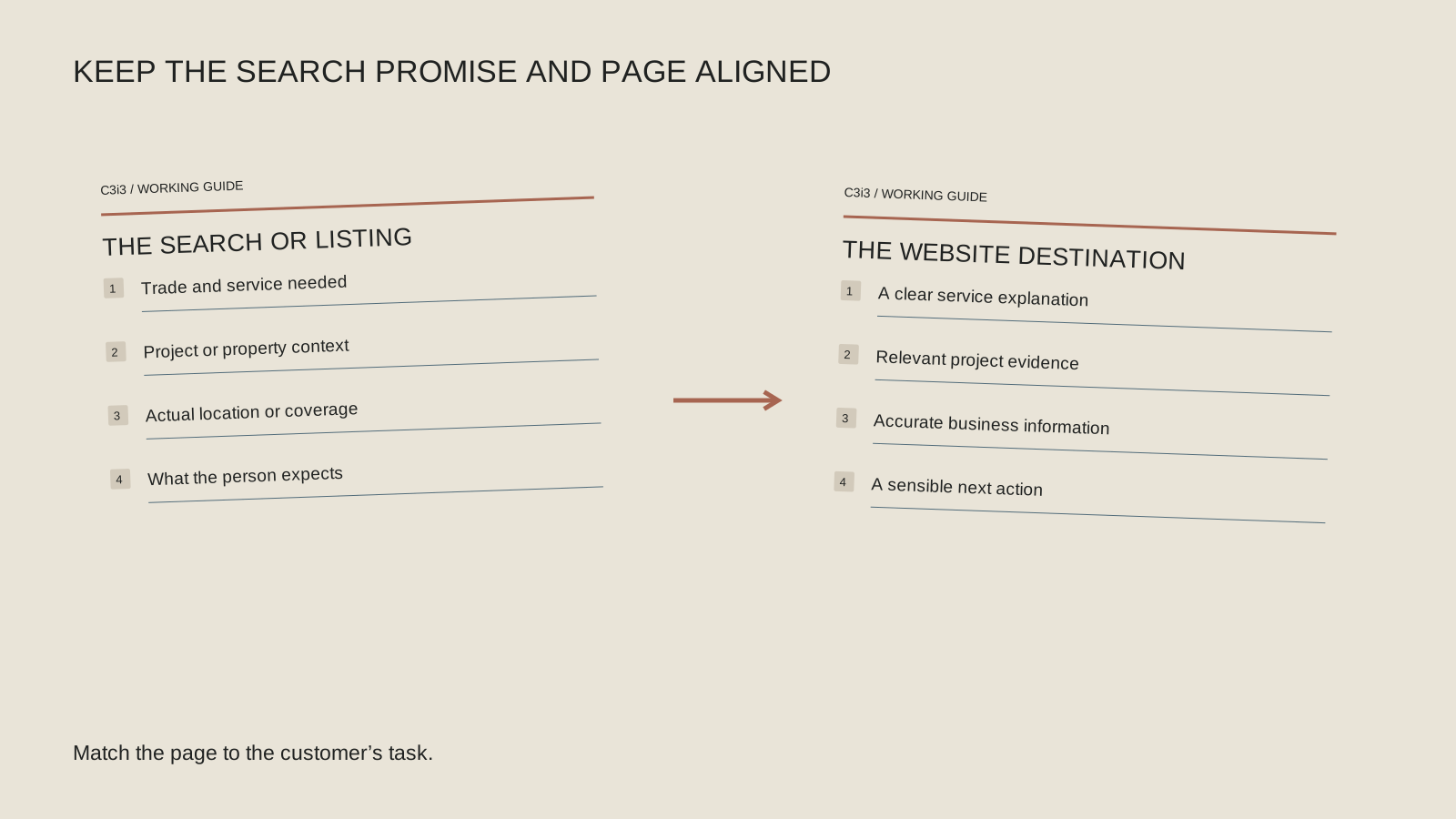
How do Maps and your website work together?
Your Business Profile helps people understand the business, while your website gives them room to evaluate a specific service. Review the profile's category, hours, phone number and website destination. Use the real business name, and represent the location and service area accurately.
Google explains that local results consider relevance, distance and prominence. Adding more city names is not a way to buy or request a better local position. Where you operate and where the searcher is located still matter.
If customers do not visit your address, follow Google's service-area business guidance. Do not invent a storefront to appear closer to a desirable neighborhood. Our Maps visibility guide helps separate profile issues from website issues.
One service, one complete customer path
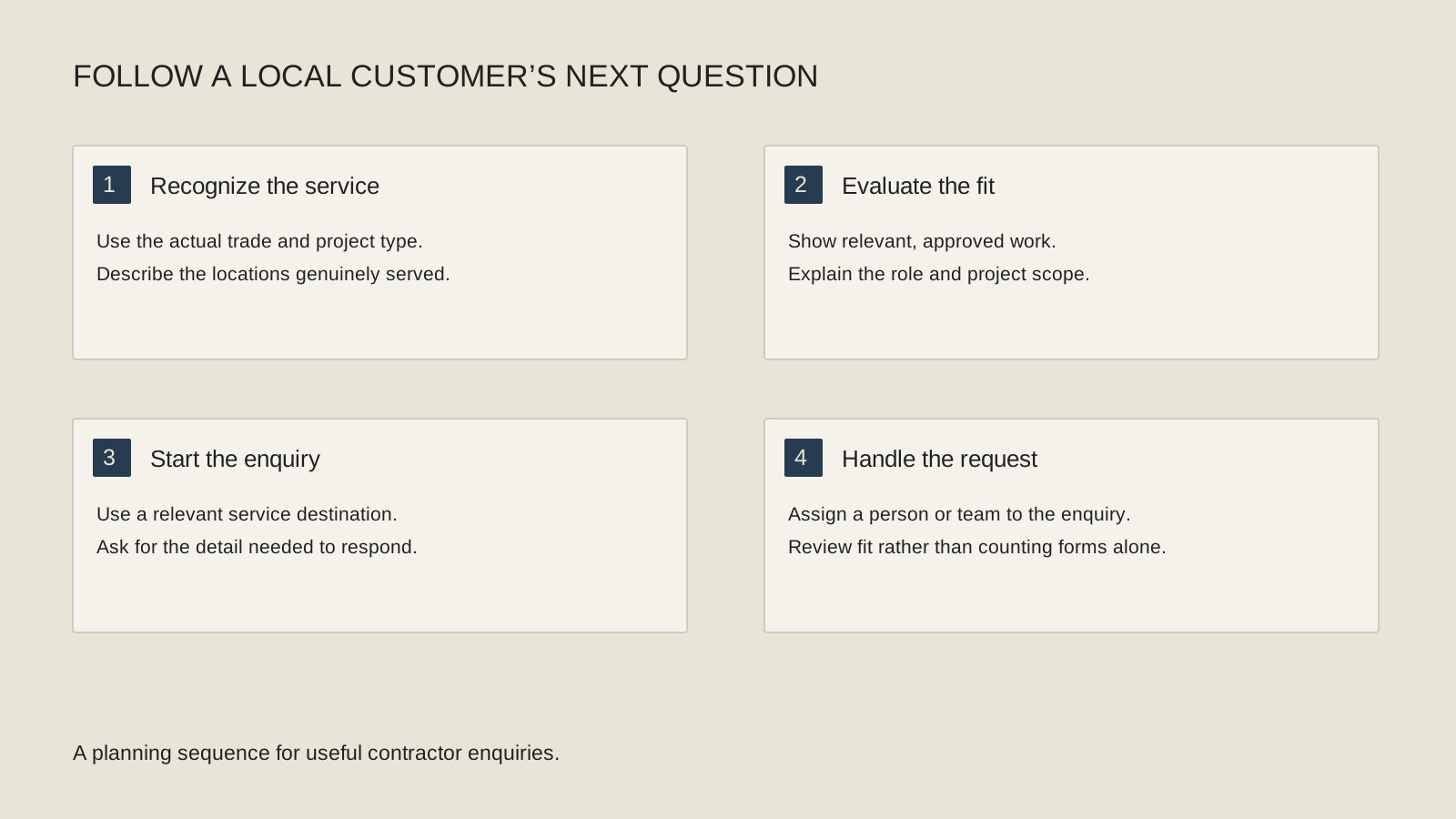
Use this working sequence before expanding the page count.
Pick the job
Name the service, area and scheduling fit.
Answer the decision
Explain scope, assessment, evidence and next steps.
Check the response
Test calls, forms and office handoffs.
Count the result
Record qualified inquiries, appointments and jobs.
Do San Francisco, San Jose and East Bay pages need different content?
Sometimes a separate local page helps; sometimes a clear service page and coverage section are enough. The useful test is whether the page answers a different buyer need with information your business can substantiate. A city name alone is not that difference.
San Francisco appointment planning might involve building access, parking and coordination with a property manager. An East Bay service route might have different booking boundaries. A San Jose installation page could explain how the business handles site assessment and the relevant permitting process. These are examples to verify against your operation, not facts to paste onto every contractor's website.
Start with search data and actual customer questions. Keep a broad Bay Area description where it accurately describes the business, but do not assume regional wording has more demand than a specific service-and-city query. See our guide to separate city pages before expanding.
What should you track after someone finds you?
Follow a small set of stages: relevant search visibility, inquiry, qualified inquiry, booked appointment, accepted estimate and completed job. Ask the office to record why unsuitable inquiries were declined. Wrong locations and wrong services point to a different fix from unanswered calls.
An illustrative month might bring 30 inquiries, of which 18 fit the business, 12 become appointments and four become jobs. Those numbers are an example, not a benchmark. They show why “30 leads” leaves the most important questions unanswered.
Use Search Console's performance report to inspect Google Search activity, and connect website measurement to the records your office actually maintains. A form submission is an inquiry; it is not proof of a sale. Keep personal customer details out of analytics events.
Where do AEO and AI search fit into the plan?
Answer customer questions clearly because people need the answers. Explain service limits, assessment steps and next actions in ordinary language. Keep important information available as text, even when an illustration or video makes the explanation easier to follow.
Google's AI features guidance builds on normal search eligibility and useful content. There is no honest promise that adding an FAQ or schema will make an assistant recommend your business. AEO and AIO should support accurate, accessible information rather than become a second set of inflated claims.
For the next work cycle, repair the weakest part of one service journey. Publish a useful page if the answer is missing, improve proof if visitors hesitate, or improve response handling if good inquiries disappear after submission. Then use the evidence to choose the next service.
Keep this checklist beside you
Questions before the next step
Can local SEO guarantee a full schedule?
No. Visibility is only part of the journey. Demand, competition, pricing, availability and how inquiries are handled affect the outcome.
Should I make a page for every city?
Only when you can provide useful, distinct local information and genuinely serve that location. Start with the pages that support your priority jobs.

How C3i3 Can Help
Bring the job types you want and your real coverage area. C3i3 can help connect service explanations, business information and a practical inquiry path.