









































In this article
An ecommerce redesign can change navigation, product groupings and URLs at the same time. A Bay Area brand needs to preserve useful customer paths while making the store easier to understand. Treat URL migration as a planned part of merchandising and development, with an inventory, mapping decisions and a verified launch process.
Planning a project? Explore Bay Area web design and marketing support and ecommerce design and development services.
What should I inventory before an ecommerce website redesign?
Collect existing product, category, editorial and important campaign URLs, plus the evidence available about their use. Identify pages customers still need, links that remain in circulation and content that will change. An inventory should reflect real destinations rather than only the pages visible in the new navigation.
Add product lifecycle context. A discontinued item may still need an explanation, a relevant alternative or support information. Decide its purpose before choosing a destination. Merchandising and customer-service knowledge are valuable inputs to the migration map.
How do I find an ecommerce agency near me that can handle migration?
Ask the provider to show how it creates and tests a URL map. It should distinguish content planning, technical implementation and post-launch review. A redesign proposal needs a named owner for those responsibilities, not a general promise that SEO will be preserved.
For a Bay Area brand, local planning can help bring merchandising, operations and marketing into the same discussion. The important evidence is a workable method and a clear review process. A nearby address alone cannot establish migration capability.
When should I keep an existing product or category URL?
Keep a stable URL when it remains accurate and useful and there is no good reason to change it. A redesign does not require changing every address. Evaluate the benefit of a change against the work needed to update links, redirects and operational references.
When a URL must change, select a destination that meaningfully continues the customer’s task. A product may move to its equivalent page, while a retired category may need a relevant replacement. Do not assume that the homepage answers every old request.
For the connected decision, read Bay Area SEO: Why Did Traffic Drop After My Website Redesign?.
What should a redirect and link test verify?
Test representative and important old URLs against the approved map, checking the actual destination and response behavior. Verify that new internal links point to the intended pages and that canonical and sitemap decisions match the public release. Google’s site-move guidance provides relevant considerations for URL changes.
Include different page types and difficult cases, not only the homepage. A migration can appear successful while leaving a product family or document path unresolved. Record defects with owners and preserve enough evidence to distinguish a mapping decision from an implementation error.
What should the launch and rollback plan include?
Assign the release owner, required checks and the conditions that would trigger a pause or rollback. Verify backups and the practical recovery route for the changes being made. Define who communicates with staff when order or catalog behavior is affected.
Coordinate campaign and partner links as well. An affiliate, email or saved customer bookmark may continue using an old address. The migration plan should identify important external paths and decide whether to update them, redirect them or maintain useful content at the existing location.
How should I review the store after migration?
Review important customer tasks, operational behavior and available search or error reports. Distinguish measurement changes from actual traffic changes. Search performance can vary during and after a move, so the report should show the evidence and the work completed rather than promise an unchanged ranking.
C3i3 can help connect the redesign brief, product information, content map and development responsibilities. Bring the current store and the proposed merchandising changes. The useful starting point is a reasoned migration plan with testable decisions and an accountable review.
How do the key evaluation criteria compare?
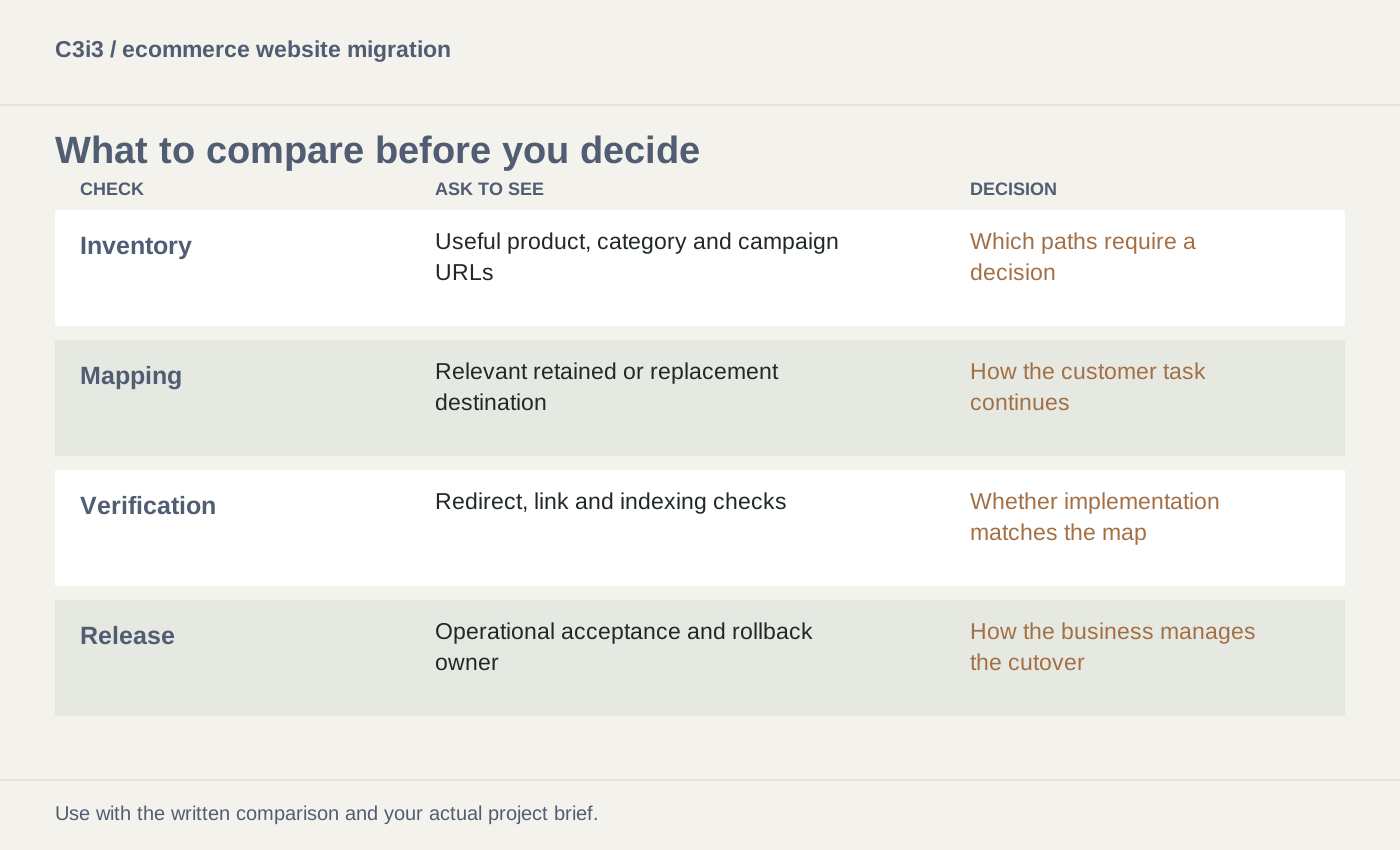
| What to compare | Evidence to request | Decision it supports |
|---|---|---|
| Inventory | Useful product, category and campaign URLs | Which paths require a decision |
| Mapping | Relevant retained or replacement destination | How the customer task continues |
| Verification | Redirect, link and indexing checks | Whether implementation matches the map |
| Release | Operational acceptance and rollback owner | How the business manages the cutover |
How could a brand preserve a discontinued product path?
Imagine a product that is no longer sold but still appears in partner content and customer bookmarks. The brand reviews the need and decides whether the old page should explain the retirement and alternatives or lead to a genuinely relevant replacement.
It records that decision and tests the implemented behavior before launch. This hypothetical example does not prescribe one treatment for every discontinued product. It illustrates why product lifecycle knowledge should inform the URL map instead of sending every obsolete address to the homepage.
What should you remember before the next step?
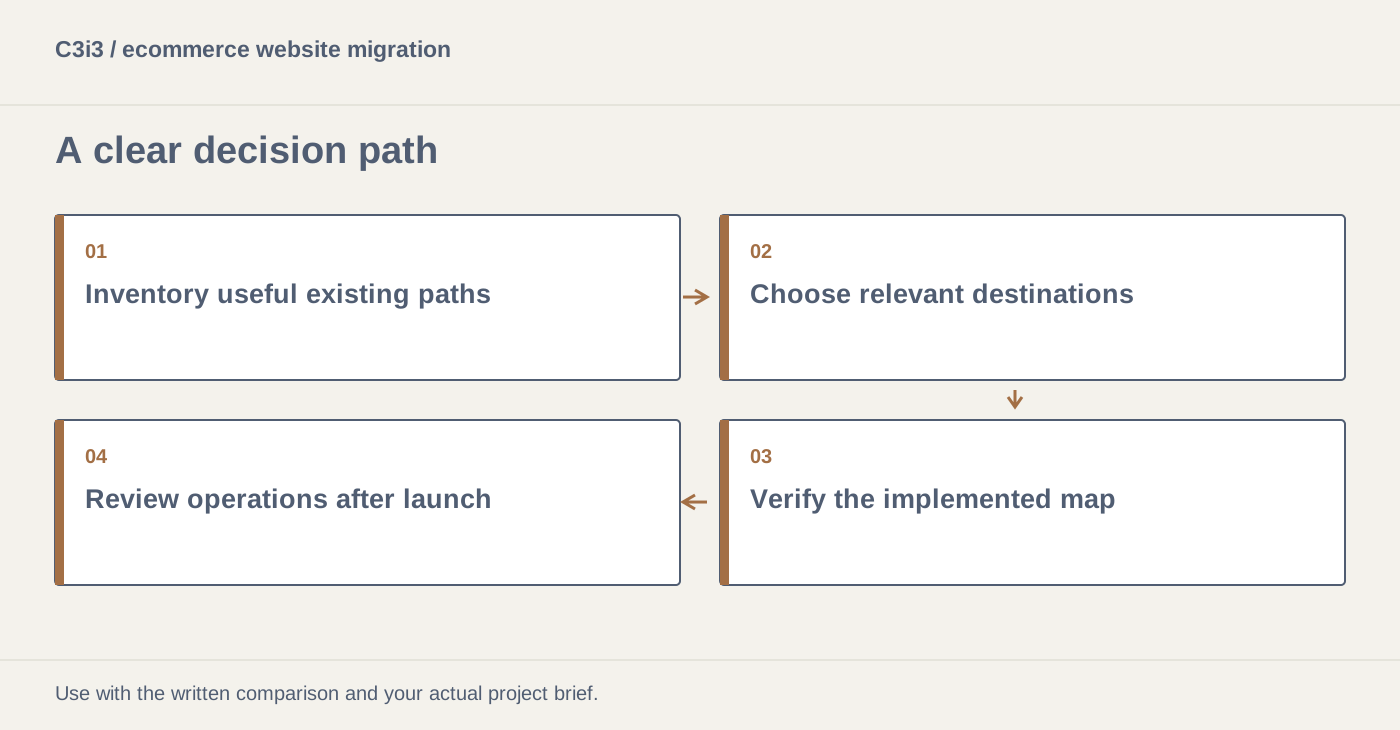
- Inventory useful existing paths.
- Choose relevant destinations.
- Verify the implemented map.
- Review operations after launch.
What else do local business buyers ask?
Should every old ecommerce URL redirect to the homepage?
No. Choose behavior that reflects the old page’s purpose and a genuinely useful destination. Some cases need a different treatment.
Can a migration guarantee unchanged search traffic?
No. Use a careful plan, verification and post-launch review while acknowledging that search performance can change.
Do affiliate and campaign URLs matter in a redesign?
Yes. Review important external paths and coordinate updates or appropriate continued behavior so customers can still reach useful information.
Which sources can help you verify these decisions?
The frameworks and hypothetical examples are C3i3 editorial analysis. The linked primary sources provide platform, usability or disclosure context for the relevant decisions.
How can C3i3 help you plan the right next step?
Share your current website, the customers you want to reach and the work you want to improve. C3i3 brings design, content, technology and marketing into a coordinated project scope.
Review C3i3’s background, explore ecommerce design and development or tell us about your project.