






































In this article
A product sheet lists features. A social audience needs to understand what those features help somebody do. The distance between those two forms of explanation is where many product posts become vague: a photograph, a list of attributes and an invitation to learn more leave the practical question unanswered.
Social media content creation becomes more useful when each asset shows one meaningful product decision. This guide follows that process from a feature to a question, a visible explanation and a platform-appropriate asset. It is written for brands with current product information and useful source material. For the larger engagement, see the SMO agency services guide. The task here is creating the explanation, rather than planning the entire channel strategy or choosing filming equipment.
How do you turn a product feature into a useful customer question?
Ask what the feature changes for a person performing a particular task. The content question should help that person recognize a use, evaluate a constraint or compare an approach.
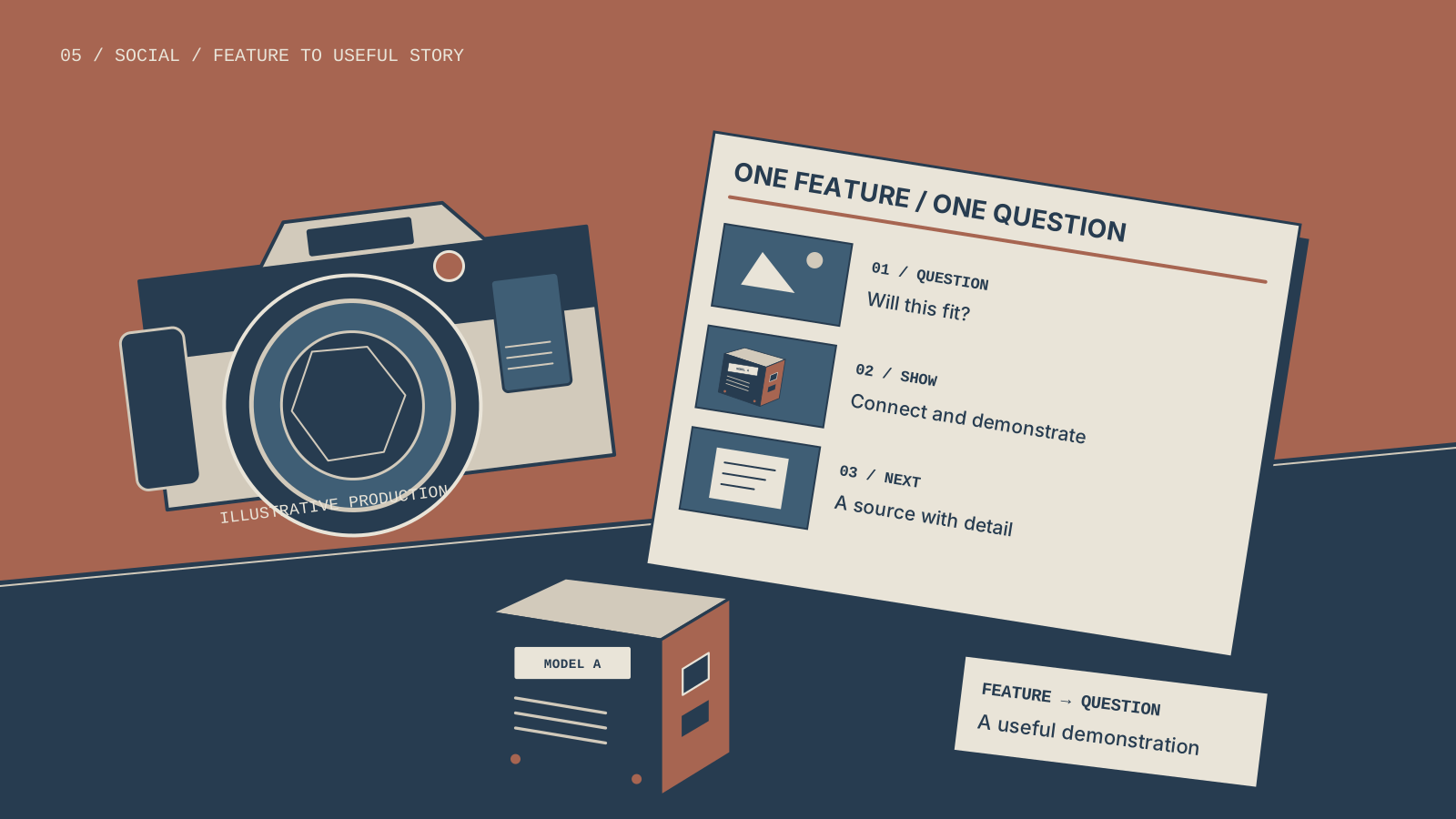
For a hypothetical inspection camera, imagine a head whose position can be adjusted. The feature alone is a description of the mechanism. A useful question might be, “How can I see the area beside the opening rather than only what is directly ahead?” The business would need to confirm the actual product’s supported use and limitations before developing that content. The example here illustrates the writing process, not a specification for a real device.
Where should the team find better questions?
Look at recurring product conversations, requests for demonstrations and points where a comparison becomes difficult. Keep the underlying question without including a customer’s private details. Compare that question with the public product information. If the existing page already answers it well, the social asset can help make the answer visible and connect interested viewers to the fuller explanation.
Platform research can add another perspective. TikTok’s official Creator Search Insights announcement describes access to topics people search for. A discovered phrase is a possible input, not a reason to create material unrelated to the offer. The strategy services guide explains how those questions fit the broader audience and channel plan.
What should a short product content script include?
A useful script identifies the task, shows the relevant product behavior, explains the condition that matters and offers an appropriate next step. It should give the viewer a reason to keep watching without withholding the basic answer.
Begin with the decision, not a long company introduction. For the illustrative camera example, an opening could show the difference between a forward view and the intended side-view task. The next shot would show the adjustment that changes the view. The accompanying explanation would identify the model and any condition necessary to interpret what is being shown.
| Stage | Question for the creator | Example direction |
|---|---|---|
| Task | What is the viewer trying to inspect? | Show the area that is difficult to see |
| Action | Which product behavior answers the question? | Show the adjustment and resulting view |
| Context | What must the viewer know to interpret it? | Identify the model and visible setup |
| Next step | What would help a serious viewer evaluate further? | Point to current model and application information |
How much should the script try to cover?
Cover one main question well enough that the asset stands alone. If the explanation requires several unrelated comparisons, divide the assignment or use a longer format. A short asset can introduce a useful distinction without pretending to replace the complete product documentation. The next step should acknowledge that difference and help the viewer find the detail still needed.
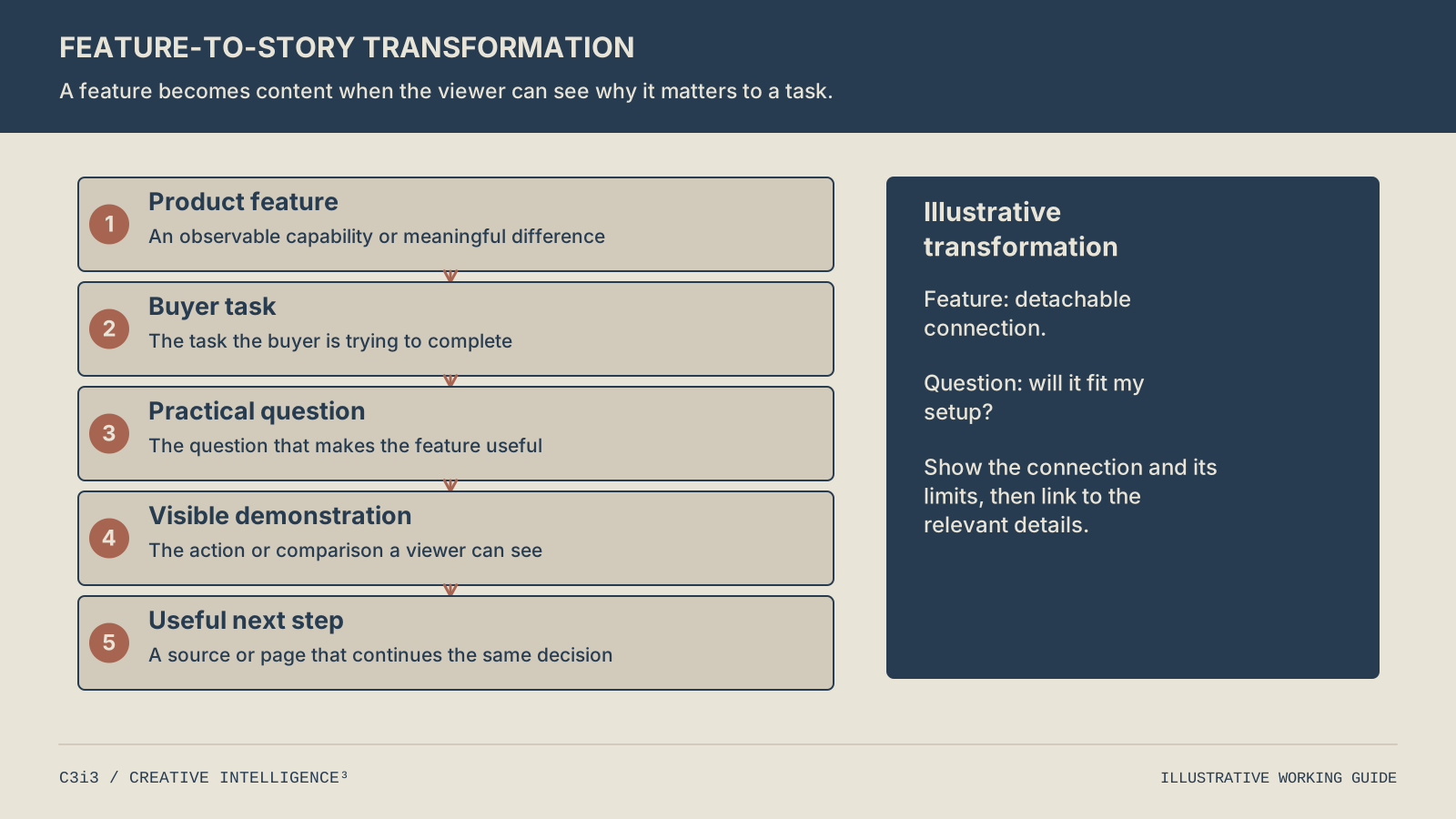
Start with the feature, identify the buyer task and practical question, show the relevant behavior and offer a next step that continues the same evaluation.
What makes a product demonstration understandable on a phone?
The important action and result need to be visible at the size the viewer actually sees. Frame the relevant detail, provide enough context to recognize it and avoid asking a caption to explain something the image never shows.
Inspect the rough asset on a phone before completing the edit. Can an unfamiliar person identify which part moved and what changed? If the feature is too small to see, a closer view or a simple annotation may be more useful than another sentence. If the close-up removes all context, add a brief wider view so the viewer understands the relationship.
When should you use a comparison instead of a single demonstration?
Use a comparison when the decision depends on a meaningful difference. Show the same relevant task in a consistent enough arrangement for the viewer to understand what changed. Do not imply that an illustrative setup proves performance under every condition. Explain the context visible in the asset and link to the current information needed for further evaluation.
Give the editor a concrete shot list: the task, the product action, the resulting view and the identifying detail. This is different from asking for “dynamic product footage.” The product demonstration guide discusses the broader creative assignment. Here the practical check is narrower: whether the chosen images let the viewer understand the specific feature question without guessing.
How should one product question become different social formats?
Keep the question and facts consistent while changing how the audience encounters the explanation. Select the format that makes the required detail easiest to understand, rather than treating every platform as a place for the same file.
A short video can show the key action quickly. A carousel or document can let the viewer inspect a sequence or compare details at a deliberate pace. A longer video can include setup, interpretation and follow-up context. None of those formats is automatically best for every product question.
What changes beyond the aspect ratio?
Review the opening, visual scale, pacing, written explanation and destination. A viewer examining a document may need labels that distinguish steps. A viewer watching a short clip may need the important action earlier. A longer demonstration may need navigation between distinct questions. Cropping an existing edit into a new shape does not resolve these differences by itself.
LinkedIn’s official Page guidance describes formats such as images, video and documents. Use them according to the explanation, and confirm the current requirements for the format selected. The social media SEO guide covers a different task: helping relevant material match discovery inside platforms. Creation and discovery can support each other without duplicating the same article or turning every caption into a string of search phrases.
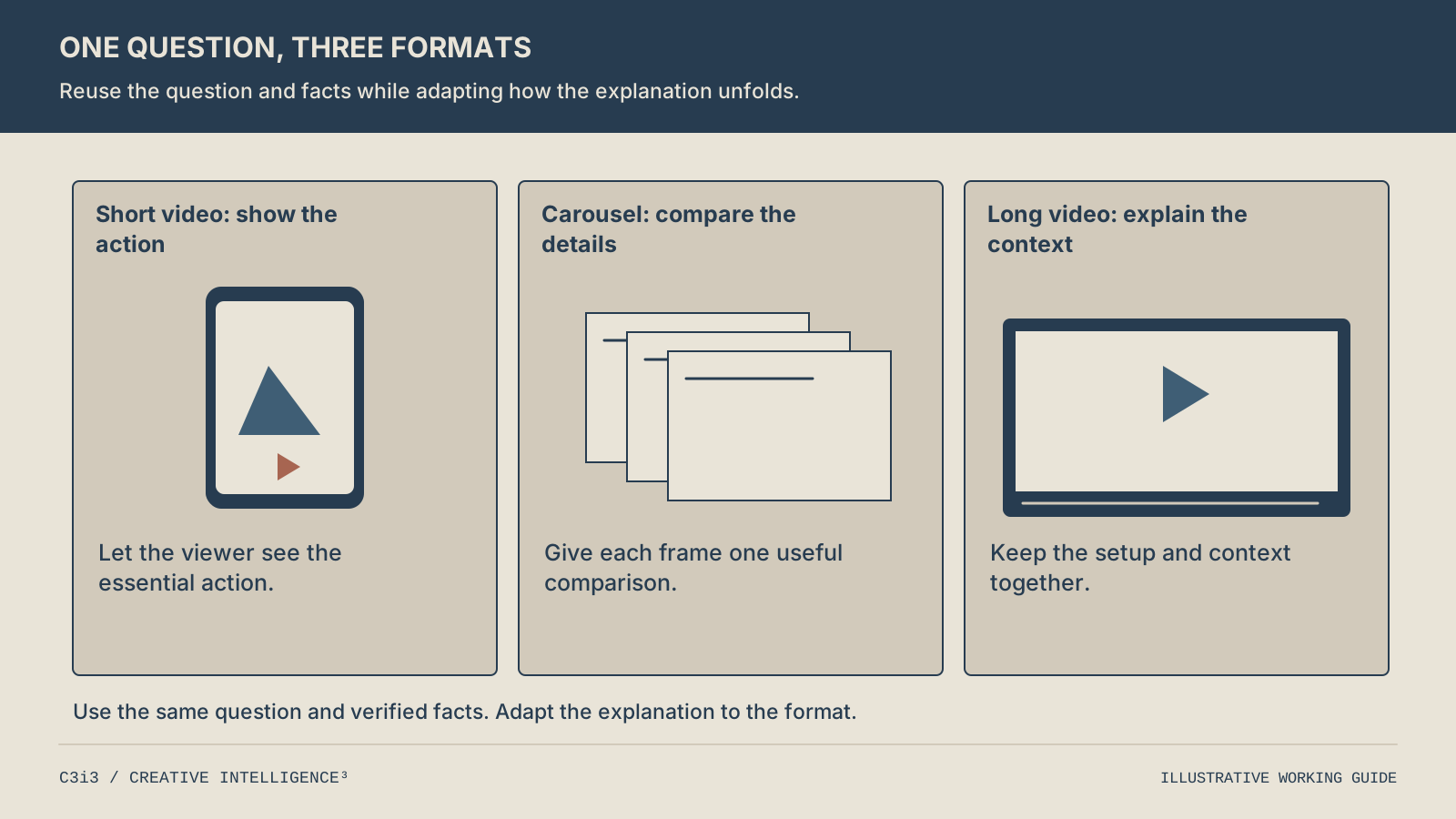
Use a short video to show the key action, a carousel to support a deliberate comparison and a longer video for setup and context. Select formats by what they help the viewer understand, not by a requirement to publish everywhere.
What source material should a creator receive before editing begins?
The creator should receive the current product identity, the question being answered, the source of the explanation and the views needed to show it. This reduces the need to infer technical meaning from an unlabeled folder.
For the hypothetical camera example, the material record would identify which model appears, which adjustment the footage shows and where the public model information lives. It would distinguish a finished demonstration from spare footage recorded for another purpose. A short written note can explain what the viewer should notice in each useful clip.
How can the business make reuse easier later?
Retain the source files and the finished exports in a clear structure. Name the product, task and version so another creator can understand what the asset represents. Record the public destination attached to the post. If the product changes, those links between source and finished content make the affected pieces easier to locate.
The social media outsourcing guide provides a more detailed handoff workflow. When assigning this specific asset, keep the brief small enough to use: one question, the necessary facts, the required views and the intended next step. Once the source and asset are ready, the content calendar can place them in a sensible sequence. Scheduling should follow readiness rather than make the creator rush past missing information.
How do you decide what to improve after the content is published?
Review whether the asset answered its assigned question, then use audience evidence to investigate where the explanation may be weak. Separate the quality of the explanation from the size of its initial distribution.
Begin with a simple comprehension check. Ask somebody unfamiliar with the draft what the feature helped the user do. If the answer differs from the intended point, revise the opening, visual sequence or labels. That check does not require a large audience and can happen before publication.
What can video attention data tell you?
YouTube’s audience retention documentation explains how to inspect attention at different moments in a video. Use that evidence to identify a segment worth reviewing. A drop may coincide with a slow introduction or an unclear transition, but the chart does not prove the cause on its own. Watch the relevant section and compare it with the viewer’s expected question.
Look at the substance of audience questions as well. If viewers repeatedly ask which model appears, the identity may be unclear. If they understand the demonstration but cannot locate the supporting information, the destination needs attention. The guide to interest without inquiries follows that later path. Choose one meaningful revision at a time when practical and retain the old version, so the team knows what changed and does not overstate what a single observation proves.
What else should product brands ask about social media content creation?
Can a product feature become useful content without new video footage?
Yes. A clear photograph, diagram or sequence of annotated images may explain a physical difference effectively. Choose the format according to the task. If movement is necessary to understand the feature, a static asset may need a supporting demonstration. If the viewer needs to compare dimensions or identify parts, a deliberate still image may be easier to inspect than a rapidly edited clip.
Should a product post include every feature?
Usually a focused explanation is easier to understand. Select the feature relevant to the question and provide the context needed to interpret it. The complete product page can carry the broader detail. A post that tries to summarize the entire catalog may never show the one difference a prospective buyer needs. Keep the next step connected to the information the short asset reasonably leaves out.
How do we create several assets without repeating ourselves?
Give each asset a different customer decision. One can establish the task, another show the physical mechanism and another explain how to compare relevant configurations. Reuse source material where it adds clarity, but inspect the question behind each item. If the only difference is the caption or crop, combining the pieces may give the audience a stronger explanation and free production time for a real gap.
Can AI help with product content creation?
AI tools can help organize a brief, propose structures or produce draft wording from supplied information. The business still needs to provide reliable product facts, and the finished explanation needs review against its sources. A plausible-looking demonstration or invented specification should never stand in for actual product evidence. Use assistance to make the work clearer, while retaining a traceable connection to what the business can support.
Does useful product content always need an immediate inquiry invitation?
No. The next step should fit the viewer’s decision. A first explanation may point to a comparison or setup guide. A detailed application piece may justify an invitation to discuss the requirement. The aim is to continue the same question at an appropriate level of detail. An unrelated contact prompt can interrupt that path even when the creative itself is clear and informative.
How C3i3 Can Help
C3i3 can help turn product knowledge into original social writing, diagrams and video explanations. We can develop the buyer question, shape the creative sequence and connect the finished asset to the website information that supports further evaluation.
Explore social media optimization services or send us the product feature customers keep asking about. A current product page, a sample of available imagery and the practical question are useful starting inputs for a focused content assignment.