






































In this article
Your social video shows the product from every angle. The lighting is considered, the edit moves quickly and the final frame asks viewers to learn more. Yet the comments keep asking the same basic questions: what does it do, how does it fit the task and what must someone prepare before using it?
Bay Area social media video production can look busy while leaving the buying question untouched. A useful demonstration does more than show that a product exists. It helps the intended viewer understand something they could not judge from a polished still image.
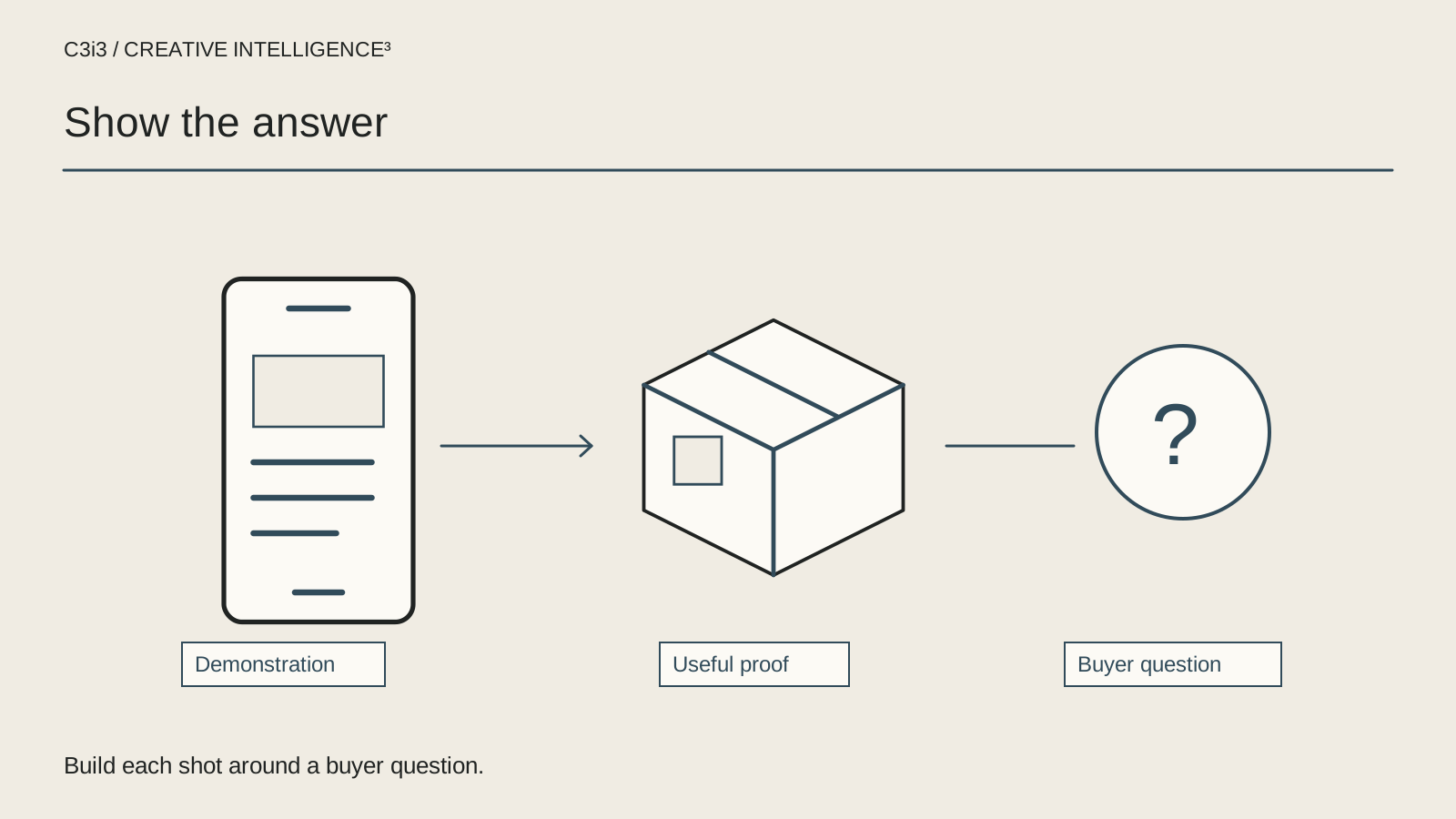
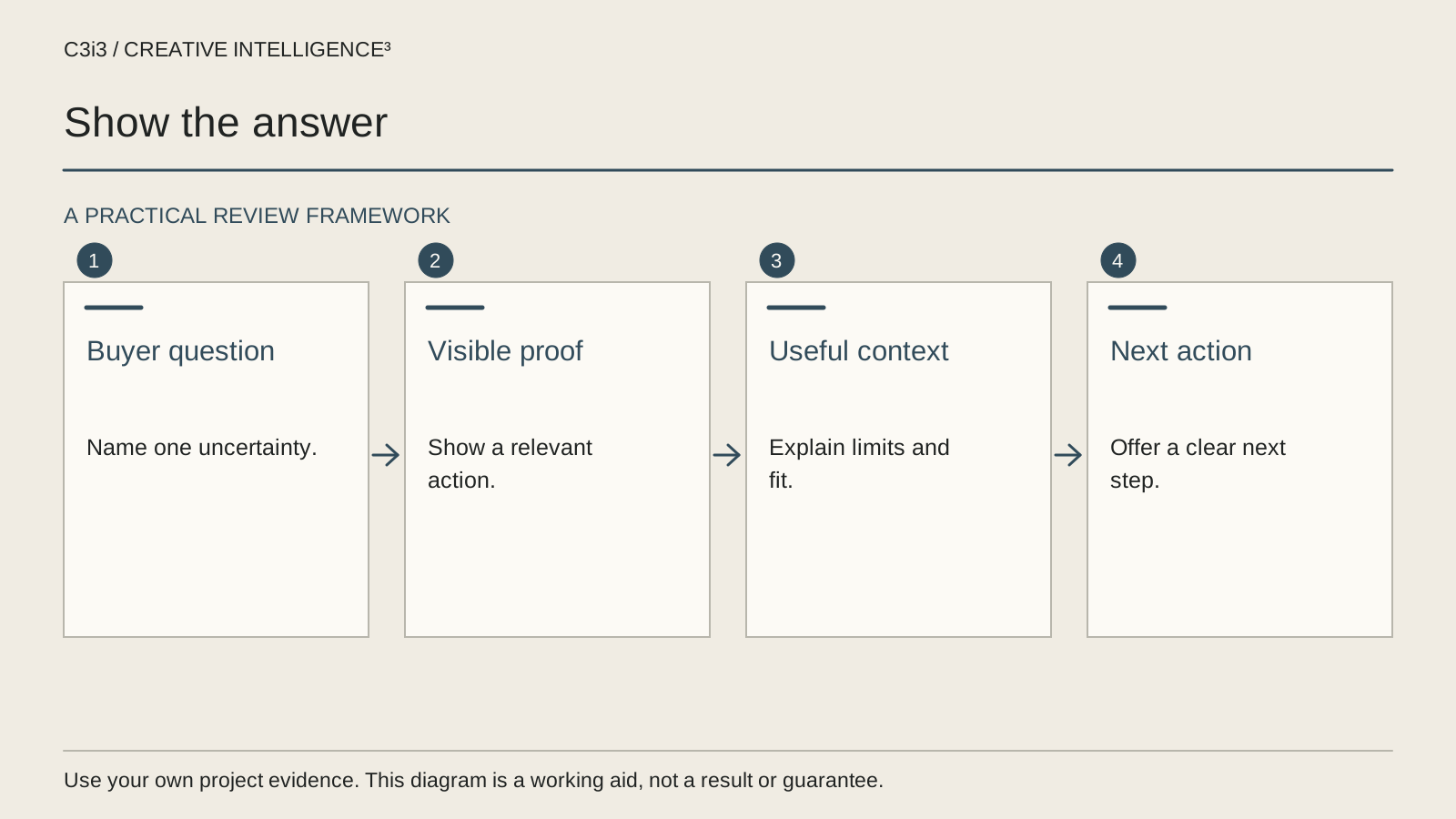
This guide focuses on choosing what the demonstration must prove. It is not another list of platform dimensions or export settings. Use it to build a short sequence around the buyer's uncertainty, with original examples that your product team can verify before publication.
Which unanswered buyer question should this demonstration address?
Begin with questions from legitimate sources your business can review: product enquiries, sales conversations, support themes and questions on your own published content. Remove personal information before sharing examples with a creative team. Do not invent a customer objection merely because it creates a dramatic hook.
Group the questions by the decision involved. Understanding what the product does differs from deciding whether it fits an existing workflow. A question about physical scale differs from one about compatibility. Combining all of them into one short commercial can leave every answer incomplete.
Choose the question that matters for this asset and identify the intended viewer. An enterprise procurement team, an operations manager and an individual product buyer may examine the same object for different reasons. The chosen question should explain both what the video includes and what belongs on a linked page.
Consider a hypothetical product brand whose viewers repeatedly ask how the item opens and where its removable part goes. A rotating beauty shot does not answer either question, even if the mechanism is briefly visible. The demo needs to show the action with enough context to understand it. The B2B product-video guide helps establish the wider buyer task; this social treatment chooses the particular uncertainty the next short asset will resolve.
What would count as visible evidence rather than another claim?
Write the answer as something the viewer can observe. Replace a statement such as easy to organize with the actual sequence: where the items begin, how the product is used and what the resulting arrangement looks like. Let the relevant product owner confirm that the demonstration represents normal intended use.
The FTC's advertising guidance emphasizes truthful, evidence-based claims. For production planning, that means your team should connect a statement with its supporting material before publication. A visual impression can matter as well as the words; a beautiful edit should not imply an untested result.
| Question | Useful observation | What to avoid |
|---|---|---|
| Will it fit? | An honest scale reference or relevant dimension | A composition that conceals size |
| How does it work? | A visible action from starting state to result | Skipping the essential step |
| What is required? | Necessary preparation and accessories | Implying the product works without them |
| Is it suitable for my task? | A clearly defined use case and limitation | A universal suitability claim |
This matrix is an editorial planning tool, not proof that a product has been tested. Record where the actual evidence comes from and who has reviewed it.
Which parts of the action must remain understandable after editing?
Identify the steps that explain cause and effect. If the viewer needs to see how a part connects, the edit must make that connection understandable. If a result depends on preparation, show or explain the preparation. Removing all of the ordinary steps can make a sequence shorter while making the product less clear.
Build a simple sequence with a beginning state, an action and a relevant result. Add a closer view only when it answers a real detail question. Decorative footage can provide breathing room, but it should not replace the observation that justifies the asset.
For a hypothetical Bay Area software product, a social demo might show an approved sample request moving into a review queue. If the edit jumps directly from an empty screen to a finished dashboard, the viewer may miss the actual workflow. Show the meaningful interaction and identify any illustrative data. Keep confidential customer material outside the recording.
Save continuity notes when different takes supply the sequence. Confirm that the visible product version, configuration and sample task remain consistent. The product-shoot readiness guide helps prepare the required material before filming. The social edit should preserve that factual groundwork rather than treating the available footage as interchangeable visual texture.
Can someone understand the demonstration without relying on the soundtrack?
Watch the proposed sequence without sound and describe what remains understandable. If the only explanation is a voice-over naming a hidden benefit, the visual treatment may need a clearer action or carefully chosen supporting text. This check does not mean every commercial should be silent; it asks whether the essential visual communication has been planned.
LinkedIn's video-ad creative guidance encourages considering sound-off viewing. Use that as a prompt to inspect the actual message rather than copying a claimed platform-wide performance rule into your brief.
Add text where it clarifies the observation, not where it simply repeats a slogan. Keep important labels readable in the intended composition and check that platform controls will not cover them. If a qualification is needed to understand the demonstration, do not place it in text that disappears before a person can reasonably read it.
Review captions and any descriptive explanation as part of the asset rather than as a final decorative layer. The W3C captions resource explains their access purpose. Plan the relevant media needs for the actual video, then test the completed version on a representative narrow screen and through the intended publishing route.
Does the next step follow naturally from what the viewer has learned?
Ask what a viewer can reasonably decide after seeing this particular evidence. A short demonstration may establish that the product addresses a familiar task without answering every selection question. The next step could be a fuller demonstration, specifications or a relevant conversation. It should not pretend that all remaining uncertainty has vanished.
Compare the final action with the destination. If the video explains a particular workflow, the linked page should make that workflow easy to find. If it shows a product configuration, avoid sending the viewer to an unrelated category where they must identify it again. Keep the handoff specific without making unsupported promises about what the visitor will achieve.
Use a hypothetical professional-services example carefully. An animated diagram can show the stages of an approval service, but it is not evidence that every client follows that exact sequence. Label illustrative workflow material appropriately and invite the visitor to discuss the relevant conditions.
The video-to-landing-page guide covers this handoff in more depth. For local service context, use the existing Bay Area services hub. A helpful regional link should explain where the business can help, while the demonstration answers the more specific product or service question.
What should you learn before making the next product demo?
Review questions and observed behavior against the asset's original purpose. Did viewers still ask the question the video intended to answer? Did the sales team need to correct a misunderstanding created by the sequence? Did people arrive at the destination expecting a different product or service? Those are useful findings even when the available numbers cannot establish a conclusive performance comparison.
Do not treat every comment as representative of the audience. Separate recurring relevant questions from isolated reactions and unrelated requests. Keep the review grounded in the business task rather than chasing the most attention-grabbing reply.
Create a revision note with the misunderstood point, the proposed evidence and the person responsible for validating it. Sometimes the right next asset is a closer demonstration of one step. Sometimes the issue belongs on a specification page or in the sales conversation. More video is not the answer to every missing explanation.
C3i3's social video service supports this connection between buyer questions and creative work. Use the commercial views-to-enquiries guide for the wider campaign investigation and the existing platform-version guide for adaptation. Keep those tasks distinct so an export change does not stand in for a clearer demonstration.
Keep this checklist beside you
Questions before the next step
Should every social product video try to sell immediately?
Give the asset a defined role. A demonstration may help someone understand a product, compare a particular feature or decide whether to ask another question. Choose the next action that follows from that information. Asking for a sale does not make the communication complete if a basic selection question remains unanswered.
Can we cut out slow parts of a demonstration?
You can edit for clarity and pace while preserving the context needed to understand the action. Identify any preparation, delay or condition that materially changes the impression. Ask the responsible product reviewer to check the final sequence rather than assuming that each individually accurate shot creates an accurate overall demonstration.
What if the product looks better than it explains?
Keep the attractive treatment where it supports the communication, but add evidence for the actual buyer question. That may mean a closer view, a clear operation or a more appropriate starting state. Test whether someone outside the project can explain what the demonstration showed without filling gaps from their own product knowledge.
How C3i3 Can Help
C3i3 helps Bay Area brands and business teams turn product questions into useful social video concepts. Bring the real questions, available product evidence and intended destination. We can help plan a demonstration, a clearer creative brief and the supporting page without inventing a result your product has not shown.