






































In this article
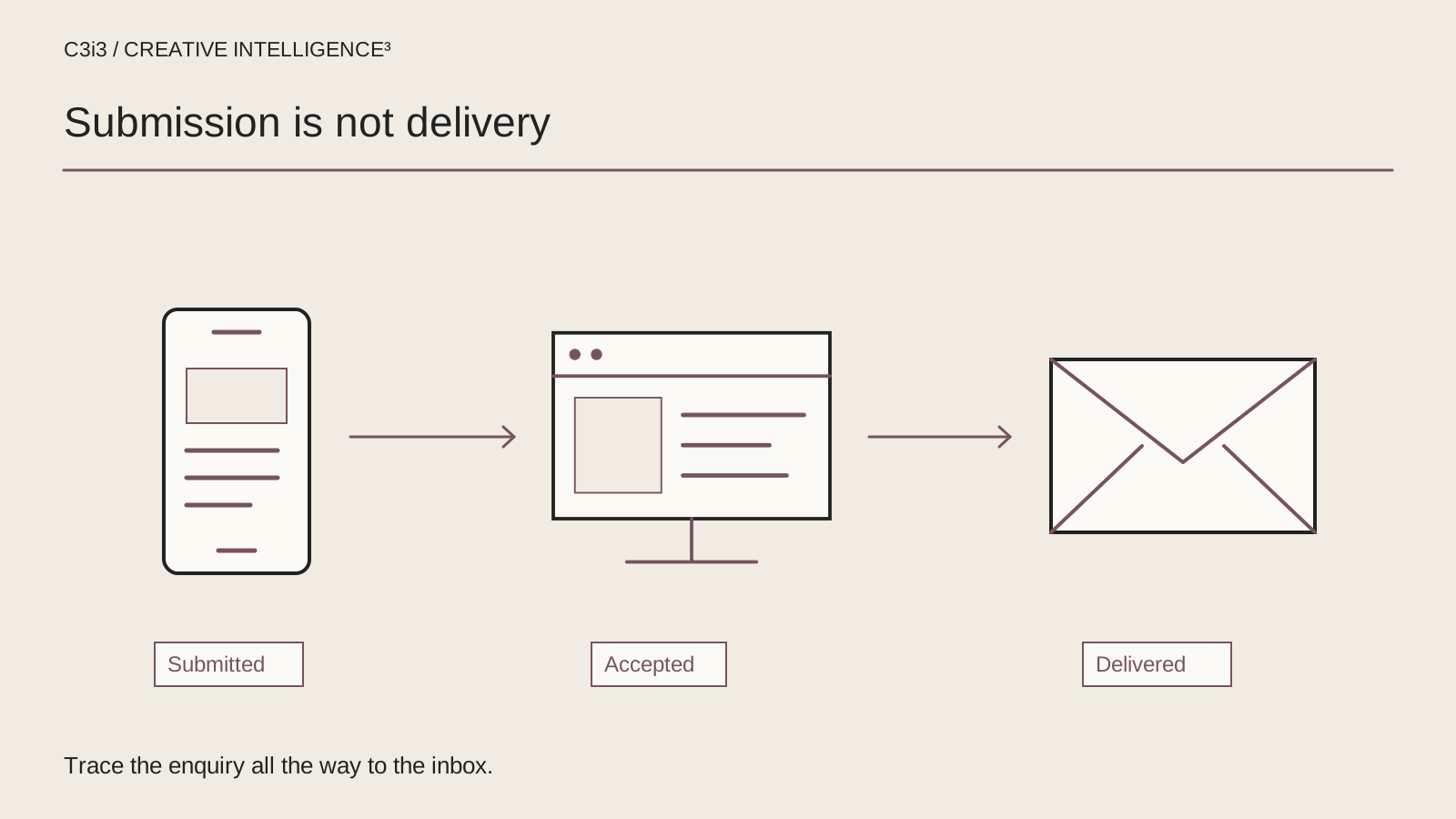
The contact form appears to work. A visitor presses Send, sees a success message and assumes your team has the enquiry. The sales inbox stays empty. By the time someone notices, the business does not know whether the problem started in the browser, the website or the email route.
This is a specific maintenance incident, not another monthly checklist. A San Francisco business needs someone to trace the request through the full delivery path and verify the correction. Replacing the form or disabling spam protection immediately can hide the original problem while creating another one.
Who should own the incident when several systems are involved?
Name one coordinator before changing the form. The website developer, hosting team, email administrator and sales owner may each control a different stage. Without a coordinator, each person can report that their own system looks normal while the enquiry remains missing. The coordinator keeps the timeline and asks for evidence at the boundary between systems.
Write down the exact form URL, the intended recipient or destination and the last known successful enquiry. Include when the problem was first observed and any recent releases, mailbox changes or service-provider changes. An observation such as “no messages since the site update” is a useful lead, not proof that the update caused the failure.
Use a temporary internal incident record rather than sending customer submissions to every participant. Screenshots and logs can contain personal data. Remove the message body and other unnecessary details from shared troubleshooting notes. The existing guide to missed website enquiries explains the wider ownership problem; this runbook follows one request until the failed stage is identified.
If the form is critical and currently unreliable, provide an accurate alternative contact route on the page while the team investigates. Do not claim the broken route is working merely because the button still responds.
Does the browser actually send a valid request?
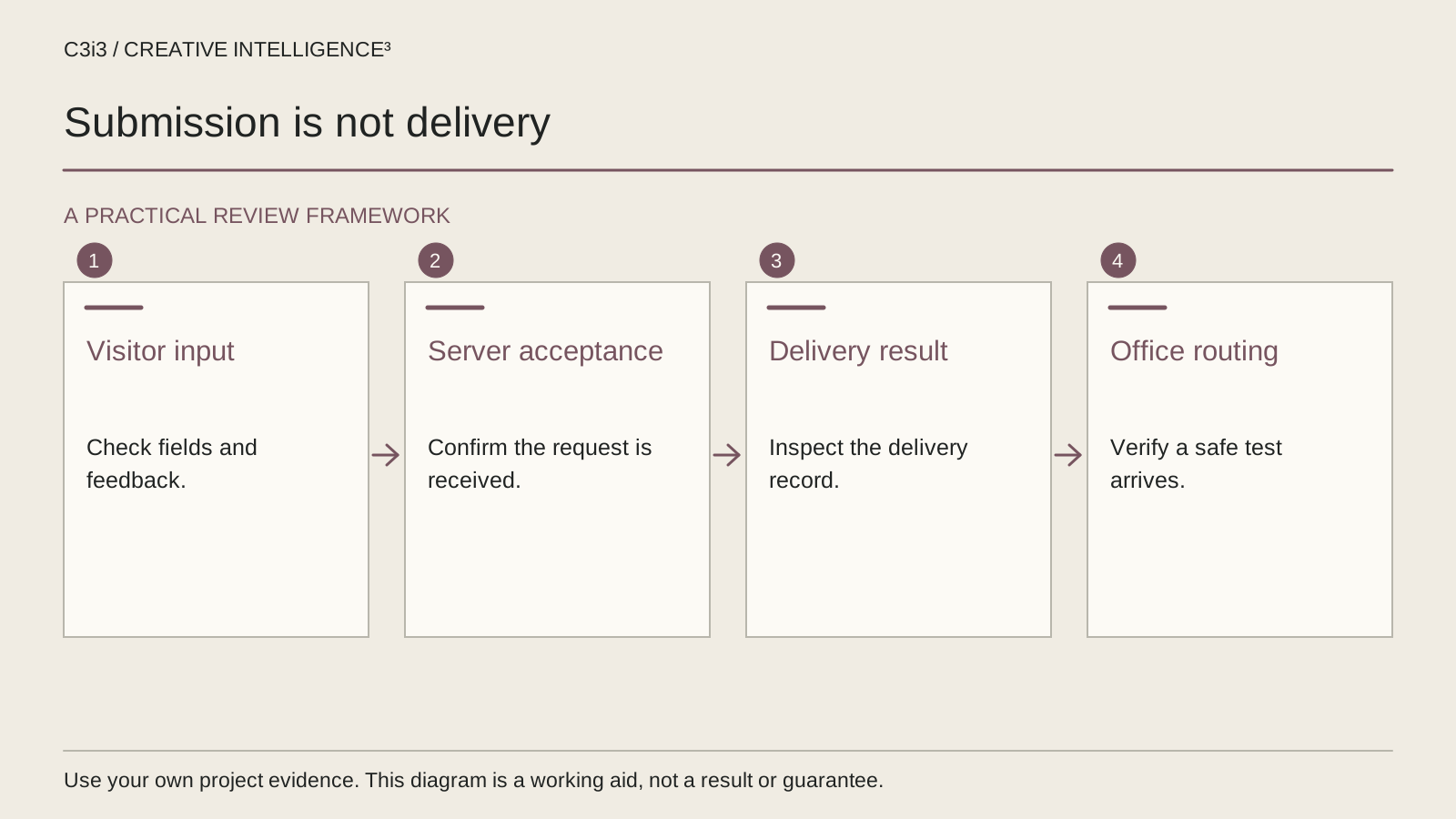
Begin with a privacy-safe test using information your team controls. Record the time and form location so later log entries can be matched. Use ordinary valid input, then try a small number of deliberate validation mistakes. The goal is to understand the form’s behavior, not to flood the website or imitate malicious traffic.
Check whether a required field is clearly identified and whether an error tells the visitor what to fix. A form can appear unresponsive because a hidden or poorly labeled field prevents submission. The W3C form-validation guidance explains the need for usable feedback and server-side validation alongside browser checks.
Ask the website team whether the request reaches the expected endpoint. A browser error, a failed network request and a successful request followed by a missing email are different findings. Record which one occurred. Do not skip directly to email settings if the server never receives the submission.
Test the actual public page on a phone as well as a desktop where practical. Layout changes, overlays or a script error can affect one version differently. Keep the form’s accessible labels and instructions intact while repairing the behavior.
What should happen between the server and the spam check?
The server should validate the incoming fields and the anti-spam result before accepting the enquiry. The presence of a widget in the browser is not enough to establish that verification succeeded. Ask for the server’s safe success or failure result and the relevant timestamp rather than exposing secret keys or full submitted content.
For a Turnstile implementation, Cloudflare’s documentation requires server-side token validation and explains that tokens expire and are single-use. This matters when a form remains open for a while or when a submission is retried. The repair should address the specific failure instead of removing protection altogether.
Check what the visitor sees when validation fails or delivery cannot be completed. A generic success message can conceal a rejected request. A useful error should explain the next action without exposing internal infrastructure details. Keep technical diagnostics in the appropriate internal logs.
If the server accepts the enquiry for later processing, the team should know where that accepted request is stored or queued and how to inspect its status safely. Do not assume every form has a durable record. Document the actual implementation and its retention controls before relying on it during recovery.
Did the message leave the website and reach the right destination?
Trace the accepted enquiry into the configured delivery provider. Record the provider’s status and safe reference identifier where available. “The server returned success” may only describe the website response; it does not establish that the final inbox received the message. Likewise, a provider accepting a message does not prove that the person responsible has seen it.
| Stage | Evidence to request | Next owner |
|---|---|---|
| Browser submission | Test timestamp and observed result | Website team |
| Server acceptance | Validation result and safe request reference | Application owner |
| Delivery provider | Accepted, rejected or deferred status | Delivery administrator |
| Mailbox or system route | Correct destination, quarantine and routing review | Email or business-system owner |
| Team receipt | Confirmation from the intended receiving team | Enquiry owner |
For email delivery, have the administrator review the sender setup and provider requirements rather than blindly changing DNS. Google’s Gmail sender guidance documents authentication and other requirements for messages sent to personal Gmail accounts. The applicable checks depend on the actual provider and destination; use that documentation as a scoped reference, not a universal diagnosis.
Also inspect aliases, forwarding rules, quarantine and business-system automations. The enquiry may have arrived at a working address that nobody now monitors.

How do you repair the failed stage without creating another problem?
Write the observed failure and intended correction before making the change. If the delivery credential is invalid, repair the credential configuration using the normal secure process. If the destination is wrong, correct the route and verify its owner. A complete form rebuild may be unnecessary when the failed component is a single integration setting.
Change one responsible component at a time where practical, and keep a rollback path. Broad changes to the website, DNS and mailbox rules at once make it difficult to identify which action helped or introduced a new fault. Preserve unrelated mail records and existing security controls unless the responsible administrator establishes a need to change them.
Retest both successful and rejected submissions. A fix that accepts every request can exchange missing enquiries for spam and abuse. A fix that hides errors can still leave customers uncertain. The W3C notification guidance is useful for reviewing the visitor-facing result, including understandable error and success feedback.
If the incident affects the information people expect after an ad click, tell the campaign owner. They may need to update the destination or pause the affected route while it is repaired. Do not continue inviting customers into a known dead end simply because the advertising dashboard still records clicks.
What evidence is enough to close the form incident?
Repeat a controlled submission from the actual public page after the correction. Confirm the intended team receives it in the right place and can identify the correct service or project request. Record the test time, route and result. A screenshot of a green confirmation message is only one checkpoint, not the entire acceptance test.
Review any accepted requests that were delayed during the incident using the system’s actual records and retention rules. Do not invent a count of lost leads when there is no evidence. If earlier submissions cannot be reconstructed, state that limitation and improve the process going forward.
Keep tracking separate from delivery. An analytics event can fire when a button is pressed even when the submission later fails. Use the enquiry tracking guide to review what the event actually represents. A delivery correction and a measurement correction may both be needed, but they should not be confused.
Add the agreed delivery test to the ongoing website maintenance checks, with a named owner and review trigger after relevant changes. Connect the work to the existing San Francisco website service information and your broader marketing problem plan. The incident is complete when the route works and the business knows who will notice if it fails again.
Keep this checklist beside you
Questions before the next step
Does a success message prove that the enquiry was delivered?
No. It may only show that a browser action completed or that the server accepted a request. The acceptance test should follow the actual implementation through its delivery provider and final destination. The intended receiving team should confirm receipt after a repair.
Should we disable spam protection while troubleshooting?
Do not remove protection as a default response. Inspect the specific validation failure and follow the provider’s current documentation. A correctly implemented test can help identify expired tokens, configuration errors or rejected requests without leaving the public form unprotected.
Can we tell exactly how many enquiries were lost?
Only if the actual records support that conclusion. Accepted-request logs, provider records and business-system entries may help reconstruct part of the incident. If submissions were never recorded or attribution is incomplete, state the limit instead of inventing a lead count.

How C3i3 Can Help
C3i3 provides website maintenance support that connects visible form behavior with the delivery and ownership checks behind it. Bring the affected page and the intended destination. We can help organize the investigation, coordinate responsible teams and verify the corrected enquiry route.