







































In this article
The form says thank you. An automatic email goes out. Your software shows a new contact. Yet the person who asked for help never speaks to anyone, and a week later the office discovers the inquiry in an unattended queue. Every individual tool appeared to work while the customer journey stopped.
Marketing automation can move information and prompt a task. It cannot decide, by itself, who in your business is responsible for the conversation. Fixing missed inquiries starts with ownership, working hours and a visible next action, then uses automation to support that arrangement.
Map where the inquiry waits for a person
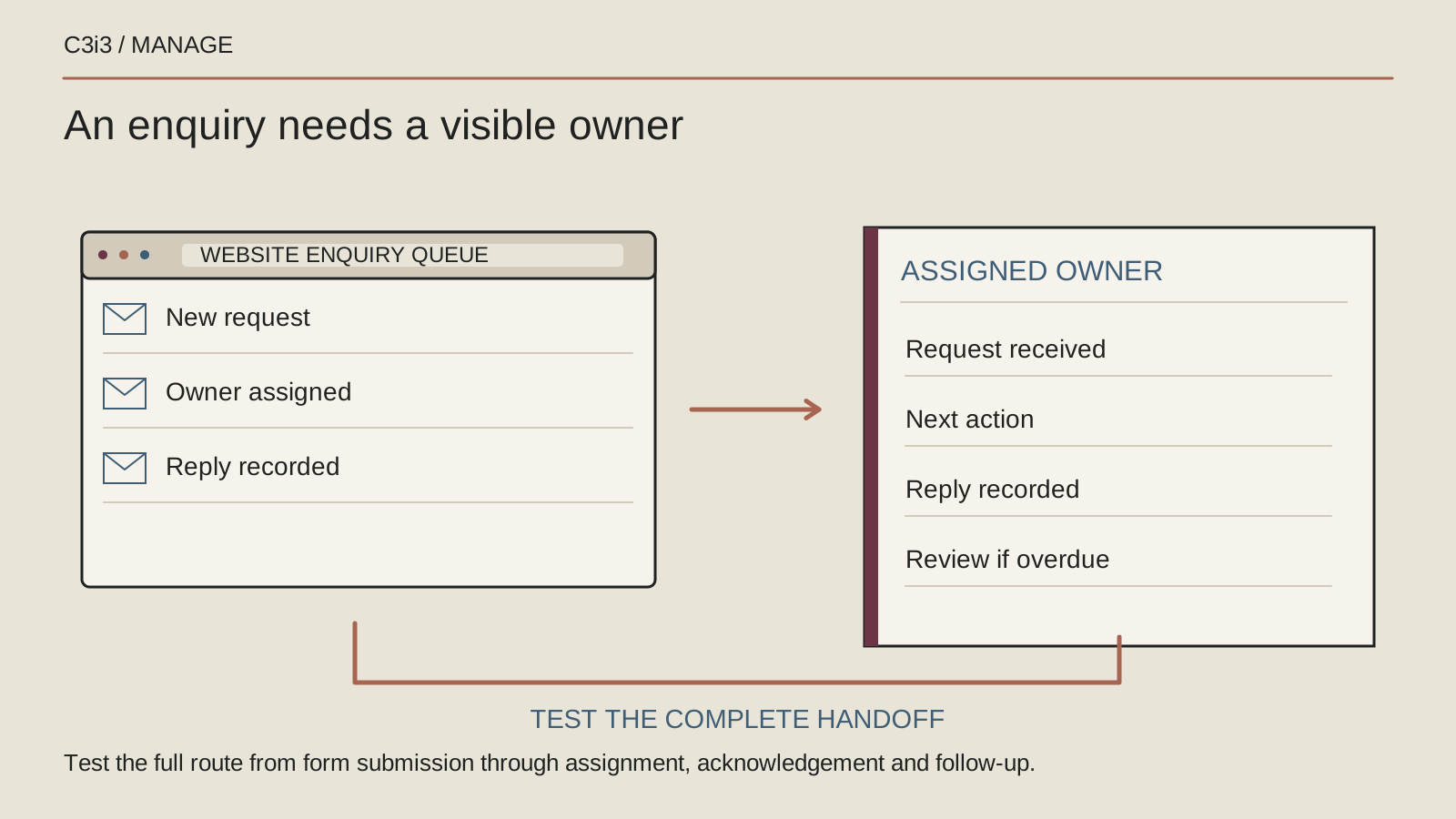
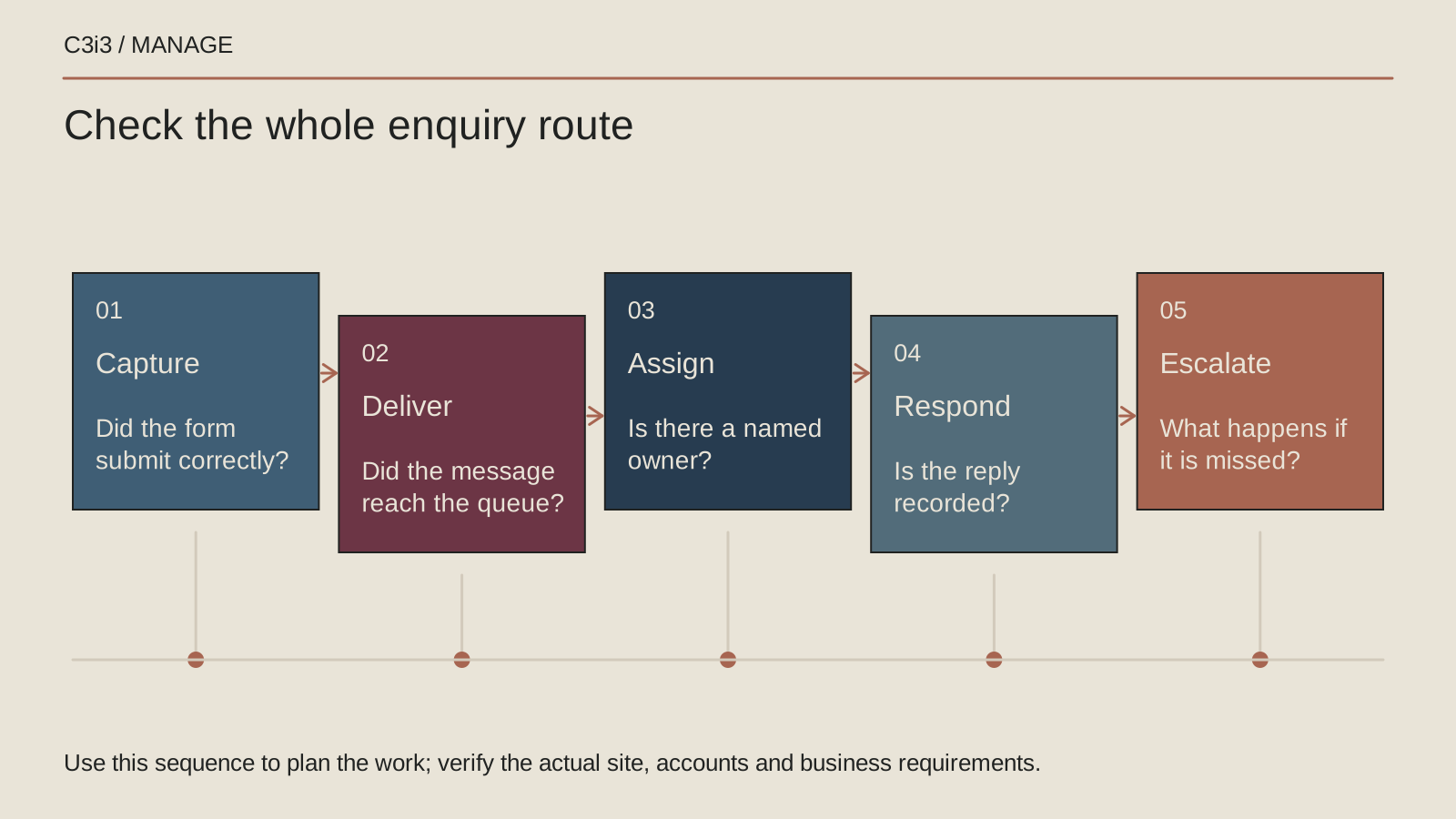
Follow one request from the website to the place your team works. Identify the form destination, shared inbox, contact record, notification and assigned task. Then ask what a member of staff actually sees at each step. A message can arrive successfully in a system without appearing in the queue anyone checks.
Write the handoffs in ordinary language. For example: the website receives the request, the office coordinator checks the service and area, and the service manager calls the prospect. Give each handoff a visible status. If the answer is simply that everyone receives an email, responsibility is still undefined. Shared awareness is helpful, but one person must own the next action.
Assign an owner and a backup for real working hours
Choose who reviews new inquiries during normal hours and who takes over during leave, appointments or busy periods. Set a response expectation the business can meet and tell customers what to expect. Different services may need different routing, but each route should end with an identifiable person or monitored team queue.
Define what happens outside those hours. An acknowledgement can explain when a person will reply and offer another appropriate contact route where one exists. Do not let software imply that an immediate consultation has been booked when it has only created a task. Make the next working day's review part of someone's responsibilities, including any inquiries that arrived over a weekend.
Separate acknowledgement from meaningful follow-up
An automatic reply should confirm that the request arrived and explain the next step. A meaningful response deals with the request: asking a useful question, offering a suitable appointment or explaining that the business cannot help. Keep those stages separate in the contact record so an email being sent does not close the task prematurely.
Agree what staff should do when they cannot reach someone. Record attempts, choose a sensible next action and avoid repeated generic messages without context. The office also needs a way to mark a contact as unsuitable, duplicate or resolved. A tidy list of automated emails says little about whether a person received a useful answer.
Escalate unowned and overdue inquiries visibly
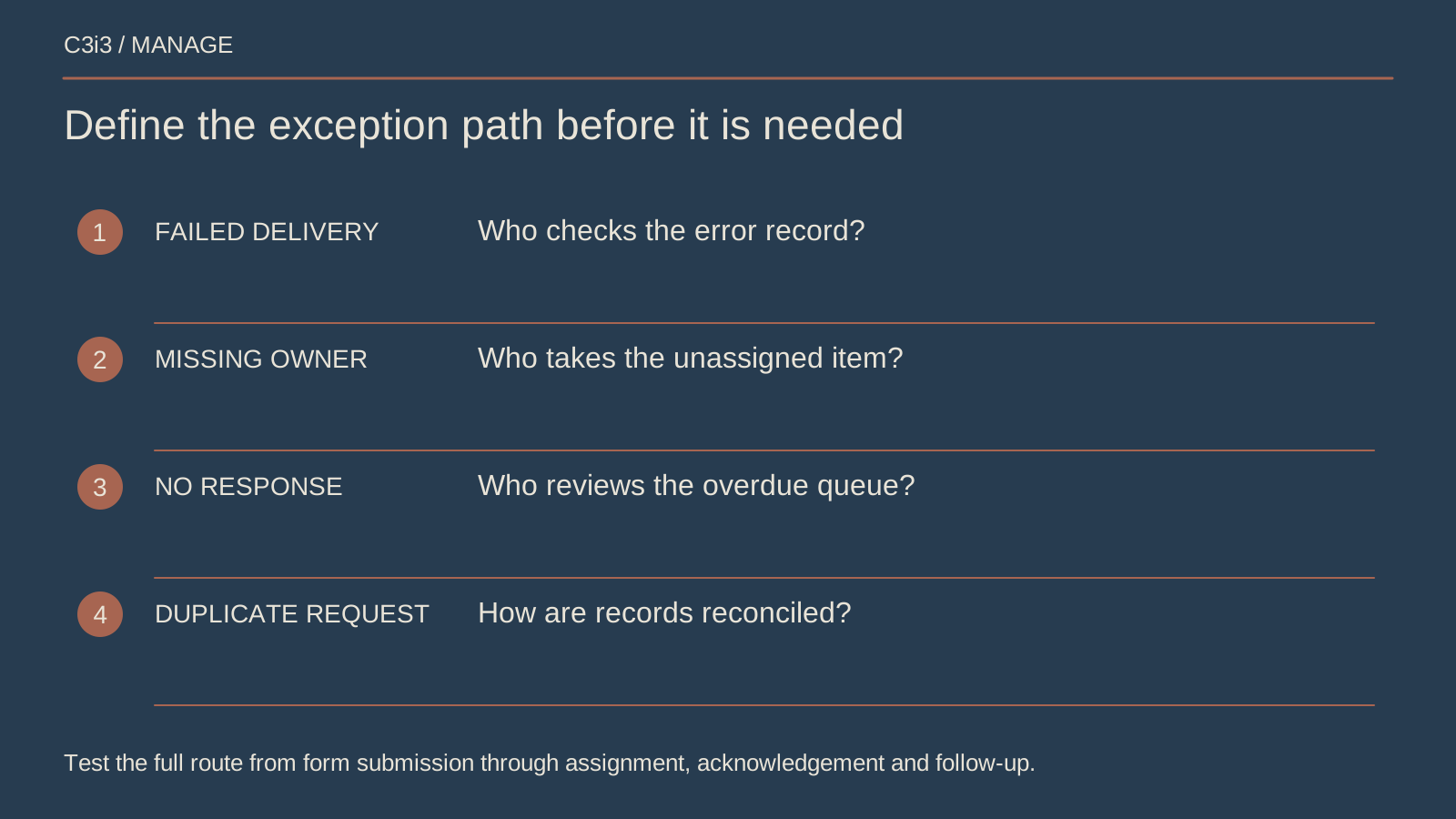
Create a regular view of new, unassigned and overdue inquiries. A reminder should point to a specific action and owner rather than copy more people into another message. Decide who checks unresolved items and how a supervisor becomes involved when the usual responder cannot act. Keep the escalation proportionate to your inquiry volume.
Allow staff to reassign work with a note. A service manager may discover that another team is better placed to answer, but transferring the contact should not reset everyone’s understanding of its history. The new owner needs the request, previous attempts and next commitment. Your process should explain who confirms the handoff, not assume that forwarding a message completes it.
Test delivery, access and the human response together
Send a clearly labeled test through the actual website and follow it to completion. Try relevant service choices, an out-of-hours request and an unavailable primary responder. Confirm that the correct person sees the information and can update the record. Test after a form, inbox or automation change rather than relying on an old demonstration.
Keep platform access separate from the follow-up task. Google's Analytics access guidance and Tag Manager permissions guidance describe distinct administrative roles. Give your marketing team the access its work requires, while retaining business control. Those permissions help maintain the system; they do not assign an office employee to answer an inquiry.
Report unresolved conversations alongside marketing activity
Review the number of genuine requests received, assigned, answered and still waiting. Use the record to find the practical bottleneck. Perhaps service selection sends contacts to an old employee, a shared inbox has no daily owner or a task is marked complete as soon as the automatic email leaves.
Keep website measurement in its proper place. Google's key event documentation explains measuring a chosen website action. That can help show demand, but your office record establishes whether a human followed through. For the measurement setup itself, use our Google Tag Manager inquiry tracking guide. Here, the improvement is a dependable operating routine.
Keep this checklist beside you
Questions before the next step
Do we need a more complicated automation platform?
Start by checking the handoffs you already have. A shared inbox and a clear owner may work for a small team. Add software when it solves a specific routing or visibility problem your current process cannot manage.
Who should own follow-up if an agency manages our forms?
Agree the boundary explicitly. The agency may maintain the form and routing while a named business employee handles customer conversations. A documented escalation route helps both sides act when a test or real inquiry reveals a problem.

How C3i3 Can Help
C3i3 can work with your office to connect website forms, routing, task ownership and regular checks. Our ongoing Manage team can coordinate the marketing systems while your staff retain clear responsibility for customer conversations.
Bring the current inquiry route and one example of where a request became stuck. We can map the handoff and define a practical first fix.