








































In this article
You were told that Google Tag Manager was installed when the website launched. Months later, your marketing report still cannot show which pages produced inquiries. The developer points to a container code, the agency points to Analytics and nobody can demonstrate a successful form submission appearing in the right report.
A container is a place to manage measurement instructions. Its presence does not prove that Google Analytics 4 is receiving the right information or that an important inquiry action has been configured. Ask for a complete demonstration of the contact journey before treating the setup as finished.
Confirm which accounts and property belong to the business
Ask for the Tag Manager account and container identifiers, the GA4 property and the website data stream being used. Record who administers each one. Similar names can conceal an old property or a test container, so the person checking the work should demonstrate the actual destination rather than rely on a screenshot of any Analytics account.
Keep business administrators involved and give the agency named access appropriate to its tasks. Google's Tag Manager permissions guidance distinguishes account administration from container permissions. Someone able to edit a draft may not be able to publish it. Agree who can release changes and who provides cover when that person is unavailable.
Define the completed action you want to measure
Choose an event that reflects the inquiry reaching its intended completion point. A click on the submit button may happen before validation, a connection error or a rejected submission. Ask your developer how the website confirms successful receipt and use that confirmed action where the form implementation allows it.
Document the scope. A consultation form, booking request and telephone link may represent different actions and should be labeled accordingly. A telephone link click is not proof of an answered call. Avoid sending the customer's name, email address, message or other identifying form contents into Analytics. The business question normally needs an action category, not the inquiry's private text.
Check the trigger and the Analytics destination together
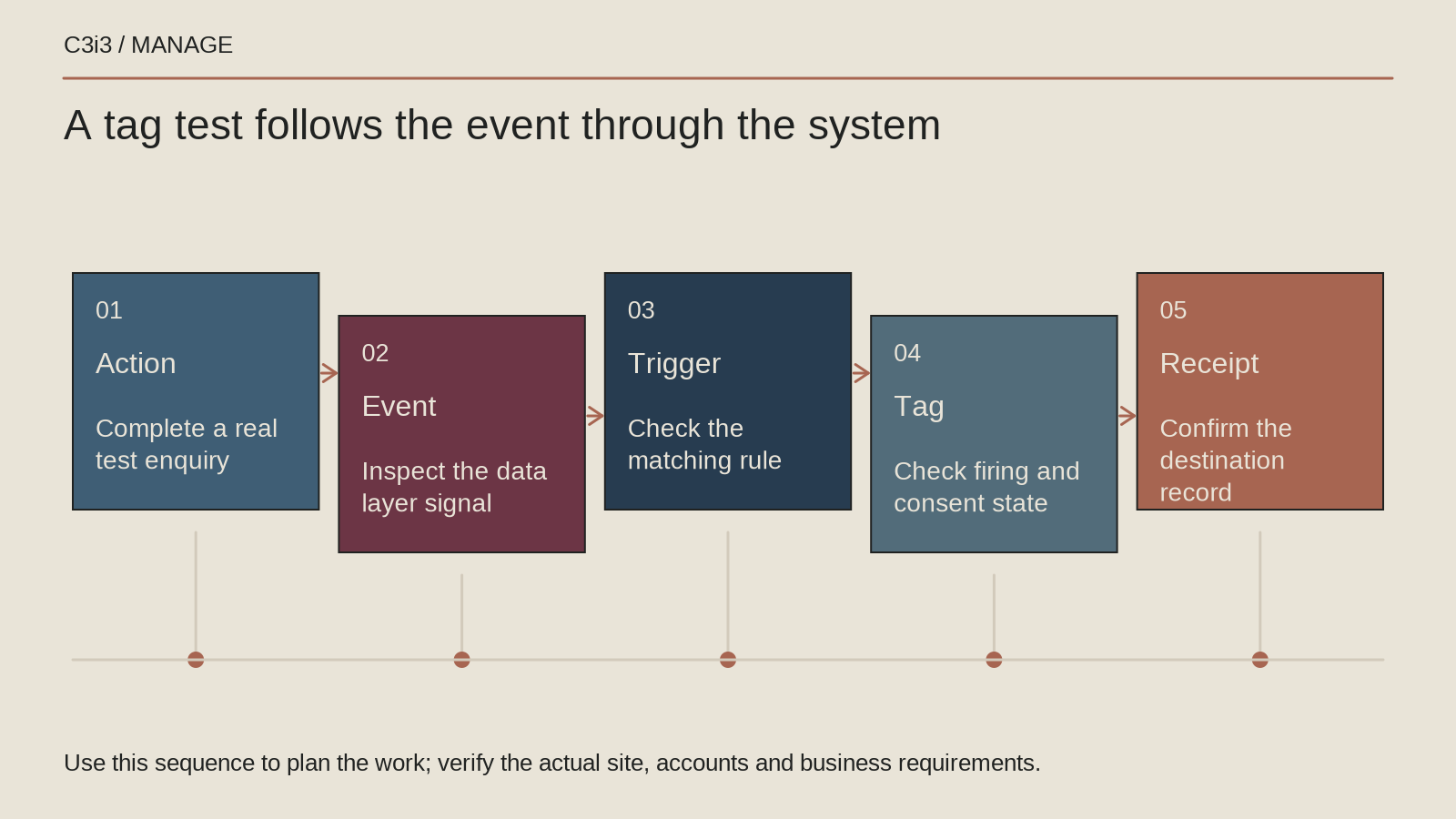
A tag is the instruction to send information, and a trigger is the rule that decides when it runs. Ask the specialist to show both in the context of your live form. A rule built for a previous button, confirmation page or form plugin may no longer match the website even though the container still loads.
Also check whether another plugin or embedded script already sends the same information. Two working implementations can count one action twice. Your team should be able to describe which component owns the measurement and why it fires once at the intended point. Record that decision so the next website update does not add another competing route by accident.
Use preview to inspect a successful and failed submission
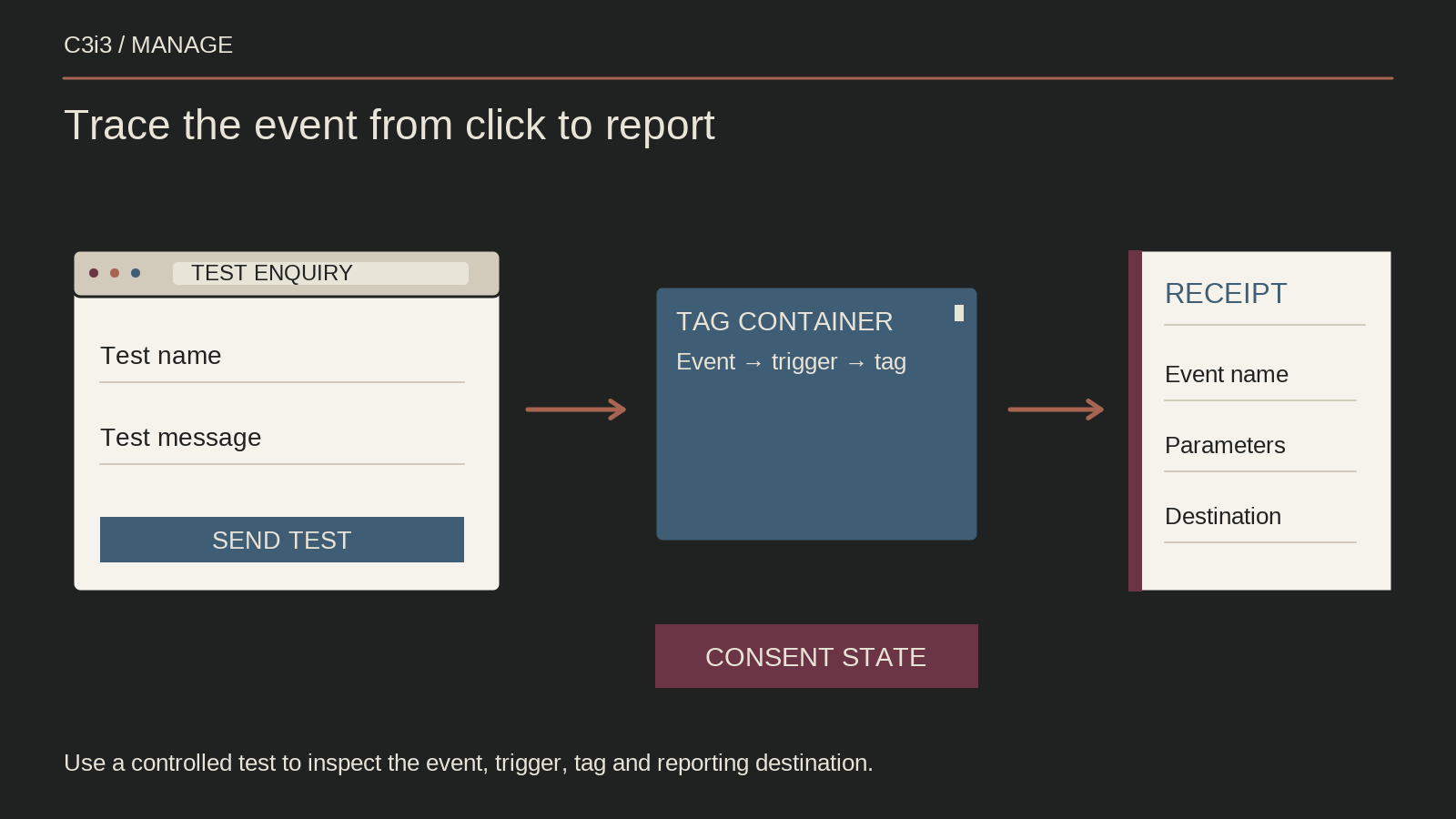
Google's preview and debug guidance explains how Tag Assistant lets you inspect a container draft before publishing. Ask for a demonstration using your real form, including a submission with a validation error. The inquiry event should correspond to the completed action you defined, rather than every attempt to press the button.
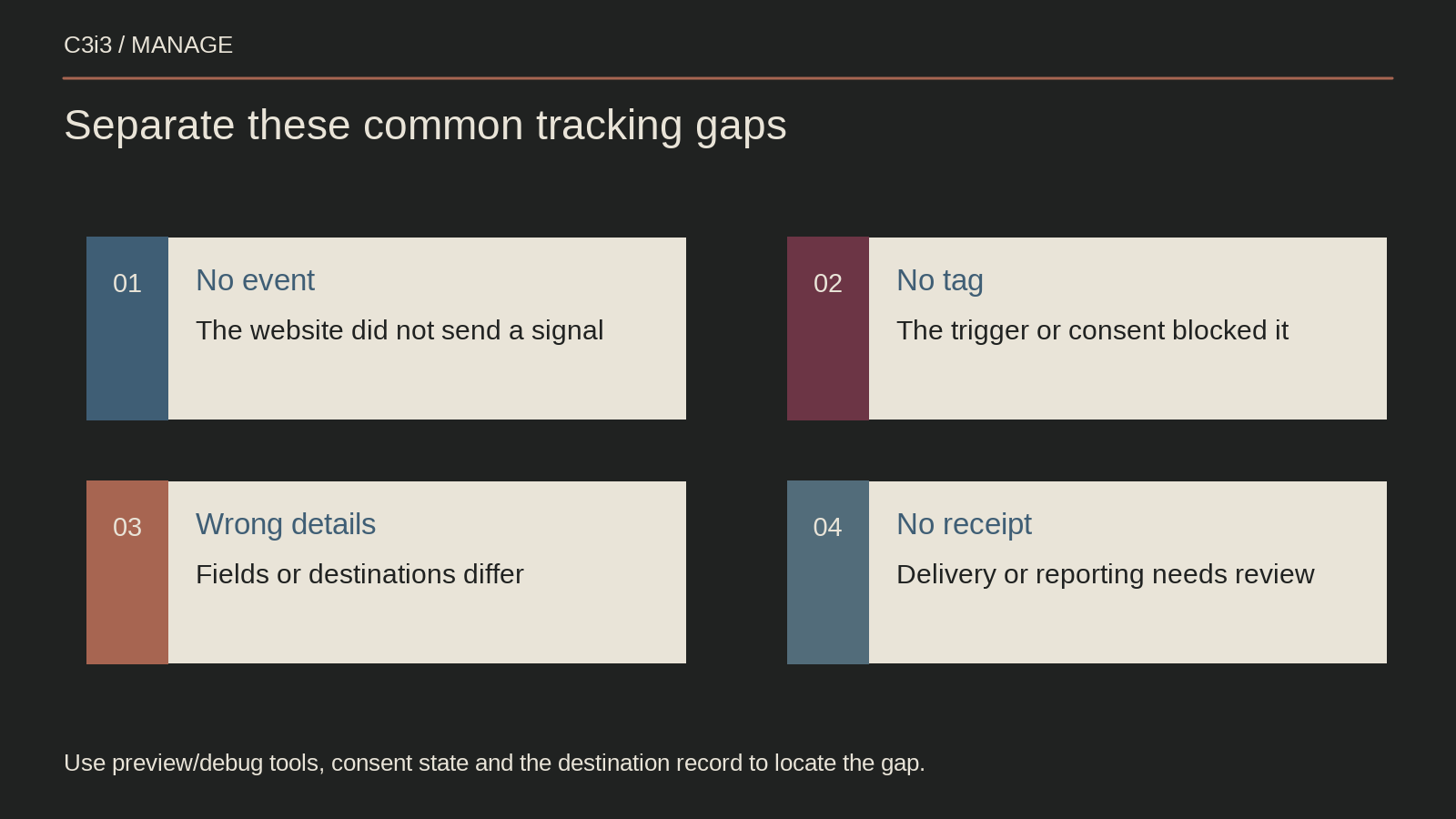
Include relevant variations such as a mobile view, another service form or a separate booking provider. Consent choices can change whether analytics tags run, so the test should respect and record those choices. A specialist should explain any unmeasured paths and practical limits. Do not ask them to bypass a visitor's choice just to produce a fuller chart.
Verify the event in GA4 and configure its reporting role
Seeing a tag fire in Tag Assistant is one checkpoint. The next is confirming that the intended Analytics property receives the event with the expected name and useful, appropriate details. Google's DebugView guidance describes inspecting incoming events while troubleshooting. Ask the person doing the work to show the matching test in that destination.
Then confirm how the inquiry appears in normal reporting and whether it should be marked as a key event. A collected event and a key event are separate configuration decisions. If advertising also uses the action as a conversion, ask for that connection to be checked separately. A GA4 setting does not prove every advertising account has been configured correctly.
Publish, retest and leave a usable handover note
A successful preview does not release a draft to ordinary visitors. Confirm which version was published, when it changed and what was tested afterward. Repeat a labeled submission through the live website and check the office receives it as well. Analytics working while the inquiry email fails is still an incomplete customer journey.
Keep a short measurement register with form names, event names, destinations, important limitations and the next review trigger. Recheck after changes to forms, booking tools, consent controls or website templates. Your business does not need to operate every tag itself, but it should know who owns maintenance, where the evidence lives and how to request an investigation when totals stop making sense.
Keep this checklist beside you
Questions before the next step
Does installing Tag Manager install GA4 automatically?
A container can hold a Google tag, but installing the container does not prove that tag has been configured, published or pointed at the correct property. Ask for a verified test in the intended GA4 destination.
Why do Analytics inquiry totals differ from received forms?
Consent choices, test traffic, duplicate events, incomplete triggers and different date ranges can contribute. Compare a labeled test and a consistent reporting period first. Explain the remaining limitations rather than forcing the two totals to match.

How C3i3 Can Help
C3i3 can review the connection between your website inquiry actions, Tag Manager, Analytics and reporting. Our ongoing Manage support can keep the setup documented and coordinate checks when the website changes.
Bring the current account access and an example of an inquiry route you cannot verify. We can establish what works, identify the gap and define the next action.