








































In this article
An order exists in the store, but the buyer never sees its confirmation. A salesperson’s follow-up reaches spam while a newsletter appears to send successfully. These may be different sending systems with different problems. This guide explains a practical investigation that connects the message, domain and recipient outcome.
What is the difference between sent, delivered and inbox placement?
“Sent” often means your application submitted a message to a sending service. “Delivered” may mean the receiving server accepted it. Neither necessarily establishes that the message appeared in the primary inbox or was read by the intended person.
Start with the provider’s exact status definition, timestamp, recipient and message reference. Check whether the message bounced, was deferred, was suppressed before sending or was accepted. Keep customer details restricted to the staff investigating the issue. A website success screen proves little about the separate email-delivery process.
What do SPF, DKIM and DMARC do?
SPF identifies permitted sending infrastructure, DKIM provides a verifiable message signature and DMARC connects authentication to the visible sending domain through alignment and policy. Configure them for every actual sending service, including commerce, CRM and marketing platforms.
Google’s sender guidelines distinguish requirements for all senders from additional bulk-sender requirements. Use the current provider guidance and inspect real message headers. Do not blindly replace an existing DNS record: that can break another authorized sender. Document domain ownership and coordinate changes with the person managing DNS.
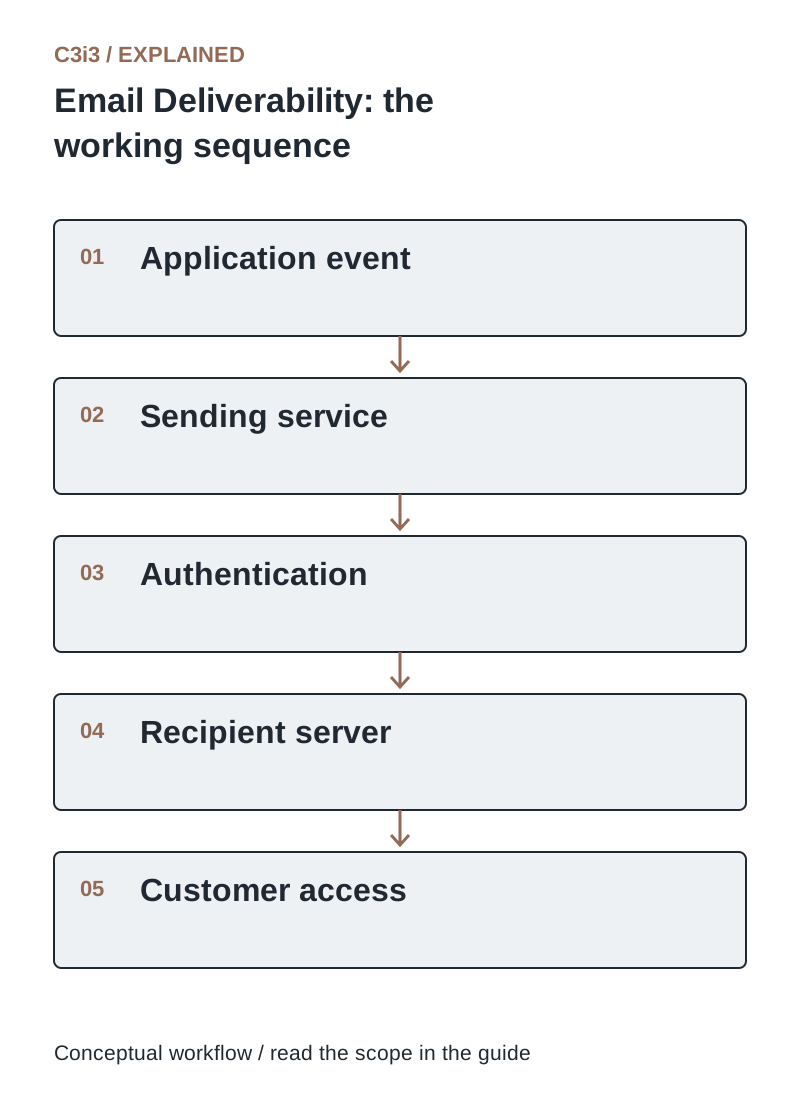
The sequence is: Application event. Then Sending service. Then Authentication. Then Recipient server. Then Customer access. Each handoff needs the scope and conditions described in this guide.
Why might order emails work differently from newsletters or sales follow-ups?
They may originate from different providers, domains, subdomains or IP infrastructure. A store could use one transactional provider while a CRM and newsletter platform send through two others. Each needs a correct configuration and a clear purpose.
Create a sender inventory with service, message type, visible From address, authentication status and responsible owner. Keep transactional content focused on the transaction. Separate management can improve diagnosis, but a new subdomain is not a magic reset for poor sending practices. Recipient expectations and domain reputation still matter.
How do complaints, bounces and unwanted messages affect deliverability?
Unexpected mail, invalid addresses and repeated sending to uninterested recipients can harm performance. Maintain suppression lists and respect communication preferences across systems. Avoid purchased contact lists and sudden unexplained sending spikes.
Google requires spam rates below its published threshold and additional controls for bulk senders. Treat the threshold as a limit, not a target to approach. Use provider dashboards and available postmaster information to identify deterioration early. A new template cannot repair a program that keeps sending unwanted messages to people who did not expect them.
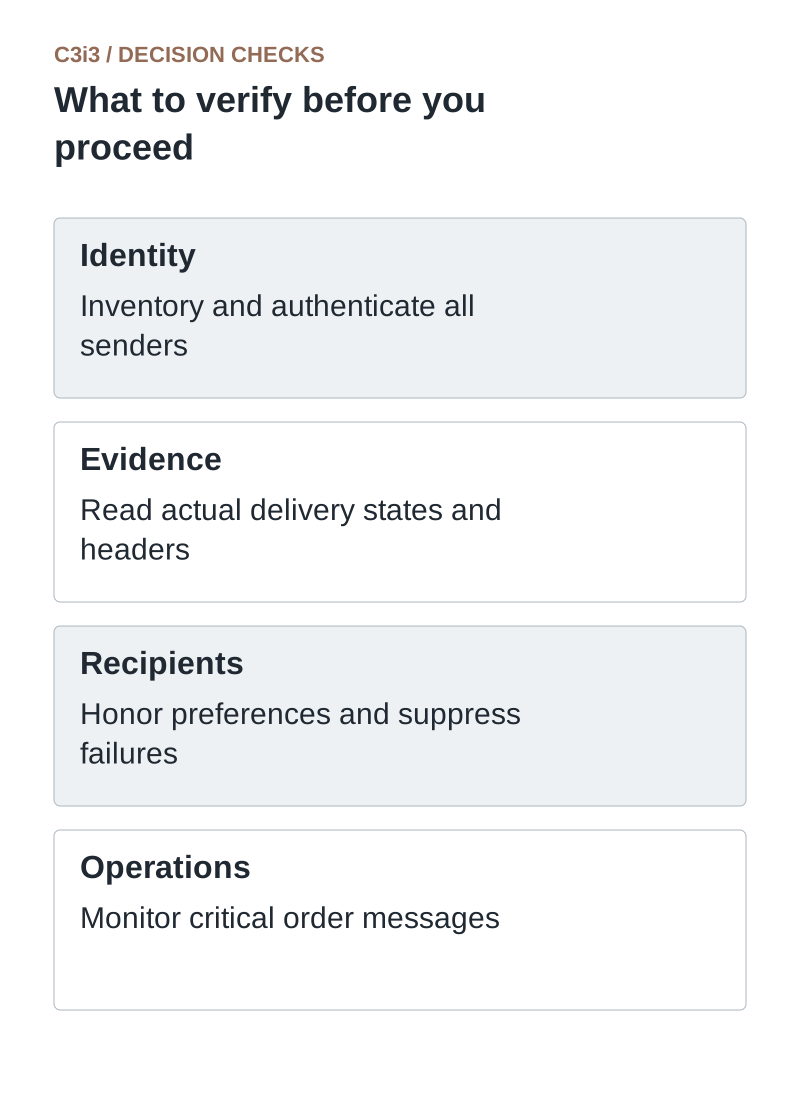
Identity: Inventory and authenticate all senders. Evidence: Read actual delivery states and headers. Recipients: Honor preferences and suppress failures. Operations: Monitor critical order messages.
What should you check when a specific order email is missing?
Confirm the order generated the intended event, then follow it through the sending queue, provider log and recipient status. Check address accuracy and suppression reasons. Compare a working and failing message from the same flow, including authentication headers when available.
Give the customer a secure way to find the order through the website while the email issue is investigated. Do not resend repeatedly without checking state. If support sends a manual confirmation, ensure it contains the correct current order information. Fix the event or delivery failure that caused the missing message.
What should an ongoing deliverability review include?
Review authentication failures, bounces, deferrals, complaints, unsubscribes and delivery latency by message type. Test important templates after a provider, domain or checkout change. Monitor order-event failures separately from mailbox acceptance.
Use real business outcomes such as successful order lookups and reduced missing-confirmation contacts. Open rates are imperfect because privacy features and automated systems can affect them. Record the scope of any incident and the confirmed repair. Reliable email is an operational process with owners, not a one-time DNS task.
Which email status needs which investigation?
Use these distinctions when reviewing your own workflow.
| Status | Investigate | Do not conclude |
|---|---|---|
| No send event | Application trigger and queue | The mailbox rejected a message never sent |
| Bounced or deferred | Provider logs, address and authentication | Changing copy alone fixes the cause |
| Accepted by recipient server | Placement, filtering and customer access | Delivered means read in the primary inbox |
How would this work in a practical example?
Illustrative incident: Newsletter messages pass authentication, but order confirmations use a separate unconfigured provider. The team traces a missing confirmation from the order event to that provider, corrects its authorized domain setup and verifies new test messages. It also confirms that customers can find their orders securely online. Changing newsletter copy would not have addressed the failing route.
Key takeaways
- Identity: Inventory and authenticate all senders.
- Evidence: Read actual delivery states and headers.
- Recipients: Honor preferences and suppress failures.
- Operations: Monitor critical order messages.
Frequently asked questions
Will SPF, DKIM and DMARC guarantee inbox placement?
No. They are important identity and policy controls, but reputation, recipient expectations and other provider decisions also affect placement.
Should we move providers immediately?
Diagnose the current failure first. A missing event, wrong address or unwanted sending practice can persist after migration.
Can we mix promotions into every order update?
Keep essential order messages clear and review the applicable communication and provider rules. Promotional content can change recipient expectations and requirements.
Sources and editorial method
Primary documentation checked November 20, 2026. Linked vendor materials establish stated capabilities and announcements; they do not establish independently tested performance at your business. The workflows, comparisons and illustrative examples are C3i3 editorial analysis.
- Google: email sender guidelines
Current requirements for sending to personal Gmail accounts, including authentication and sending practices.
- Google: sender-guidelines FAQ
Additional current bulk-sender definitions and enforcement context.
Connect useful customer follow-ups with reliable business data.

C3i3 helps product businesses connect clear websites, useful content and practical customer workflows. Explore marketing automation and discuss the customer task you want to improve.