








































In this article
A buyer needs an uncommon replacement part, but today’s stock is zero. They want one useful alert when the right item becomes available. A good restock workflow remembers that specific need, handles limited inventory honestly and avoids sending the customer to an item that sold out before the email was generated.
What should a restock signup record?
Record the requested product and variant, the relevant channel or market, contact details and the scope of the requested notification. Make the item name and option visible beside the signup. A request for one voltage or connector option should not become a generic alert for the parent product.
Explain whether the request is a one-time notification and how customers can manage it. Keep promotional subscriptions separate where appropriate. If the product is discontinued, offer a clear contact route for alternatives rather than leaving the person in an indefinite queue. Maintain stable identifiers when catalog descriptions change.
Which inventory event should release a restock alert?
Use a change in inventory available to sell for the relevant product and destination. Physical receipt at a warehouse does not necessarily mean the units have passed receiving checks or are released for sale. Agree on the authoritative event with operations.
Klaviyo’s back-in-stock documentation describes inventory-aware integrations and catalog requirements. Check the behavior of your actual platform connection. Test a restock, a correction back to zero and a partial allocation to another sales channel. A message should not announce availability from an inventory field that checkout ignores.
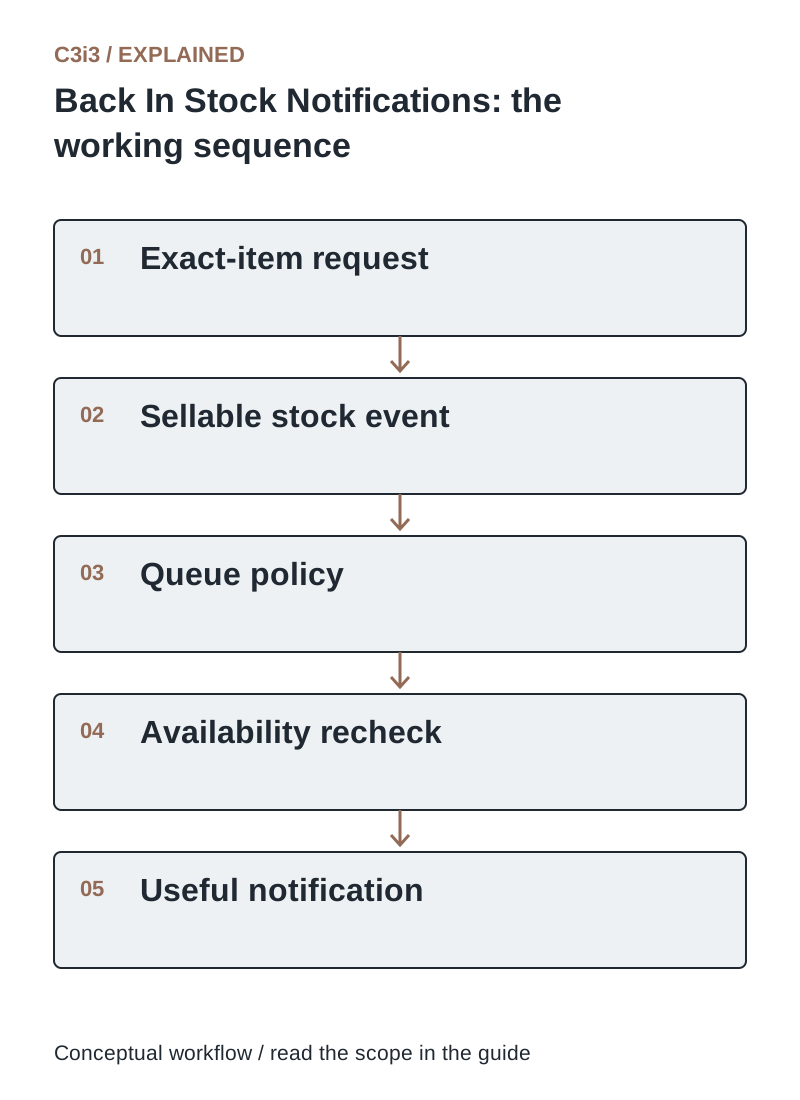
The sequence is: Exact-item request. Then Sellable stock event. Then Queue policy. Then Availability recheck. Then Useful notification. Each handoff needs the scope and conditions described in this guide.
How should notifications work when many buyers want only a few units?
Choose a fair notification policy and coordinate it with inventory allocation. Sending every waiting buyer at once can create disappointment when available stock is small. A staged release may make sense where the platform supports it, but communicate the offer honestly.
Distinguish an alert queue from a reservation or purchase queue. State whether availability is confirmed only when an order is accepted. Do not invent scarcity or imply priority the system does not enforce. Review whether sales teams, marketplaces and the website share the same stock pool before choosing the number of notifications to release.
What information belongs in a restock notification?
Show the exact item, selected variant, a useful image or part reference and a direct product link. Tell the buyer to verify current availability and selling terms. Provide a contact route for compatibility or larger quantities where relevant.
Avoid silently replacing the requested part with a similar product. If an approved alternative is offered, explain the difference and route application questions appropriately. Test the landing page with the variant preselected and confirm the customer can still identify it after signing in. The email and product page should describe the same purchasable item.
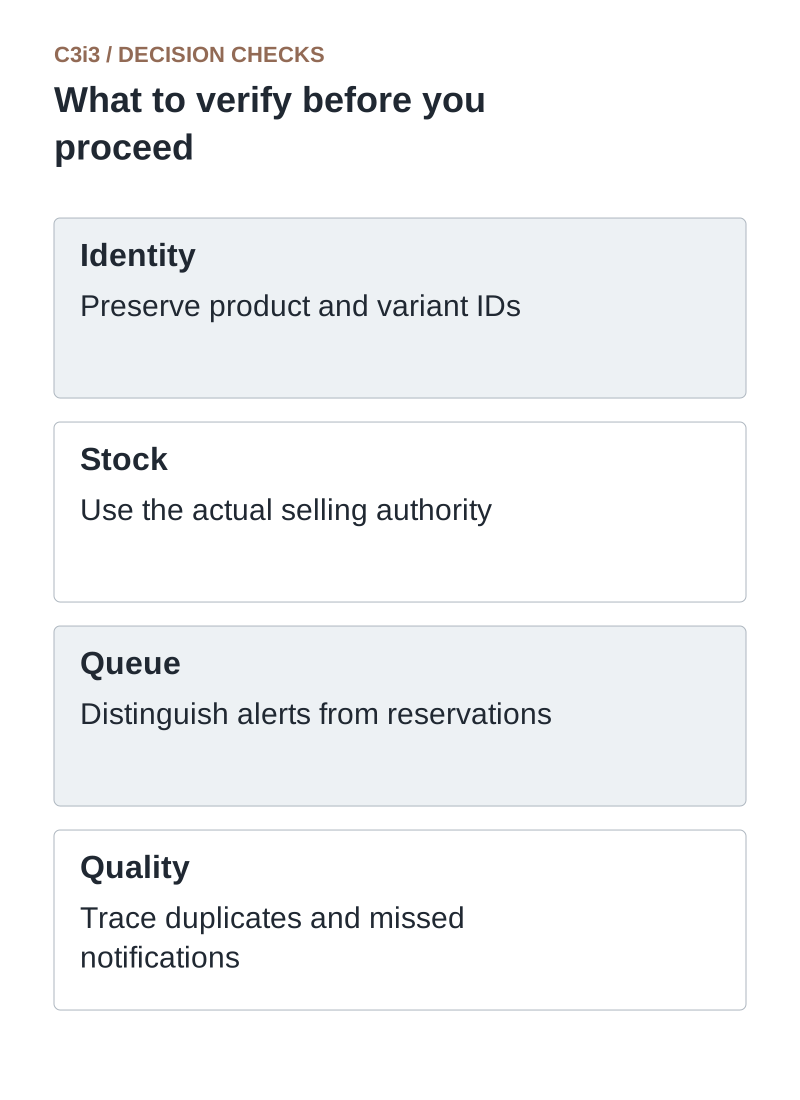
Identity: Preserve product and variant IDs. Stock: Use the actual selling authority. Queue: Distinguish alerts from reservations. Quality: Trace duplicates and missed notifications.
Why do restock alerts sometimes fail to send?
The requested variant may not match the inventory record, the connection may be stale or the configured release threshold may not have been reached. The customer may be suppressed, the flow may be inactive or the event may never have reached the messaging system.
Trace one test subscriber and one item through signup, catalog identity, inventory event, queue release and delivery status. Check logs and current configuration before resubscribing the person repeatedly. Also test the reverse problem: duplicate alerts after repeated stock corrections. Fix the earliest failed handoff and document the recovery.
How do you evaluate back-in-stock notifications?
Measure eligible signups, released alerts, purchases of the requested item, time to sellout and failed buying attempts where observable. Review customer complaints about already unavailable products. Keep requested-item purchases separate from unrelated revenue attributed by a broad reporting window.
Waiting lists can inform merchandising, but signups are expressions of interest, not guaranteed orders. Some customers will buy elsewhere before restock. Compare results by product and wait duration. Use the findings to improve inventory communication as well as the email itself.
Which stock state should produce which message?
Use these distinctions when reviewing your own workflow.
| Stock state | Appropriate handling | Avoid |
|---|---|---|
| Sellable for the requested variant | Release eligible alerts under queue policy | Promising inventory is reserved |
| Received but not released | Wait for the approved selling event | Announcing availability prematurely |
| Discontinued | Offer a supported alternatives conversation | Keeping an indefinite restock promise |
How would this work in a practical example?
Illustrative example: Forty buyers request a specific replacement pump, and six units become sellable. The merchant uses its supported staged notification process and clearly states that the alert does not reserve a unit. It monitors purchases and remaining inventory before releasing another group. This reduces avoidable disappointment without pretending the waiting list is a guaranteed order book.
Key takeaways
- Identity: Preserve product and variant IDs.
- Stock: Use the actual selling authority.
- Queue: Distinguish alerts from reservations.
- Quality: Trace duplicates and missed notifications.
Frequently asked questions
Does a restock signup reserve the part?
No, unless the merchant explicitly offers and enforces a reservation. Explain the actual policy beside the signup and in the alert.
Can we notify buyers about an alternative part?
Only with an appropriate communication basis and a clear explanation of the alternative. Never imply that an unverified substitute is the requested item.
Should the alert stop after one purchase?
Define the request lifecycle. A one-time alert should close as promised, while ongoing requests need explicit supported behavior and customer controls.
Sources and editorial method
Primary documentation checked November 20, 2026. Linked vendor materials establish stated capabilities and announcements; they do not establish independently tested performance at your business. The workflows, comparisons and illustrative examples are C3i3 editorial analysis.
- Klaviyo: back-in-stock flow documentation
Inventory-aware catalog connections and requested-item notification workflows.
- Google: automatic product-information updates
Automatic corrections and their limits; regular accurate product-data updates remain necessary.
- Google: email sender guidelines
Current requirements for sending to personal Gmail accounts, including authentication and sending practices.
Connect useful customer follow-ups with reliable business data.

C3i3 helps product businesses connect clear websites, useful content and practical customer workflows. Explore marketing automation and discuss the customer task you want to improve.