








































In this article
A returning buyer leaves checkout because they need a purchase-order number. Another stops because shipping costs appear late. Sending the same urgency message to both misses the reason they left. This guide explains how to design cart recovery around the buying task and the current state of the order.
What should trigger an abandoned-cart email?
Use a defined event that represents meaningful buying intent, such as entering a supported checkout with identifiable items. Confirm that your platform can associate the event with an eligible recipient. Browsing a product page and leaving a payment step are different behaviors.
Wait long enough to avoid messaging someone who is still purchasing, then recheck order status immediately before sending. Define whether the event applies to a consumer buyer, an approved company contact or another account role. Do not email an unrelated company employee simply because the purchasing organization already exists in your database.
What should the first cart reminder say?
Identify the recognizable items and provide a direct route to review the cart. Use plain wording such as “Your selected items are ready to review” only when the cart can actually be recovered. Offer a contact route for questions about specifications, quantities or payment terms.
Do not promise that the old price or stock is reserved unless your system supports that promise. Explain that current availability and terms are confirmed at checkout. For technical products, a useful reminder may link to a compatibility guide or quotation option. Keep one clear primary action and avoid burying the cart behind a collection of unrelated promotions.
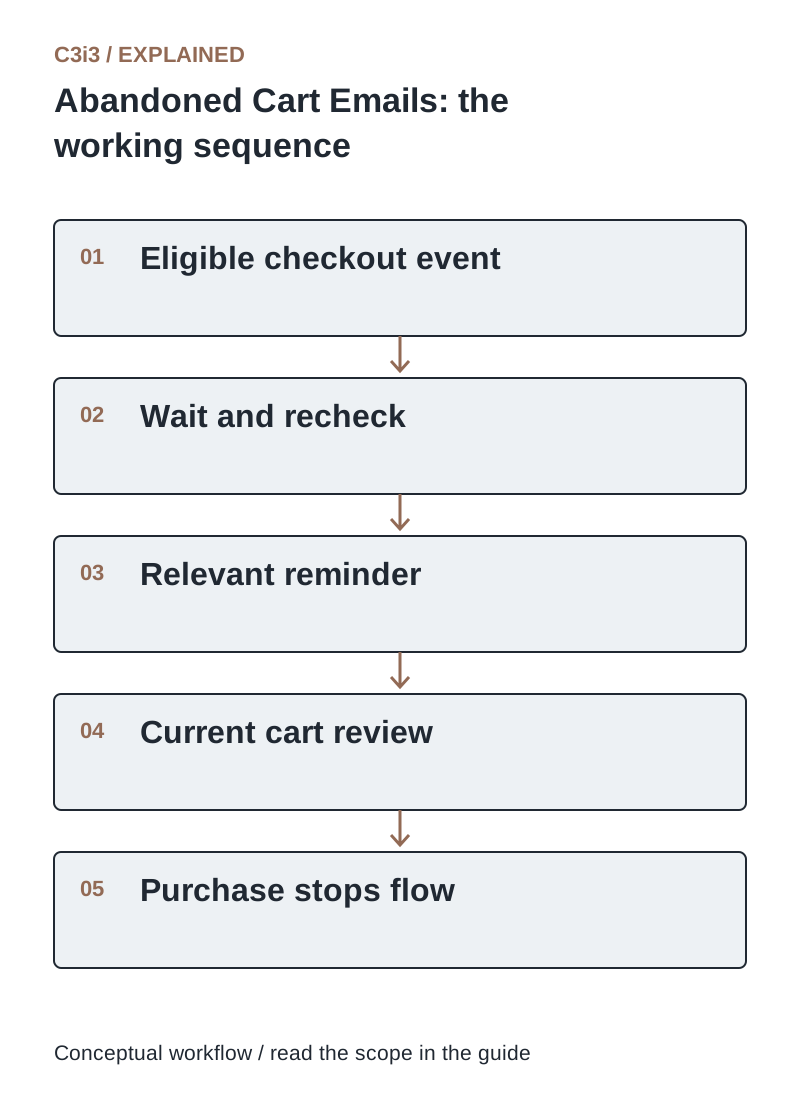
The sequence is: Eligible checkout event. Then Wait and recheck. Then Relevant reminder. Then Current cart review. Then Purchase stops flow. Each handoff needs the scope and conditions described in this guide.
Why do returning B2B buyers abandon checkout?
They may need internal approval, a purchase order, a different ship-to location or a quote for a larger quantity. They may be comparing options for a colleague rather than purchasing immediately. Review actual support conversations instead of treating every abandoned cart as a pricing objection.
Where appropriate, let the buyer save a draft, share a controlled summary or request assistance. Make account terms and shipping conditions clear before the last step. A recovery email should connect to that supported workflow. It cannot fix an underlying checkout that rejects the customer’s legitimate purchasing process.
Should you offer a discount in every abandoned-cart sequence?
No. Start by resolving the obstacle. Automatic discounts can reduce margin, conflict with account pricing or encourage buyers to wait for an offer. If you test an incentive, define eligible products, customers, duration and the business outcome being evaluated.
Compare contribution after the incentive and messaging cost, not just attributed revenue. Protect negotiated contracts and excluded products. Use truthful urgency tied to actual conditions rather than a countdown that restarts. A useful sequence can simply remind the buyer, answer a practical question and offer help.
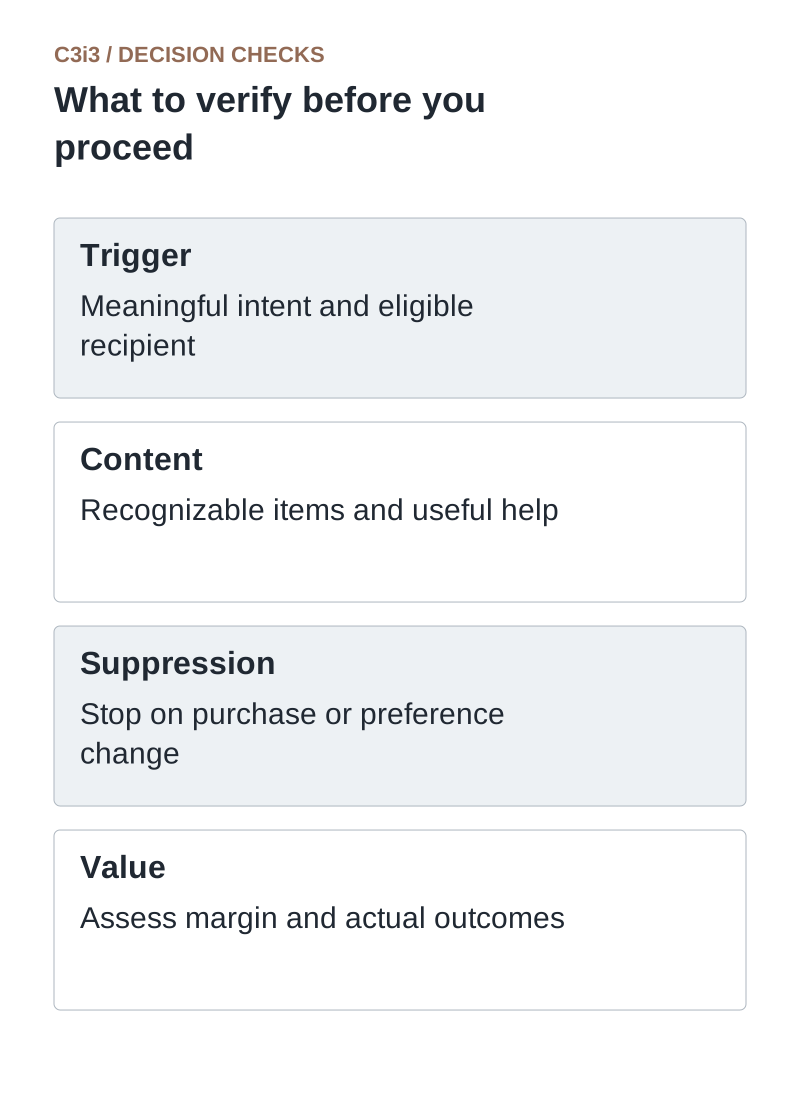
Trigger: Meaningful intent and eligible recipient. Content: Recognizable items and useful help. Suppression: Stop on purchase or preference change. Value: Assess margin and actual outcomes.
Which events should stop or pause cart recovery?
Stop after the relevant purchase, unsubscribe or other eligibility failure. Pause or adjust the flow for unavailable products, an unresolved payment state, an open support case or a cart that has changed materially. Define the behavior for customers who buy through another supported channel.
Recheck conditions before each message rather than relying solely on the state at flow entry. Deduplicate repeated checkout events and coordinate with other campaigns. Test a buyer who orders after the first reminder and a buyer who changes the cart. Receiving an obsolete reminder after purchase damages confidence in the rest of your order communications.
How do you test abandoned-cart emails and measure their value?
Test recoverable links, item identity, mobile rendering, account access and suppression behavior. Ensure a cart link cannot expose another company’s pricing or order details. Use a controlled test account and appropriate platform tools.
Track recovered eligible orders, support-assisted purchases, complaints and incremental margin where a suitable comparison is possible. Review failures such as broken links or unavailable items. Email-open counts can be affected by privacy mechanisms, so use verified purchasing events for business conclusions. Keep the test focused on one change at a time.
What should a cart reminder do for each blocker?
Use these distinctions when reviewing your own workflow.
| Likely blocker | Useful response | Check before sending |
|---|---|---|
| Needs approval | Offer a supported saved draft or assistance | Correct account and current cart |
| Compatibility uncertainty | Provide product guidance or specialist help | Exact item and application context |
| Price or shipping surprise | Clarify current terms | Do not promise an unsupported old offer |
How would this work in a practical example?
Illustrative email: “Need to finish your replacement-parts order? Review the items you selected and confirm current price and availability. If you need help with pack quantities or a purchase-order requirement, reply to our account team.” This supports the task without claiming a reservation or inventing a deadline. The message is sent only after the workflow confirms the recipient is eligible and no corresponding order has been accepted.
Key takeaways
- Trigger: Meaningful intent and eligible recipient.
- Content: Recognizable items and useful help.
- Suppression: Stop on purchase or preference change.
- Value: Assess margin and actual outcomes.
Frequently asked questions
How many reminders should we send?
Choose a limited sequence based on the buying cycle, communication preferences and observed response. There is no universally correct count or delay.
Can we promise the cart price will stay the same?
Only if the merchant’s system and offer rules actually guarantee it. Otherwise revalidate current terms at checkout.
Is an abandoned-cart email always transactional?
Do not assume that classification. Content, purpose and applicable requirements matter; follow your platform’s guidance and your approved communication process.
Sources and editorial method
Primary documentation checked November 20, 2026. Linked vendor materials establish stated capabilities and announcements; they do not establish independently tested performance at your business. The workflows, comparisons and illustrative examples are C3i3 editorial analysis.
- Klaviyo: abandoned-cart flow documentation
A platform implementation example for cart or checkout events and recovery workflows.
- Google: email sender guidelines
Current requirements for sending to personal Gmail accounts, including authentication and sending practices.
- OWASP: authorization guidance
Least privilege and permission checks for protected resources and account-specific information.
Connect useful customer follow-ups with reliable business data.

C3i3 helps product businesses connect clear websites, useful content and practical customer workflows. Explore marketing automation and discuss the customer task you want to improve.