





































In this article
The purchase price of a screen is only one line in a digital signage budget. A proposal can look inexpensive because it omits the player, assumes existing cabling or leaves all content creation to your team. Another can appear costly because it includes a site visit, staff training and a defined service agreement. To compare them fairly, price the same operating result over the same period. This guide gives you a quote structure you can send to suppliers without pretending there is one dependable national price for every installation.
What must you define before requesting a signage price?
Start with a screen schedule that identifies every location, orientation, operating window and primary content purpose. Record whether the wall, power and network are ready or still need assessment. Include the number of locations and whether the installer can complete them in a single visit. A supplier quoting two screens in one room is pricing a different job from two screens at separate sites. Ambiguous scope forces vendors to invent assumptions that may not match one another.
Name the intended CMS account owner, the people who will update content and the support the business expects after launch. List any required integration, synchronization, remote management or location-based permissions. These requirements may affect the software plan and implementation effort. Use the digital signage buyer’s guide to settle the operating brief first. Then request written assumptions so a lower quote cannot hide an expensive change in what is actually delivered.
Which hardware and installation costs should be itemized?
Ask for named display and player models with quantities, mounts, cables and any adapters or connectivity accessories. Identify whether a built-in player replaces a separate device or whether both are being charged for different purposes. Shipping, handling and a spare unit should be explicit when applicable. Do not reduce the decision to screen diagonal: operating conditions, viewing angle, brightness requirements and servicing access can change the suitable equipment and the amount of installation work.
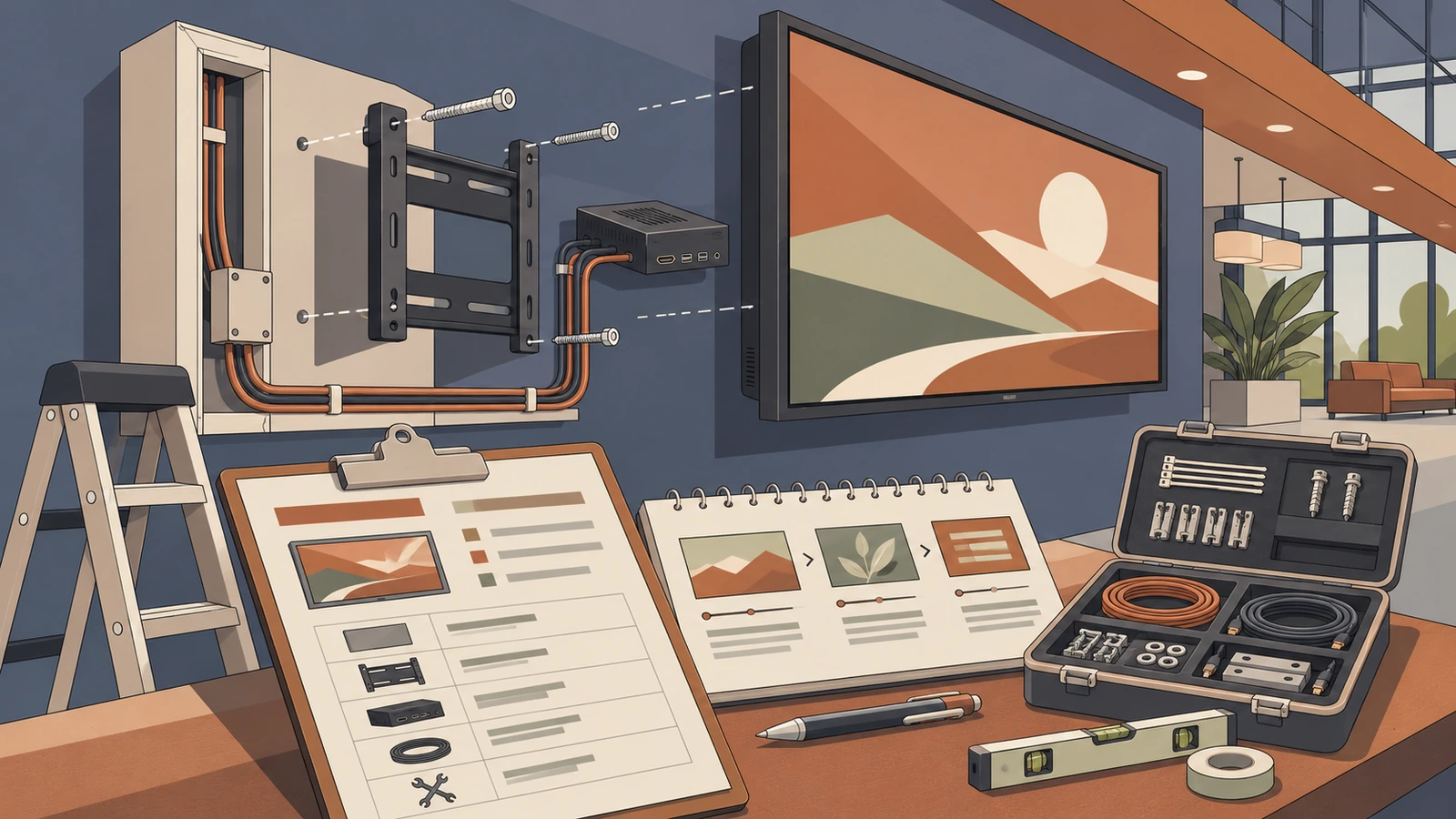
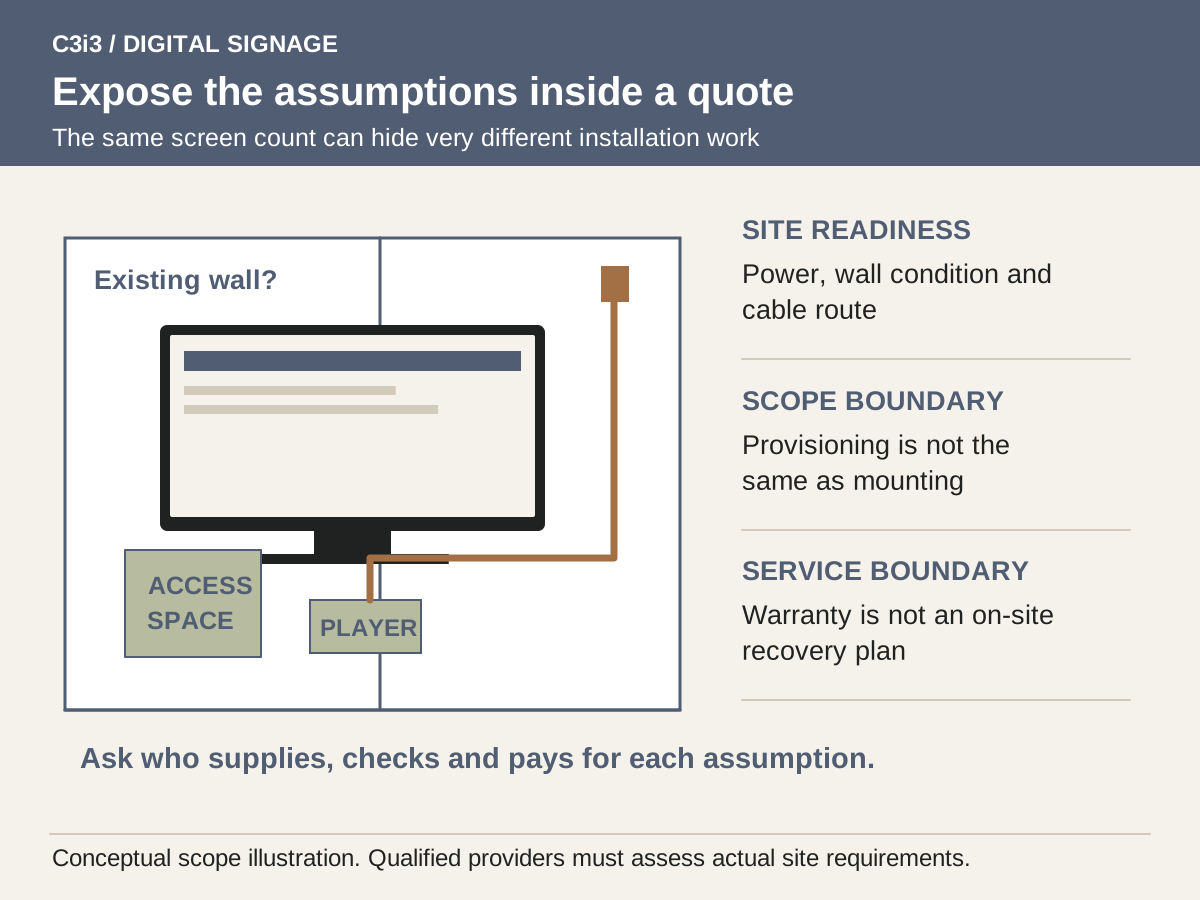
Separate installation labor from site preparation. A quote should state what it assumes about mounting surfaces, cable paths, access equipment, working hours and existing power. Clarify who assesses any electrical or building requirements and who obtains any necessary permissions. BrightSign’s configuration services illustrate that player preparation can be a separate work item. It should not be confused with a complete on-site installation or assumed to include mounting screens and making the site ready.
How do software plans change the recurring budget?
Request the billing unit, commitment period and renewal basis for the exact plan being proposed. Charges may be tied to screens, players, locations, capabilities or service packages. Confirm what a second screen or additional site would cost and whether development or test screens are counted. If a promotion includes hardware, identify the subscription commitment attached to it and what happens when the agreement ends. A headline rate is a starting point for a written quote, not a complete forecast.
Compare permissions, content scheduling, reporting, storage and device management at the required plan level. For example, Yodeck’s user documentation associates several advanced workspace controls with Enterprise plans. That does not make those features necessary for every buyer, but it makes them worth pricing when your operating brief depends on them. Check the current plan comparison and obtain a dated proposal rather than carrying an old price or feature assumption into your budget.
What does the content budget need besides an opening video?
Budget for reusable design templates, initial messages, image preparation and the exports required for each screen format. Include the work of adapting existing material: an advertisement produced for a phone may not be readable on a distant landscape screen. Ask whether the fee includes editable files and who owns any stock images, music or fonts used in the finished content. Revisions, approvals and the number of included formats should be stated in the creative scope.
Add ongoing production and administration as separate items. A staff member must approve price changes, remove expired promotions and check what is actually playing. You may pay an agency for those tasks or allocate internal time, but either choice has a cost. C3i3’s campaign asset design can support reusable screen content. Connect the budget to an update calendar so an attractive launch is followed by accurate messages rather than a screen that carries the same outdated announcement indefinitely.
How do you calculate ownership cost without false precision?
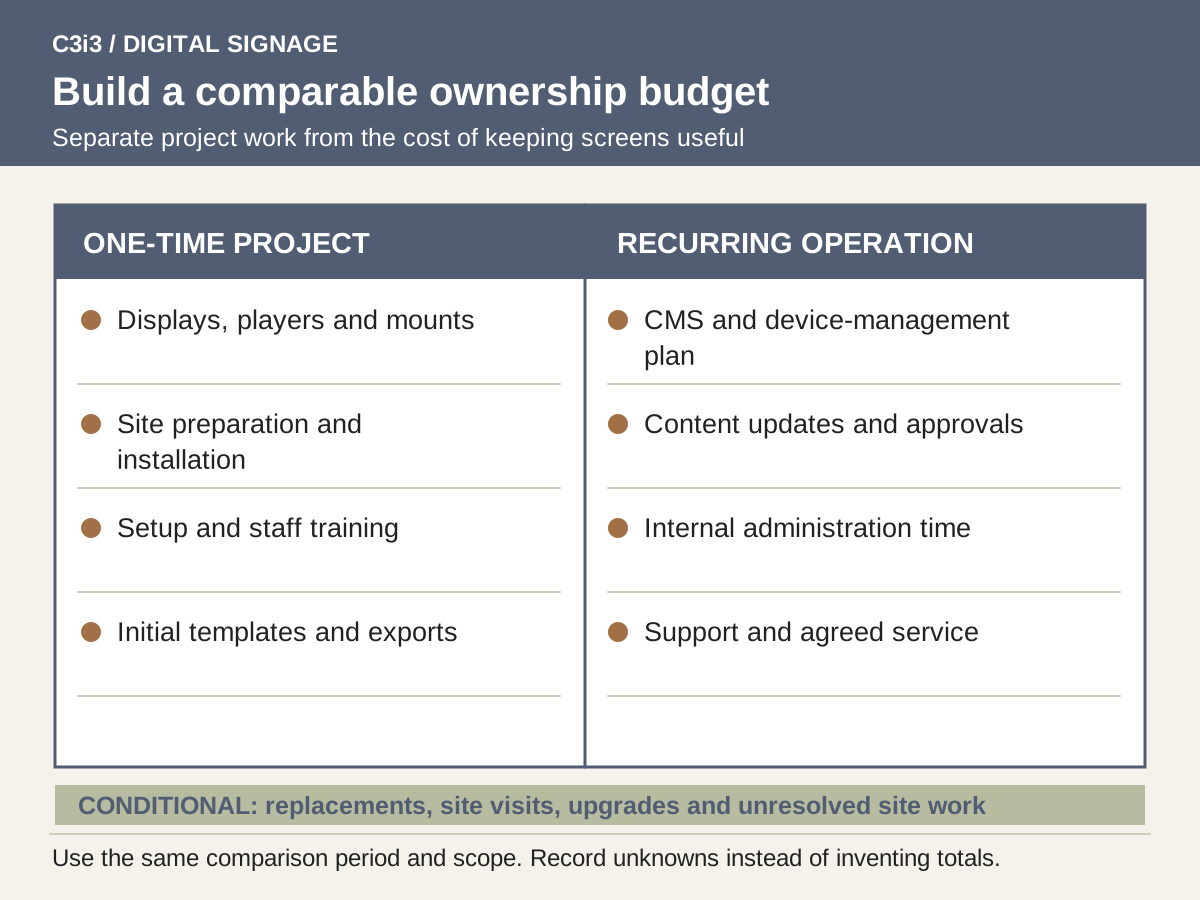
Choose a comparison period and apply it consistently. Add one-time equipment, installation, setup, training and initial creative costs. Then add recurring subscriptions, support, planned content updates and internal administration over that period. State taxes, shipping or site preparation separately if they remain unknown. Keep optional upgrades and uncertain replacements outside the base figure, with clear notes about when they would be triggered. The method is useful even when several inputs still require supplier quotes.
Do not treat reduced printing or staff time as guaranteed savings. Count an avoided cost only if the business genuinely stops paying it or can productively use the released capacity. A sign that requires frequent content redesign may replace one expense with another. Compare like-for-like use in an ownership worksheet and document the assumptions. For a restaurant, check whether the plan in our digital menu board guide simplifies updates enough to justify the proposed administration effort.
Which support and replacement terms can change the total?
Ask who responds when the display is blank, a player is unreachable or the wrong content appears. Specify whether support is remote, on-site or limited to a particular component. Record service hours, escalation contacts, travel charges and whether replacement hardware is supplied before a failed unit is repaired. A warranty may cover the player but leave screen removal, mounting labor and business interruption outside its scope. Those gaps are budget questions, not merely technical details.
BrightSign’s warranty information is a practical example of why buyers should read eligibility and registration conditions rather than assume every item has identical coverage. Ask each supplier for the corresponding documentation for your actual models. Tie final payment and acceptance to the agreed handover, including account access, inventory and recovery instructions. The installer checklist helps identify these deliverables before they become unpriced additions.
What belongs in a comparable signage budget?
| Cost category | Ask the supplier to specify | Budget treatment |
|---|---|---|
| Displays and players | Models, quantities and included accessories | One-time equipment |
| Site work and installation | Survey, preparation, labor and exclusions | One-time project work |
| CMS and device management | Plan, billing unit, commitment and renewal | Recurring subscription |
| Initial content | Templates, versions, rights and revisions | One-time creative work |
| Content administration | Who updates, approves and checks screens | Recurring internal or external effort |
| Support and replacement | Remote help, site visits, spares and warranty gaps | Recurring service plus conditional reserve |
Hypothetical example: comparing two three-screen proposals
Suppose a café requests proposals for three indoor menu displays. Supplier A includes screens, mounting and a basic content upload. Supplier B adds player configuration, editable menu templates, training and remote support. Looking only at the total would favor A without showing whether the café can operate the result.
The owner asks both suppliers to quote the same screen models or explain their alternatives, the same update permissions and the same support expectations. The designer separately prices the initial menu and future changes. The owner then compares one-time project work and the chosen ownership period of recurring costs in separate columns. An unresolved cable route remains a clearly identified allowance until a site visit settles it. This example uses no invented supplier prices or claimed savings. Its purpose is to expose different scopes before a purchase, so a cheaper starting package does not become a more expensive operating arrangement.
Key takeaways
- Compare identical scope before comparing price.
- Separate equipment, installation, content and recurring service.
- Show assumptions and conditional costs beside each total.
- Treat warranty coverage and on-site recovery as different questions.
Frequently asked questions
What is the average cost of digital signage?
There is no useful single figure without screen count, site conditions, content requirements and support scope. Request an itemized project quote and a recurring-cost schedule. Public plan prices can help with an initial estimate but do not price mounting, creative work or site preparation.
Is a low monthly CMS price enough to choose a platform?
No. Confirm that the quoted plan supports the actual player, content, permission structure and operating workflow. A low subscription can be reasonable for a simple setup, but additional labor or missing controls can change the complete cost.
Should we buy a spare player?
Ask the supplier to compare a spare’s cost with the impact and duration of an outage. A documented replacement process may matter more than simply owning another device. Include configuration, access and staff capability in that decision.
Sources and editorial method
Prepared from linked primary documentation checked November 20, 2026. Vendor documentation establishes stated features and operating conditions. Comparisons and worksheets are C3i3 editorial analysis; worked examples are hypothetical.
- Yodeck: current plan comparison
Useful for checking which capabilities belong to which plan. Obtain a dated quote for the actual project rather than assuming a headline subscription covers every requirement.
- Yodeck: users, roles and permissions
Provides a concrete example of users, roles and workspace scope. Several advanced controls are associated with Enterprise plans.
- BrightSign: professional digital signage services
Examples of pre-provisioning and Wi-Fi installation services. A manufacturer’s configuration service does not establish the scope of an on-site installer.
- BrightSign: player warranty program
Warranty eligibility, registration and exclusions are product-specific. Player warranty is different from installation labor or display coverage.
Plan the screens, content and updates as one customer experience.

Tell us where the screens will be used, what viewers need to understand and who will update the content. C3i3 can help with the content strategy, design and video assets while you evaluate hardware and installation providers.
Explore graphic design or tell us about your project.