








































In this article
A customer needs a specific product and local support. Your map shows six nearby dealers, but only one stocks that product family and another handles service rather than new purchases. A dealer locator should resolve that difference before the buyer starts calling the wrong offices.
What information should a dealer locator match?
Match the buyer’s location, product family and intended task. Useful distinctions include sales, installation, repair, pickup and specialist support. If your business uses authorized territories or account restrictions, encode the approved rule rather than assuming distance determines eligibility.
Ask only for the location precision needed for the task. A city or postal code may be sufficient for an initial search. Offer manual entry instead of requiring device-location permission. Make it clear whether results represent your own branches, independent authorized dealers or another partner relationship. Customers should know whom they are contacting.
Which dealer records need an owner and review process?
Maintain the dealer’s name, public address where appropriate, service area, product capabilities, contact details, hours and authorization status. Record who verifies each field and when a material change should be reflected. An attractive map is of little help if the phone number reaches a closed office.
Separate your approved partner data from mapping-provider place information. Google’s Locator Plus guide discusses combining your own location data with map services. Your team still owns whether a partner is authorized and supports a specific product. Establish a simple correction route for dealers and customers.
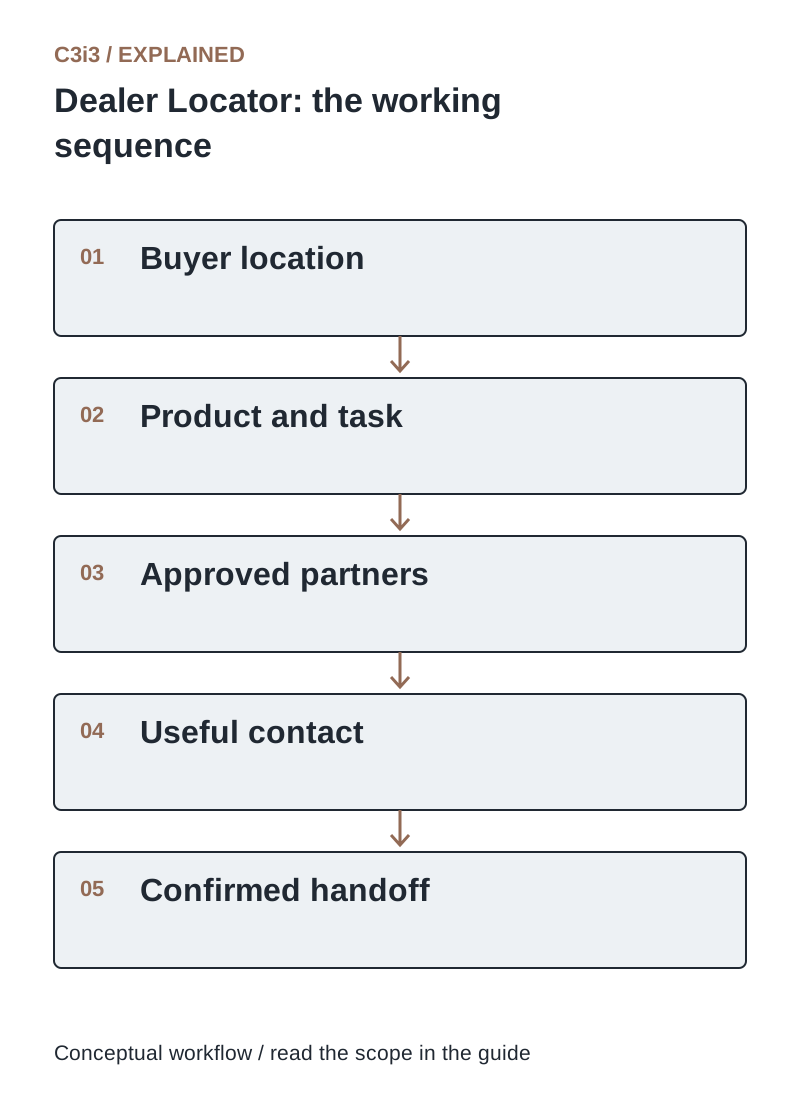
The sequence is: Buyer location. Then Product and task. Then Approved partners. Then Useful contact. Then Confirmed handoff. Each handoff needs the scope and conditions described in this guide.
How should map results and list results work together?
Provide a readable results list with the same useful information shown on the map. Buyers should be able to review capabilities, call, open a website or request directions without operating a small map pin. Keep the selected filters visible and offer a clear reset.
Use descriptive labels for contacts and actions. Test keyboard navigation, mobile layouts and cases with several locations close together. Explain how results are ordered, especially when product capability takes precedence over distance. Avoid making an unsupported dealer appear suitable merely to keep the results page full.
What should happen when no suitable distributor is nearby?
Show an honest empty result and a helpful next step. You might offer a wider search, a regional contact or a manufacturer inquiry route. Distinguish “no matching partner in this search” from “we do not sell this product anywhere.”
Keep the chosen product and location context when handing the inquiry to staff. Record whether the buyer needs shipment, local service or an installation appointment. Do not invent locations or publish cloned city pages to conceal a coverage gap. Empty-result searches can identify channel-development opportunities, but they are observations to investigate rather than proof of market demand.
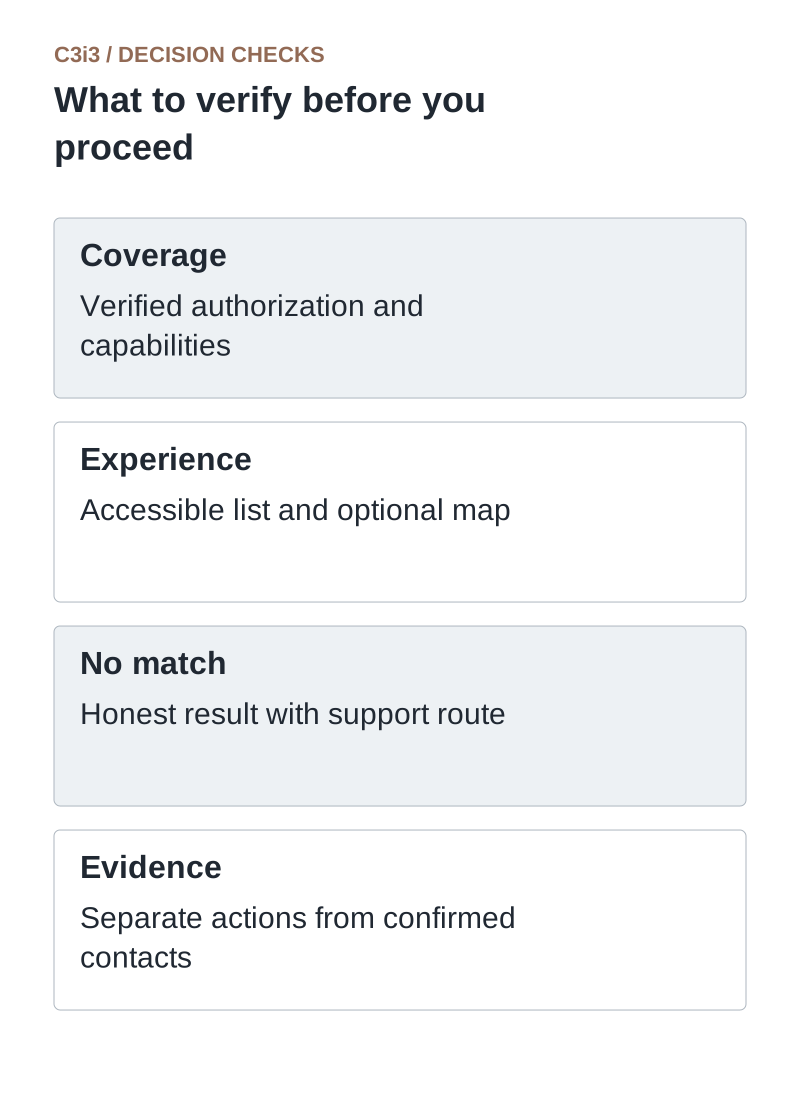
Coverage: Verified authorization and capabilities. Experience: Accessible list and optional map. No match: Honest result with support route. Evidence: Separate actions from confirmed contacts.
How do you send a useful lead to the selected dealer?
Collect the minimum information needed for the requested handoff and explain who receives it. Include the selected product family, service need and location so the dealer can assess relevance. Obtain the appropriate customer permission for the contact route being offered.
Define responsibility for follow-up and for rerouting an unsupported request. If dealers report outcomes, use consistent stages such as received, accepted and contacted. Avoid treating a click on a phone number as a verified conversation. Review response failures with the partner team so the locator does not simply distribute unanswered requests faster.
How do you measure dealer-locator performance?
Measure successful searches, empty results, capability-filter use, contact actions and confirmed handoff outcomes where available. Exclude private personal details from analytics. Compare the same definitions over time and note changes in dealer coverage.
Audit a sample of listings and mystery-test the public contact information through an authorized internal process. A rise in map interactions may mean more buyers are finding help or that the interface has become confusing. Combine usage data with customer and dealer feedback. The goal is a correct connection to a suitable partner.
What should a dealer result make clear?
Use these distinctions when reviewing your own workflow.
| Buyer need | Relevant field | Avoid this mismatch |
|---|---|---|
| Buy a product | Supported product family and sales contact | Nearest partner cannot supply the item |
| Get service | Verified service capability and coverage | A reseller is shown as an installer |
| Arrange pickup | Actual public pickup location and hours | A service-area record looks like a walk-in store |
How would this work in a practical example?
Illustrative example: A buyer searches for a replacement component and on-site service. The closest reseller sells the component but does not provide service. The locator explains that distinction and shows a qualified service partner farther away. It also offers manufacturer support when no combined match exists. The customer receives a realistic next step instead of an unexplained list of nearby pins.
Key takeaways
- Coverage: Verified authorization and capabilities.
- Experience: Accessible list and optional map.
- No match: Honest result with support route.
- Evidence: Separate actions from confirmed contacts.
Frequently asked questions
Should the closest dealer always appear first?
Only when distance matches the buying task. Product authorization, territory and service capability may be more important.
Can a dealer locator help SEO?
Accurate, useful location information can help people understand coverage. It does not guarantee local rankings, and fabricated locations should never be used.
Do we need a map at launch?
A searchable accessible list may be a useful first release. Add a map when geographic context materially helps buyers choose.
Sources and editorial method
Primary documentation checked November 20, 2026. Linked vendor materials establish stated capabilities and announcements; they do not establish independently tested performance at your business. The workflows, comparisons and illustrative examples are C3i3 editorial analysis.
- Google Maps Platform: locator implementation guide
Location search, place information and integration with a business’s own location records.
- OWASP: authorization guidance
Least privilege and permission checks for protected resources and account-specific information.
Build a better ordering route for your business customers.

C3i3 helps product businesses connect clear websites, useful content and practical customer workflows. Explore ecommerce development and discuss the customer task you want to improve.