







































In this article
“Please send the same order as last time” looks simple until the previous buyer has left, a product has changed and the shipment needs a different branch address. A customer portal can remove those repeated emails if it understands company accounts and makes exceptions visible. Start with the reorder task before building a large dashboard.
What should buyers be able to do inside a wholesale portal?
They should be able to find relevant products, review prior purchases, see their current selling conditions and understand an order’s status. Saved lists and part-number search often matter more than a visually elaborate account homepage. Ask buyers which information they routinely request from sales.
Separate ordering tasks from account administration. A purchasing contact may need to submit an order without changing the company’s billing details or inviting new users. Give the interface a clear primary action and maintain a human support route for unusual requests. A portal earns adoption by resolving recurring friction, not by containing every possible company document.
How do company accounts, locations and buyer permissions fit together?
Represent the business organization separately from individual users. A company can have several ship-to locations with different terms, catalogs or contacts. A user should receive only the access appropriate to their role and assigned locations.
Shopify’s company-account documentation describes this separation in its platform. Whatever technology you choose, test whether a buyer from company A can access company B’s orders or pricing. Include direct links and downloads in those tests. Hiding a menu item is not sufficient account separation.
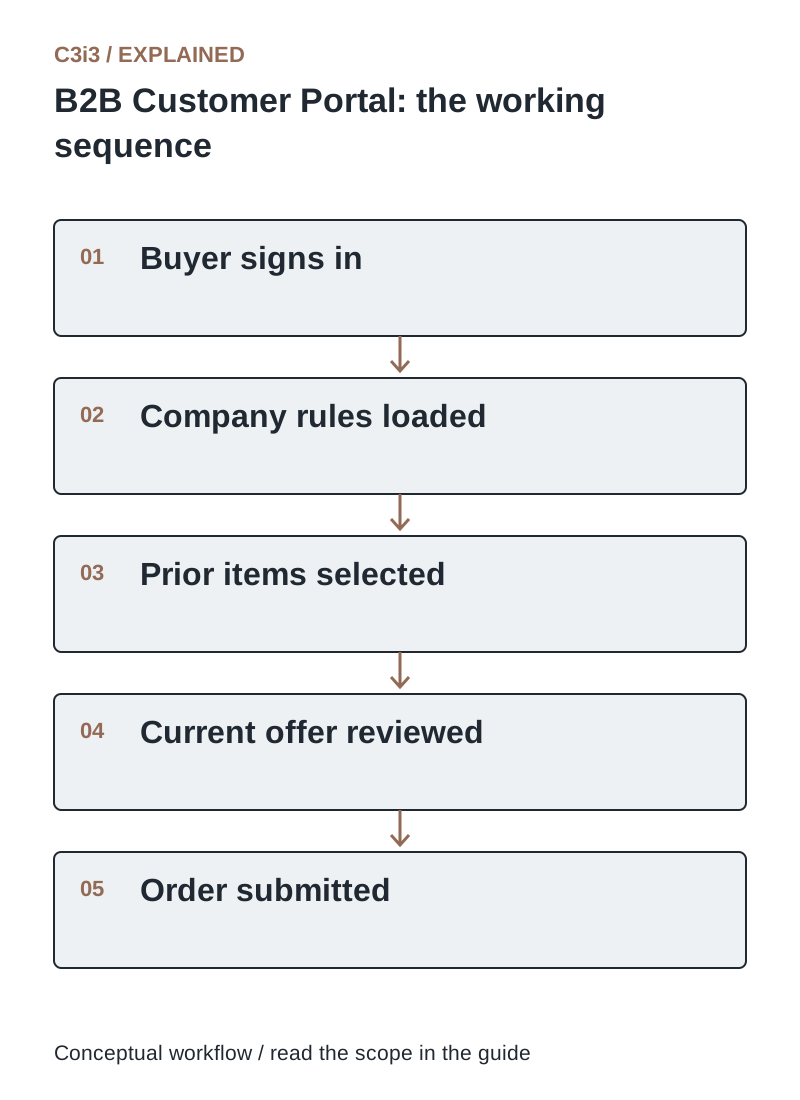
The sequence is: Buyer signs in. Then Company rules loaded. Then Prior items selected. Then Current offer reviewed. Then Order submitted. Each handoff needs the scope and conditions described in this guide.
What should happen when a buyer chooses Reorder?
Build a new draft from the selected historical items, then recheck present-day products, quantities, prices and shipping conditions. Show discontinued items, changed pack sizes or unavailable quantities clearly. The buyer should review material changes before submitting.
Preserve recognizable references such as the customer’s part number and previous order ID. If a substitute requires approval, explain the difference and route the decision to the right person. A reorder shortcut should reduce typing while maintaining the controls of a new purchase. Copying an old order without validation merely moves an email misunderstanding into software.
Which ERP and order-status information should customers see?
Show information that is useful and reliable: accepted order reference, item status, confirmed shipment details and a clear support contact. If availability or delivery is only an estimate, label it accordingly. Avoid showing an old synchronization result as a current commitment.
Assign ownership for each displayed field and document how quickly changes should appear. A portal that claims “shipped” before a carrier handoff can create unnecessary support calls. Test partial shipments and revised dates, not only a perfect order. When the connection is unavailable, show an understandable message and support route rather than an unexplained blank panel.
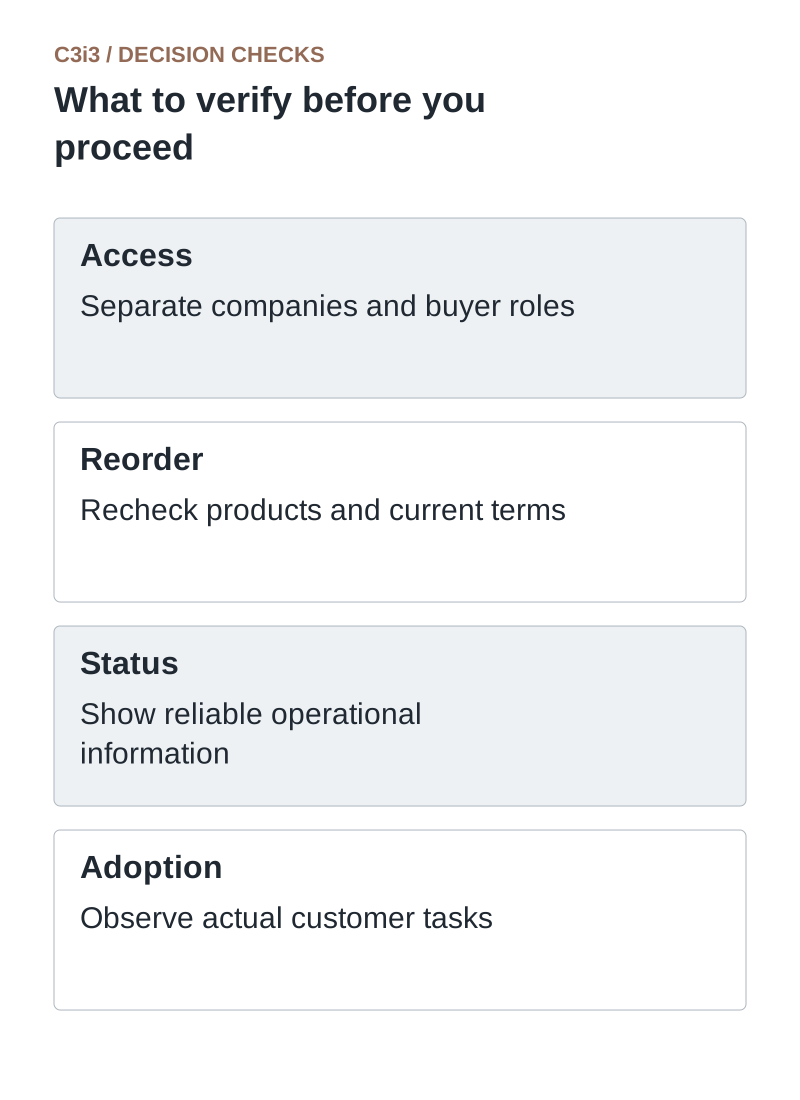
Access: Separate companies and buyer roles. Reorder: Recheck products and current terms. Status: Show reliable operational information. Adoption: Observe actual customer tasks.
How do you get existing wholesale customers to use the portal?
Invite a manageable group and help them complete a real reorder. Provide a concise explanation of what the portal makes easier, such as reviewing branch-specific purchases or reordering from a saved list. Let sales support the transition and collect the recurring questions.
Measure successful use by invited accounts and note where buyers return to email. A buyer may prefer email because the portal lacks a needed shipping instruction, not because they dislike technology. Improve those missing steps. Keep account recovery straightforward and remove former employees promptly through the company’s agreed administration process.
What should the first portal release leave for a later phase?
Prioritize secure account access, relevant catalog information, one reliable reorder path and clear order status. Defer features that do not help the selected customer task, such as complex dashboards without trustworthy source data.
Write acceptance scenarios with sales and a customer representative: a normal reorder, changed quantity, unavailable item, unauthorized location and failed integration. Decide who supports each exception. Track handling time and order corrections alongside portal usage. The release is useful when buyers complete supported tasks confidently and employees can resolve the rest.
What must a reorder revalidate?
Use these distinctions when reviewing your own workflow.
| Historical detail | Current question | Buyer-facing result |
|---|---|---|
| Part and pack size | Is the same sellable item supported? | Explain changed or discontinued items |
| Price and terms | Which agreement applies now? | Show the current offer |
| Company location | Can this buyer purchase and ship there? | Use approved account permissions |
How would this work in a practical example?
Illustrative example: A wholesaler’s buyer selects a previous branch order. Two items are unchanged, one now ships in packs of six and one has been discontinued. The portal creates a reviewable draft, explains the pack change and offers a specialist contact for the discontinued item. The task is shorter than reconstructing the email chain while preserving the decisions that still need a person.
Key takeaways
- Access: Separate companies and buyer roles.
- Reorder: Recheck products and current terms.
- Status: Show reliable operational information.
- Adoption: Observe actual customer tasks.
Frequently asked questions
Can a buyer reorder at an old price?
Only if the merchant’s current agreement permits it. A reorder should apply current account rules and show the resulting offer before submission.
Should every employee share one login?
Use individual access and appropriate company roles so permissions, account changes and purchasing activity can be managed clearly.
Is a portal the same as a public online store?
No. A portal usually serves identified accounts with restricted information or account-specific workflows, while public catalog browsing may remain open.
Sources and editorial method
Primary documentation checked November 20, 2026. Linked vendor materials establish stated capabilities and announcements; they do not establish independently tested performance at your business. The workflows, comparisons and illustrative examples are C3i3 editorial analysis.
- Shopify: B2B feature overview
A concrete example of business-account commerce capabilities. Verify current plan and implementation limits.
- Shopify: companies, locations and customers
An implementation example for separating the company, location and purchasing contact.
Build a better ordering route for your business customers.

C3i3 helps product businesses connect clear websites, useful content and practical customer workflows. Explore ecommerce development and discuss the customer task you want to improve.