






































In this article
The commercial is finished, but your next request exposes an unexpected problem. A new team needs a shorter edit. Someone asks for a silent version. A platform requires a change. You have the final video, but nobody has agreed whether the raw footage, editable project or licensed music can be used for that next task.
For San Francisco commercial video production, file delivery and permission questions belong in the commissioning conversation. They should not first appear when the original editor is unavailable. This is an operational checklist for organizing that conversation, not a determination of who owns a particular copyrighted work.
The useful distinction is between receiving a file, having permission to use its contents and being able to revise it. Those are separate questions. Document the answer for each asset before the project becomes dependent on assumptions.
Which assets are included when someone says the video is yours?
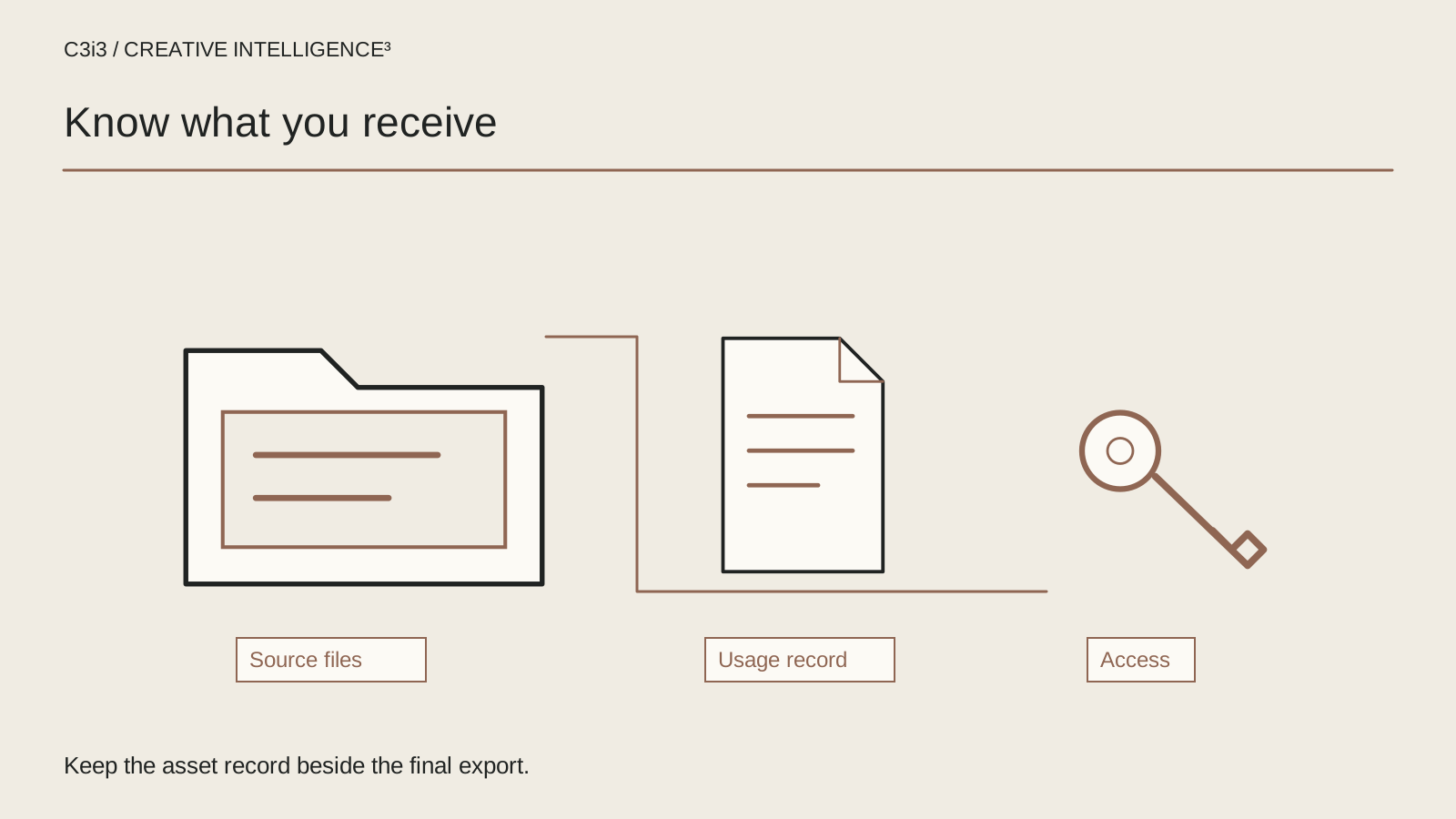
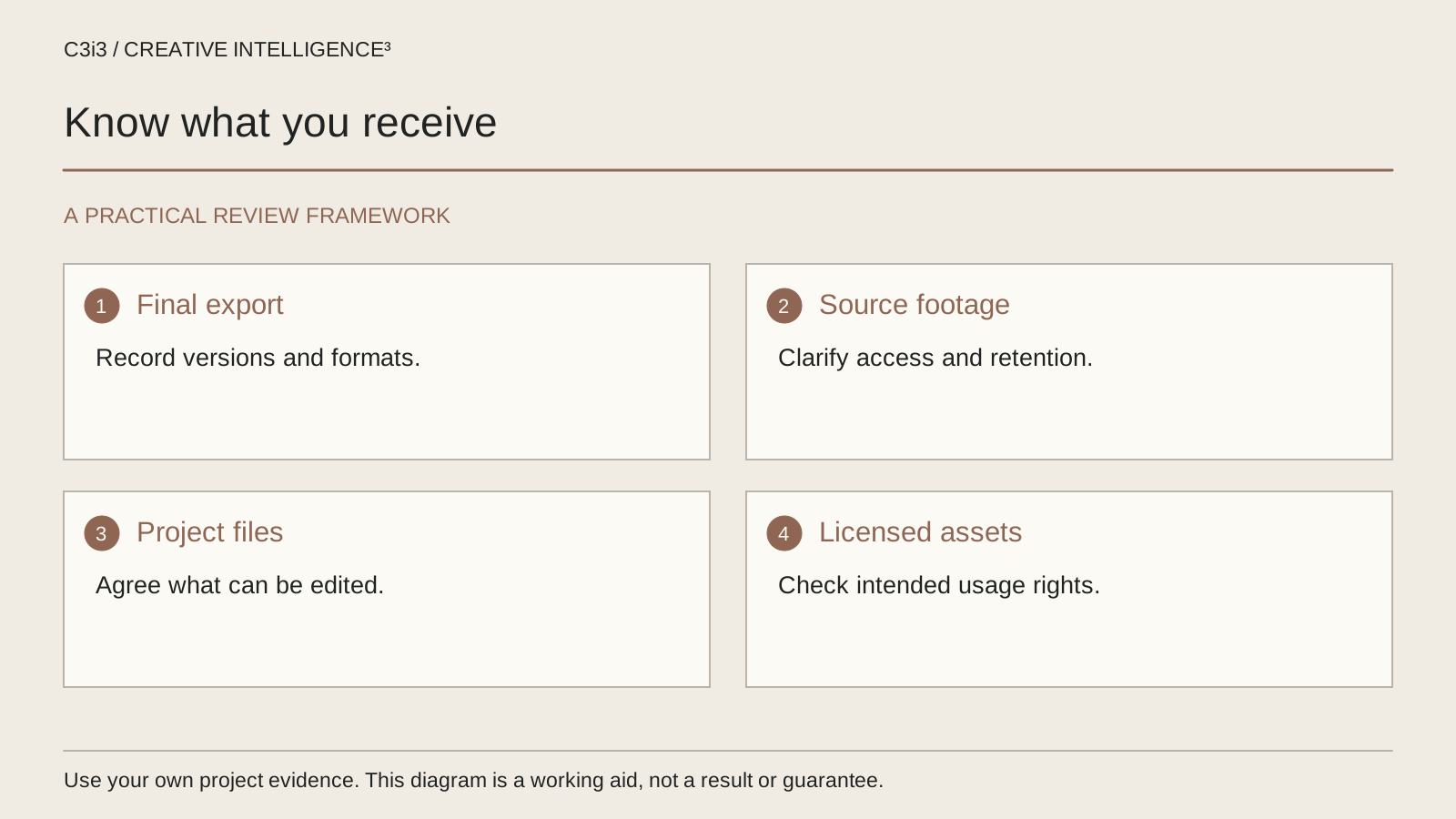
Ask for an itemized answer. A finished export is a flattened viewing file. Raw footage contains recordings from the shoot. An editing project contains decisions and links to media, while a graphics project may depend on separate software, fonts and source files. Possessing one does not make the others appear automatically.
Start with what your business expects to do later. You may need to change an end card, replace a product screen, create a captioned version or give a different editor enough material to rebuild a sequence. Make those expectations explicit. A vague request for all files can conceal missing dependencies just as easily as a promise of a complete handover.
| Asset | Question for the schedule |
|---|---|
| Final exports | Which approved versions and technical specifications are included? |
| Raw recordings | Which recordings are delivered and how are they organized? |
| Editable projects | Which applications, versions and dependencies are required? |
| Licensed material | Where are the use conditions and supporting records? |
The existing script-to-final-edit guide explains the wider workflow. Keep this asset schedule as a separate acceptance record so a completed creative review does not stand in for a completed handover.
How should ownership and usage questions be documented?
Write down who is supplying each asset, the document that governs its use and the person responsible for confirming unresolved questions. Do not ask the editor to make an informal legal assurance about material supplied by several different organizations.
The U.S. Copyright Office explains that hiring a creator does not by itself establish work-made-for-hire status. Its work-made-for-hire circular describes why the classification matters. Those resources are a reason to clarify the actual agreement, not a substitute for having the relevant contract reviewed for your situation.
For practical production management, separate the unresolved question from the asset's ready status. A file can be technically usable but still await permission confirmation. Label that state clearly in the handover record and keep it out of an approved publishing folder until the authorized reviewer resolves it.
Also identify material supplied by your own business. Product photography, customer logos, presentation slides and screen captures may arrive through different departments. Ask the supplying owner to confirm whether the intended use has been checked. Avoid treating a file's presence in a shared drive as evidence that every possible future use is covered. Keep any confidential supporting documents in an appropriately restricted location.
What should you ask about music, stock footage and other dependencies?
Ask which material comes from a library or another supplier and how the intended publication is covered. The useful questions describe the use: paid advertising or an owned page, the channels involved, the planned versions and any intended future edits. Let the licensing provider or authorized reviewer answer the applicable conditions.
Record where the current terms and license evidence can be found. Do not rely on an email that merely says the music is cleared. A future team needs enough context to identify the track, source and approved use without guessing. If the file will pass to another editor, ask whether that editor needs their own access or whether a supplied project can be opened as delivered.
Apply the same habit to fonts, illustration, stock clips, sound effects and plugins. A timeline may open while displaying substitute fonts or missing effects. That can change the appearance of the commercial even though the project file itself was successfully transferred.
Before requesting a new cut, check whether it introduces a materially different use or additional asset. A version that appears to be only an aspect-ratio change may also require replacing a background shot or music section. Give the reviewing team the actual planned change rather than asking for a blanket answer about anything you might do later.
Can another editor open and understand the project?
Make the handover usable by a person who was not in the original edit session. Agree application and version information, folder structure, media links and the status of any external dependencies. Include a short readme explaining which timeline is approved and which folders contain working alternatives.
A sensible acceptance task is to open a copy in the agreed environment, inspect the timeline for missing material and render a short representative section. This is a technical check, not proof of unrestricted rights. Keep both questions visible in the record.
Use clear version names that distinguish approved exports from review files. Preserve the relationship between a commercial, its caption file and its transcript. If different end cards or language versions exist, list which destination each one supports. Do not leave the next team to identify an approved version by whichever file was modified most recently.
For a hypothetical San Francisco product campaign, the business may retain a master commercial while a specialist prepares paid-media variations. That arrangement works better when the handover explains exactly what the specialist is allowed and equipped to change. The platform-version planning guide can help specify expected outputs, while this checklist establishes how their source material will remain understandable.
What does a complete final-delivery record look like?
Use a short delivery sheet organized around decisions rather than a long archive listing. For each approved version, record the filename, purpose, technical specification, destination, approval owner and any linked captions or transcript. Add the current status of outstanding assets or permissions.
Accessibility materials deserve the same delivery attention as the picture. The W3C media-planning resource helps teams consider captions, descriptions and transcripts during planning. Agree the applicable deliverables for the actual media rather than assuming an automatic caption file resolves every need.
Check the real files. Listen to the export, read its captions, inspect important text and verify that contact details and product names match the approved content. Confirm that a clean version and any separately agreed variants are present. An asset schedule with every box marked complete is not enough when the archive itself cannot be opened.
Store the approved delivery in a business-controlled location with appropriate access and a defined retention process. Avoid circulating private customer screens or unapproved takes simply because they were included in the raw recordings. Ask who should receive each category of material and document any exclusions. Keep the receiving team aware of both what was delivered and what remains dependent on the original producer.
What should happen when your business needs a new version later?
Begin with the approved delivery record and the intended change. Identify the asset, explain the new task and check whether the needed source material, permissions and reviewer are available. That turns a vague request to reuse the video into a manageable piece of work.
In a hypothetical campaign, an older commercial shows a product screen that no longer exists. Replacing the end card alone would leave the demonstration inaccurate. The update needs a product reviewer, a revised screen capture and a fresh approval of the affected sequence. Reopen the relevant part of the evidence record rather than treating the old approval as permanent.
If material is missing, document what can be recovered and what must be recreated. Do not improvise a substitute logo, licensed track or product claim merely to keep a timeline moving. Confirm the revised deliverables before the team spends time on the edit.
Use the existing San Francisco services page for regional context and C3i3 web-commercial production for the relevant service. For the wider question of whether a finished commercial is helping customers take action, return to the Bay Area commercial-performance guide. A usable handover supports that journey without replacing the need for a clear campaign.
Keep this checklist beside you
Questions before the next step
Does receiving the finished video mean we own every asset in it?
Do not assume that. The commercial may include recordings, graphics and licensed material governed by different arrangements. Receiving an export also differs from receiving editable source files. Ask the relevant parties to confirm ownership and permitted uses under the actual agreement, and keep that answer with the delivery record.
Should we always request raw footage?
Request the material your business has a defined reason to retain and that the parties agree to deliver. Raw recordings can include unapproved takes or confidential screens. Clarify organization, access, retention and intended future use rather than treating a large archive as automatically more useful than a documented, usable handover.
Can we give the project to a different editor?
Check the agreement, source-asset conditions and technical dependencies before doing so. A project may require software, fonts or library access that the receiving editor does not have. Describe the actual planned edit and ask the authorized parties to confirm what is available and what needs additional review.

How C3i3 Can Help
C3i3 can help San Francisco businesses define the commercial deliverables, organize production decisions and prepare a usable creative handover. Bring the intended campaign uses and future editing needs so the project can be scoped around the work your team actually expects to do.