






































In this article
A founder wants to explain a product without turning every recording day into a large production. A vlogging camera can support that workflow, but lens choice, sound, framing and editing compatibility remain part of the decision.
These five options are documented alternatives for different creator setups. The shortlist is organized around use cases rather than a claim that one camera is universally best.
How we chose these 5 options
This editorial shortlist uses official product documentation and the practical criteria below. The order groups different workflows; it is not a laboratory performance ranking. We have not represented these products as hands-on tests. Features, availability and account access can change, so check the linked documentation for your intended setup.
| Criterion | Question to answer |
|---|---|
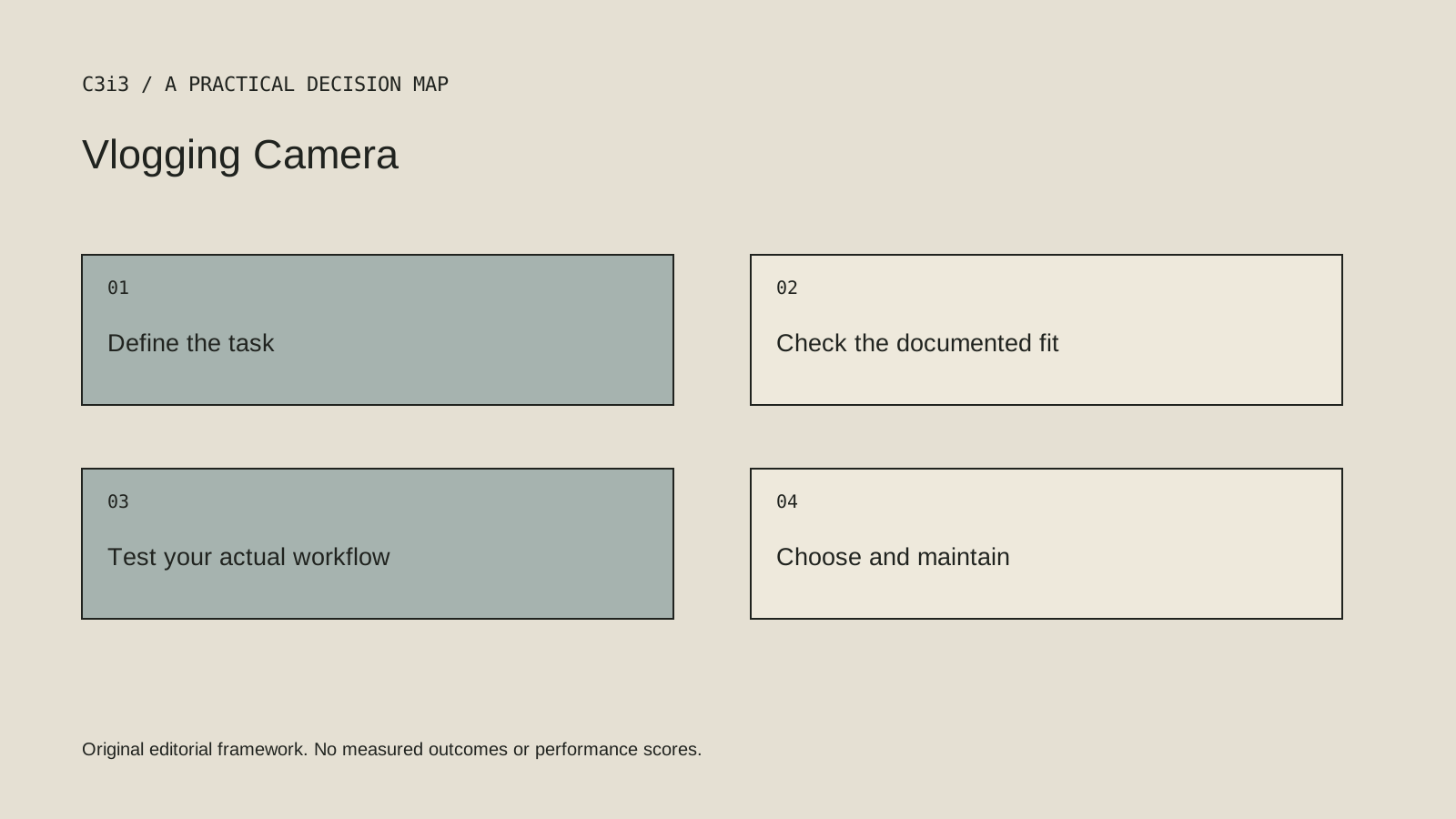
| Framing | Will the lens and shooting distance show the product and presenter clearly? |
| Sound | How will the team connect and monitor a microphone? |
| Workflow | Can the computer and editor handle the intended recording format? |
1. Sony ZV-E10 II (ZV-E10M2)
APS-C interchangeable E-mount camera with 4K recording up to 60p. Product Showcase setting and selectable microphone directivity.
Consider it for: A creator who wants lens choice and product-to-presenter focus transitions.
Check before choosing: Confirm the lens bundle, framing crop and recording conditions for the chosen mode; maximum recording figures are not a promise of continuous operation in all temperatures.
2. Canon EOS R50 V
Vertical tripod socket and rotatable video information display. External microphone input and headphone terminal.
Consider it for: A creator who frequently switches between vertical social video and wider business content.
Check before choosing: The official specification lists no RAW video recording. Oversampled 4K and cropped 4K are separate modes; check the mode before choosing a lens.
3. FUJIFILM X-M5
6.2K 3:2 10-bit recording up to 30p. Three built-in microphones with selectable direction modes.
Consider it for: Projects that need flexible reframing from a taller capture format.
Check before choosing: Digital image stabilization and higher-rate modes can change framing. Check the detailed crop table instead of assuming every mode uses the full sensor area.
4. Nikon ZR
Internal R3D NE RAW recording up to 6K/59.94p. In-camera 32-bit float audio.
Consider it for: A video-led team prepared to manage cinema-oriented recording formats and post-production.
Check before choosing: Confirm support for the actual R3D NE recording format in the team's editor and storage workflow before a shoot; do not assume all RAW formats are interchangeable.
5. Panasonic LUMIX S9
6K 3:2 open-gate full-frame recording. REAL TIME LUT workflow and LUMIX Lab connection.
Consider it for: Productions seeking one capture that can be reframed for several delivery shapes.
Check before choosing: Open-gate capture still requires an intentional crop and edit. Confirm current firmware, recording-time settings and thermal conditions for long interviews; no unlimited-runtime claim.
How to narrow the shortlist
Start with the space where you actually film. A small room, a desk demonstration and a walk-through create different framing needs. Test whether the screen, controls and focus behavior support the person operating the camera.
Look at the complete kit. An interchangeable-lens body may require a suitable lens and audio arrangement. A compact camera has different flexibility. Choose based on the assignment rather than comparing body specifications as though the accessories and operating conditions were identical.
A practical check before committing
Record a product explanation at the planned distance and review the original files in the intended editor. Check text on packaging or screens, focus transitions and sound. Confirm operating limits for the chosen recording mode in the current manufacturer documentation.
What this comparison does not establish
A maximum resolution or frame-rate specification is not a promise of unlimited continuous recording in every environment.
Put the decision into practice
- Will the lens and shooting distance show the product and presenter clearly?
- How will the team connect and monitor a microphone?
- Can the computer and editor handle the intended recording format?
- Review the current official documentation and actual handover.
Sources and editorial method
Reviewed November 6, 2026. Linked announcements retain their original dates. Product documentation establishes described capabilities; it does not establish that a subject is currently a search breakout. Examples and decision frameworks are editorial analysis.
Questions readers ask
Is the first option the best choice for every business?
No. The list covers different use cases. Use the stated criteria and your actual requirements to decide which options deserve further evaluation.
Are these hands-on product reviews?
No. They are research-based editorial comparisons using official documentation and practical selection criteria. No claim of personal testing or a guaranteed result is made.
How C3i3 can help
C3i3 helps businesses turn a clear customer question into useful content, a coherent digital experience and a manageable production process. Bring the product, page or workflow you are reviewing so we can discuss the work it needs.