








































In this article
A customer calls because your website sent them to an unfamiliar page. You open the site and see an offer your business never published. You may want to delete the content or try a cleanup tool. Those actions can obscure what happened while leaving the underlying access problem unresolved.
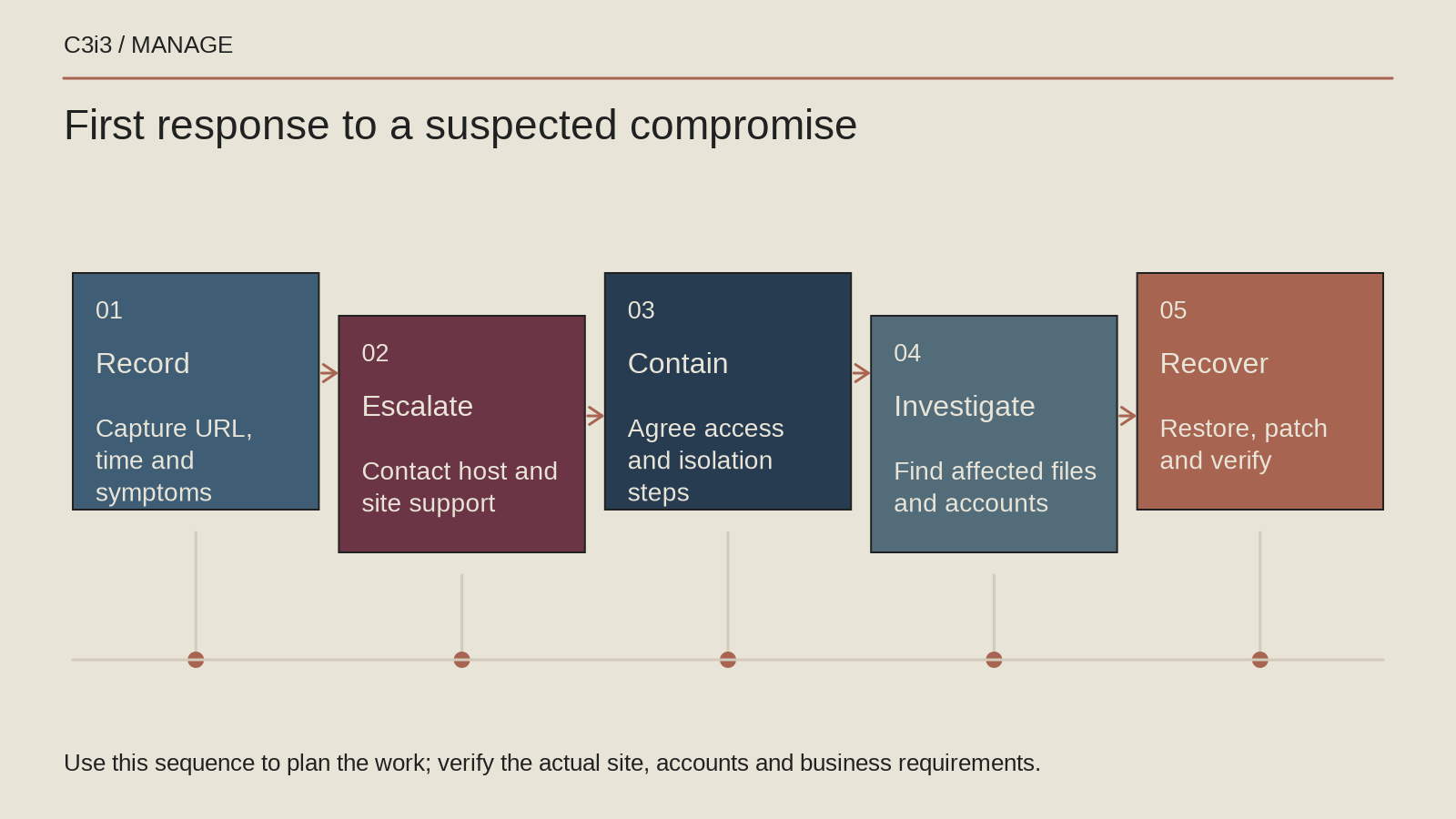
Treat a suspected compromise as an incident that needs an accountable response. Organize qualified help, protect visitors and preserve useful information. Contact the host or a specialist before attempting your own diagnosis.
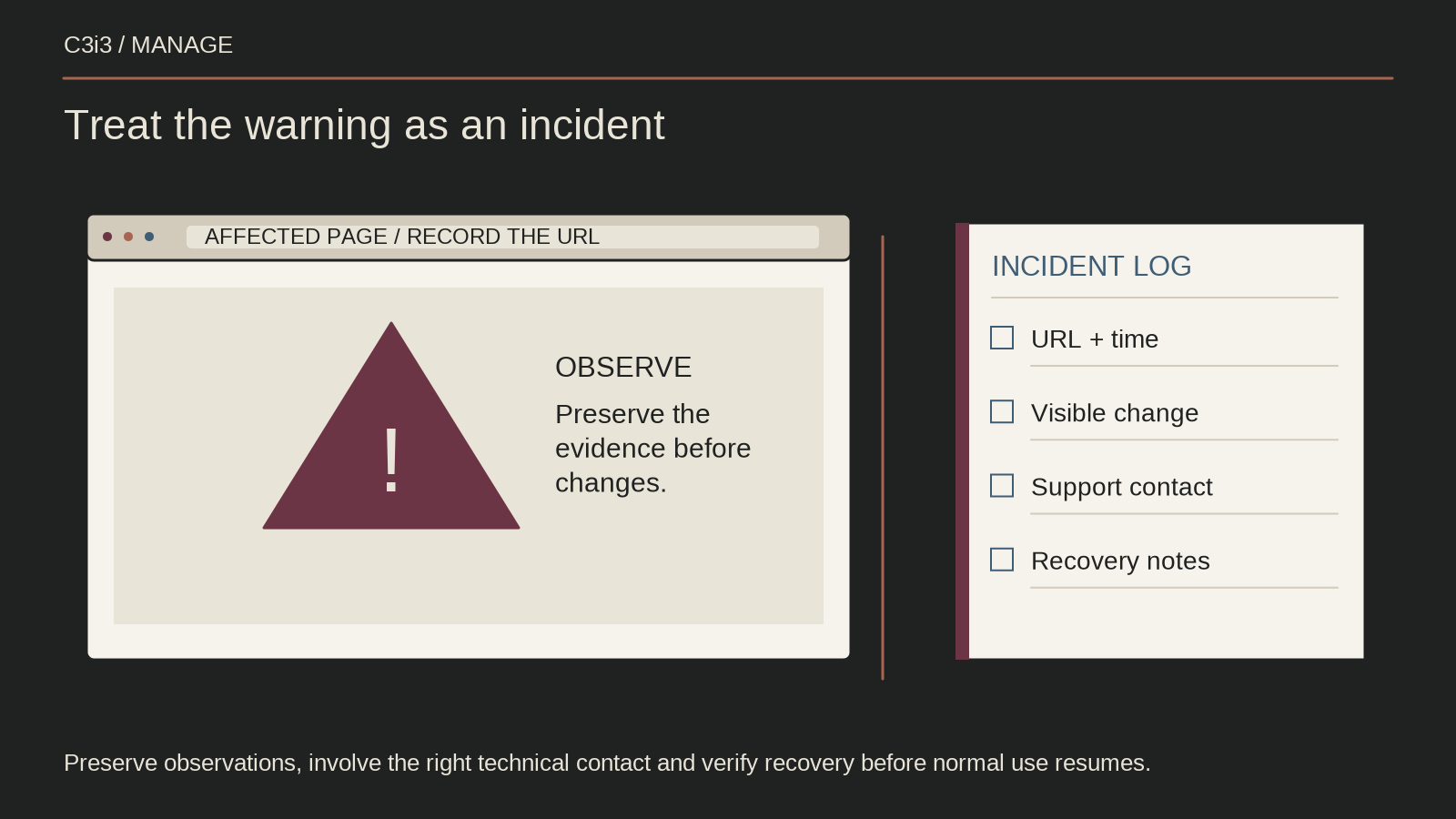
Capture observations without exploring suspicious content
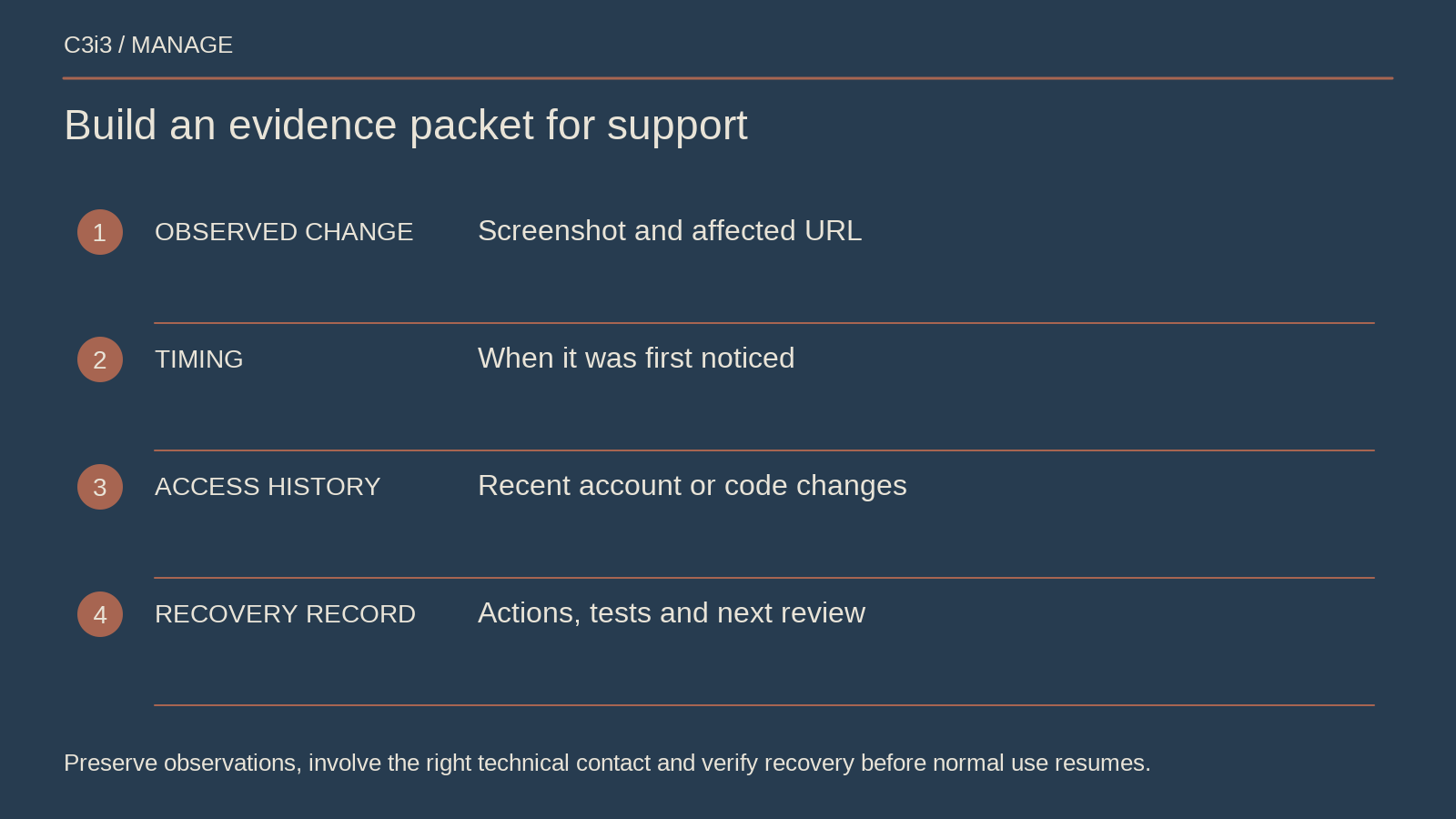
Record the affected address, the time and timezone, the visible behavior and who first reported it. Capture a screenshot if you can do so safely. Keep unexpected emails or alerts in their original form. Avoid following suspicious downloads, entering passwords into unfamiliar pages or repeatedly testing a redirect.
Describe observations rather than asserting an unverified cause. An unexpected page could involve the website, an account or another part of the delivery chain. The WordPress compromised-site guidance emphasizes documentation early in the response. A clear timeline helps the people investigating ask better questions and determine which systems need attention.
Contact the host and choose one response coordinator
Use a saved support contact or independently verified account portal to reach the host. Do not trust contact information embedded in a suspicious warning. Provide the site address and your observations, ask whether the host has detected malicious activity and request preservation of relevant logs and available snapshots.
Name one business coordinator and one technical response lead. Record the case number, who is investigating, the next update time and who can approve containment decisions. If several suppliers are involved, ask the lead to coordinate them. Parallel cleanup attempts can conflict and make it harder to understand which actions changed the condition.
Protect visitors while specialists preserve useful evidence
Ask the host or responder how to limit exposure safely. Depending on the incident, they may isolate the affected environment or arrange a clean temporary message through a controlled process. Tell them about essential services connected to the website so containment decisions consider more than the public pages.
Avoid unplanned deletion, blanket restoration or installing multiple cleanup tools. CISA's data preservation guidance explains that changes can damage fragile evidence. Although that document addresses incident responders, the owner's practical lesson is straightforward: ask the qualified team to preserve what it needs while taking proportionate action to protect visitors and business systems.
Use a trusted device and coordinate account recovery
Tell the response lead which accounts control hosting, the domain, business email, WordPress and connected services. If you suspect the normal email account or computer is affected, agree a trusted communication route with the responder. Avoid distributing replacement passwords through a channel that may be compromised.
Have the qualified team coordinate access review, credential changes, session handling and stronger authentication in an appropriate sequence. Changing one website password may not address other access paths. Ask who will retain emergency access for the business and how legitimate employees will regain their accounts. Record access decisions without putting credentials in the incident log.
Assess business impact before making public claims
List the functions that may be affected: inquiries, orders, payments, customer records, staff accounts and linked systems. Identify which information the website actually stores or transmits. Do not assume that a defaced page proves data theft, or that a normal-looking page proves customer information was untouched.
The FTC business breach-response guide recommends coordinated investigation and appropriate professional input. Involve relevant legal advisers and your insurer when applicable, particularly if personal information may be involved. Have those advisers assess notification duties and timing. Avoid publishing a universal assurance before the scope of the incident is understood.
Approve recovery against evidence and customer tasks
Ask the response lead to explain the proposed recovery source, its known limits and how the entry point or ongoing access will be addressed. A backup can already contain the problem. A clean-looking homepage after restoration does not establish that the surrounding environment is secure.
Agree what must be checked before reopening the site: the assessed environment, required updates, account controls and essential customer journeys. Confirm inquiry delivery and reconcile legitimate activity that may have occurred after the recovery point. Keep the incident record and relevant evidence according to professional advice. Recovery should have an accountable approval, rather than simply ending when the strange page disappears.
Give staff a practical operating plan during the interruption
Provide an approved alternative way for customers to reach the business when one is needed and safe to use. Tell staff what they can say, where to send new reports and who approves external updates. Keep messages factual: what is unavailable, the available contact route and when another update will be provided.
After recovery, hold a short review with the technical lead. Record what is known, what remains uncertain, changes to maintenance or access, and the owner of each follow-up. Arrange appropriate monitoring with the provider. A useful incident review changes the operating plan and avoids unsupported claims that a single cleanup has eliminated every future risk.
Keep this checklist beside you
Questions before the next step
Should I restore my latest backup immediately?
Have the responder assess that decision. The backup may include the compromise, and restoration can overwrite evidence or recent business records. Recovery should address the incident and include appropriate verification, not simply replace the visible page.
Does an unfamiliar page mean customer data was stolen?
It establishes a reason to investigate, not the full impact. A qualified responder should assess affected systems and information. If personal data may be involved, get appropriate legal advice about obligations and customer communications based on the findings.

How C3i3 Can Help
C3i3 can help organize ongoing website support and coordinate maintenance responsibilities after qualified incident assessment. Share the host's findings and the work your response lead says must be maintained, without sending passwords or unnecessary sensitive records.
We can help turn approved follow-up into a manageable website work plan, clarify provider responsibilities and establish recurring checks. Any specialist security investigation or remediation should have an explicitly agreed scope and qualified lead, so your team understands who owns each part of the response.