







































In this article
The website received an accessibility review before launch. Since then, someone has added a promotional image, replaced a brochure and published a new booking page. Each update looked reasonable in isolation, but the site now contains content that was never included in the original checks.
Accessibility needs a place in everyday publishing because websites keep changing. The owner does not need to become a technical specialist to make progress. The business does need clear responsibilities, useful instructions for editors and a way to bring uncertain or complex changes to someone qualified to review them.
Assign responsibilities before the next update arrives
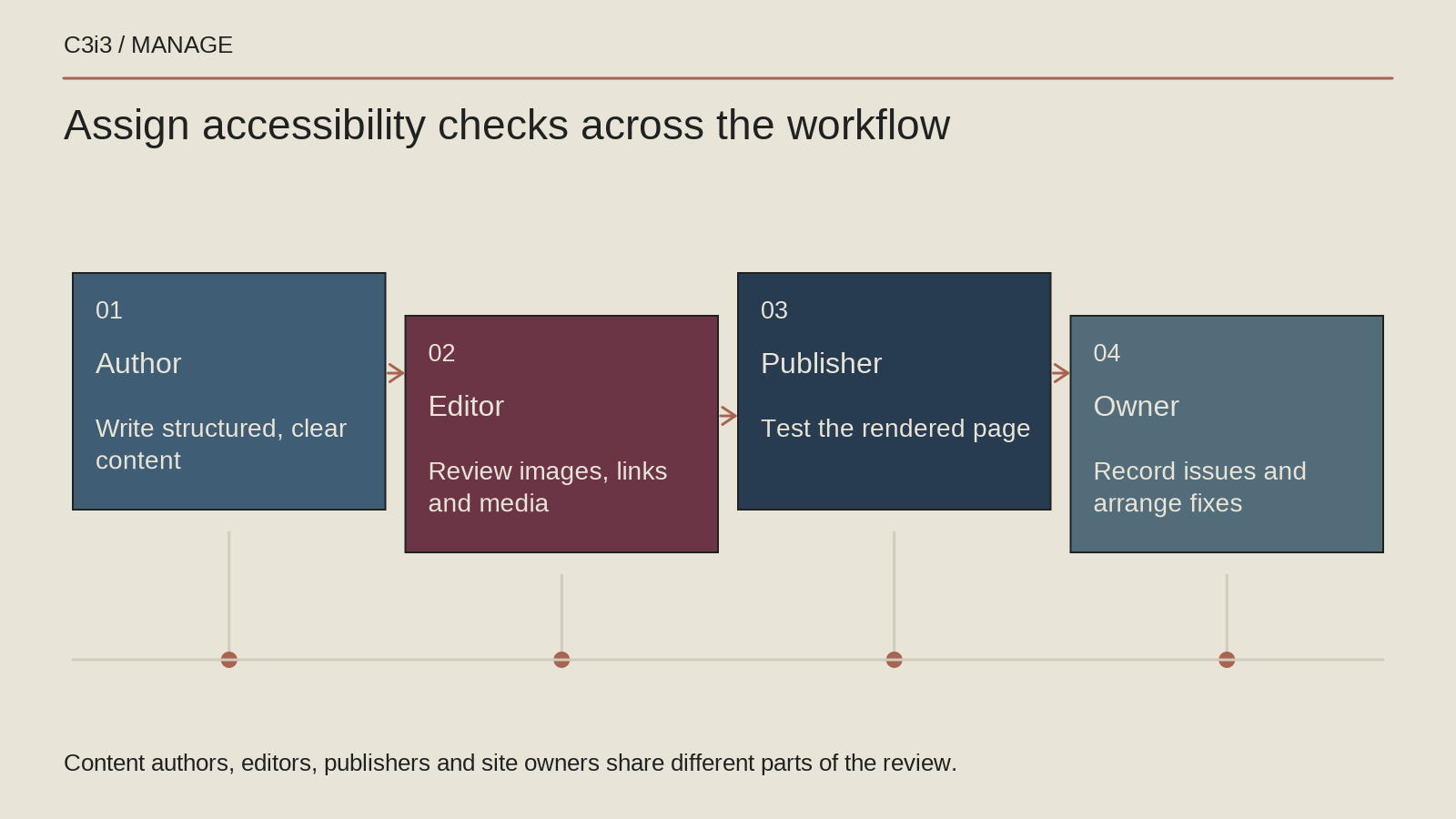
Decide who prepares content, who publishes it and who reviews questions that require technical judgment. A writer can supply a meaningful link label. A developer may need to investigate why a form cannot be completed with a keyboard. Those tasks need a connection rather than an assumption that someone else will handle them.
W3C's accessibility management guidance places responsibility and continued review within the production process. Use that principle to add a few practical steps to your existing workflow. A separate policy nobody uses will not help an editor choose the right heading today.
Give outside contributors the same expectations. Include a request for accessible content when commissioning a video, document or new page feature. Ask suppliers to identify what they checked and what still requires review, so responsibility survives the handover.
Give editors rules they can apply on real pages
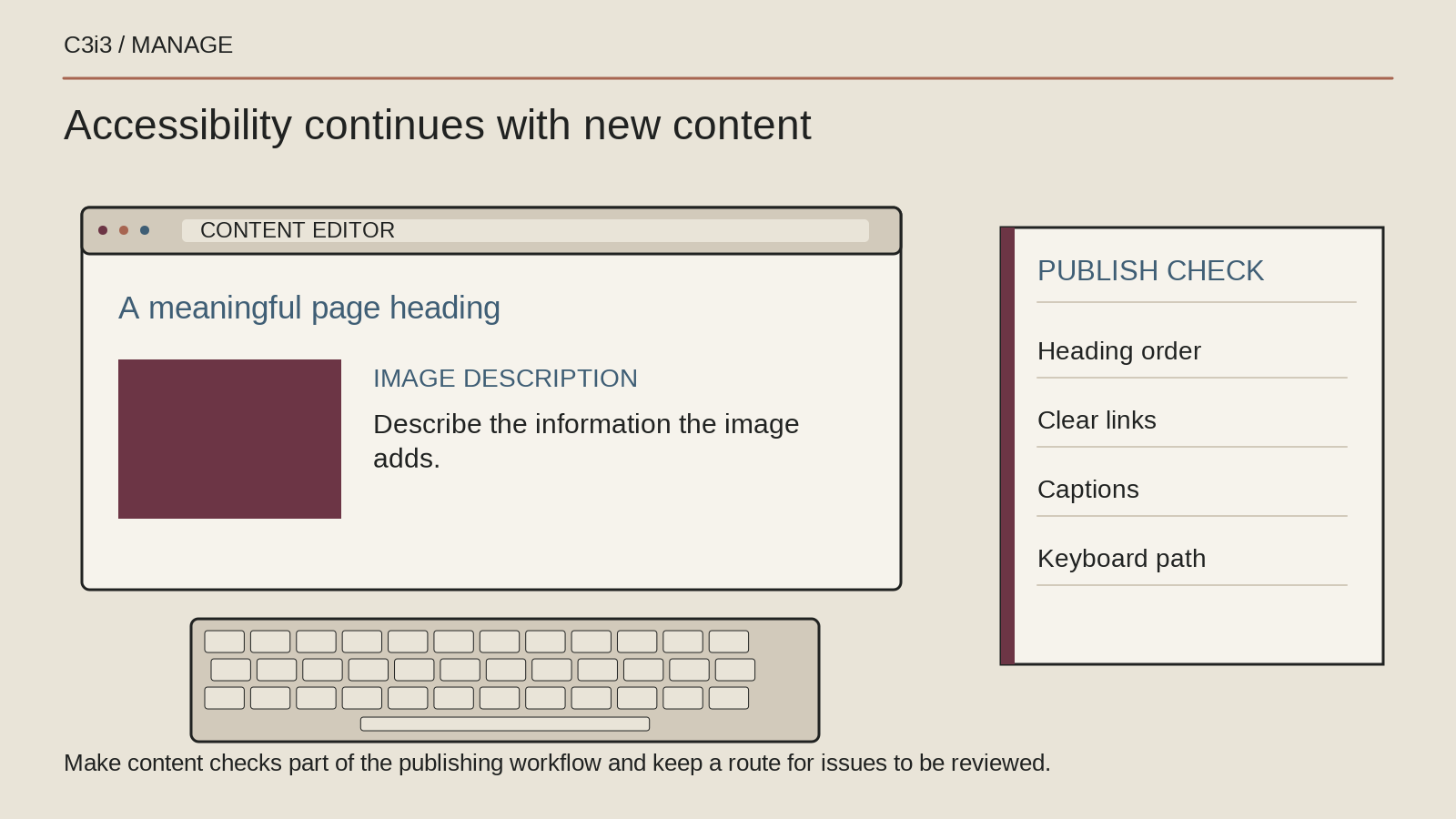
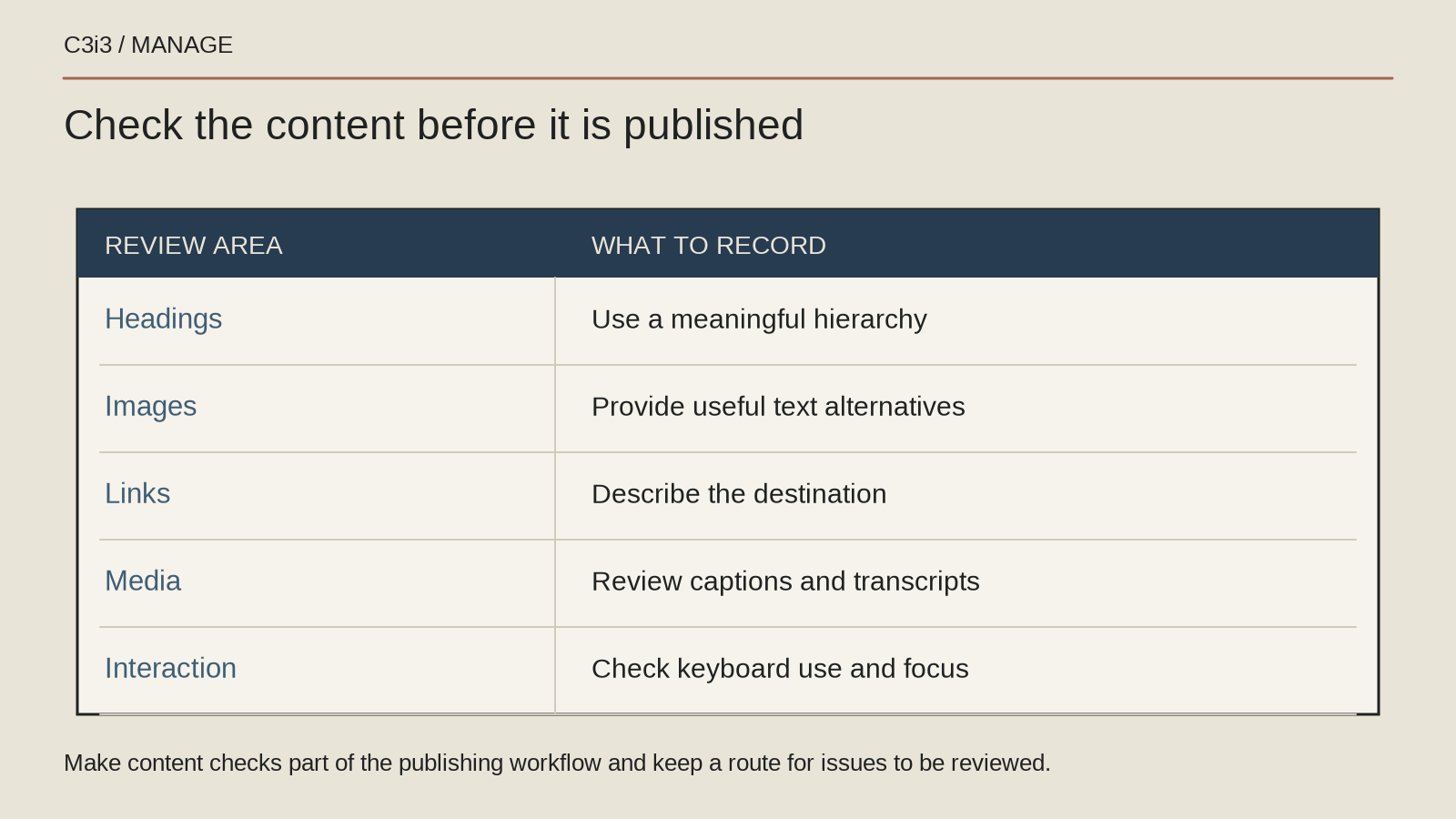
Use headings to describe and organize the content, selecting the appropriate heading level in the editor. Do not choose a heading solely because its default size looks attractive. If the design needs adjustment, ask the website team to improve the styling while preserving the structure.
Write link text that helps the reader understand the destination in context. Explain what a download contains and identify its format when helpful. Keep instructions clear and avoid relying on color or location alone to explain an action. These habits make content easier for a broader range of readers to follow.
The W3C writing accessibility tips provide examples editors can discuss with their support team. Turn relevant points into a short guide illustrated with your service page. Training becomes more useful when staff can practice a recurring task instead of memorizing unfamiliar terminology.
Review the purpose of images, video and downloads
When adding an image, ask what information it contributes. A meaningful photograph, chart or linked image needs an appropriate text alternative for its purpose. A purely decorative image is handled differently. Avoid automatically using the file name or repeating the same generic description for every picture.
W3C's images tutorial explains these distinctions. Ask the publisher to apply them in the actual page context. If a graphic contains essential words, provide that information in accessible page content rather than expecting every visitor to read the image.
For video and downloads, include review in the production brief before publication day. Ask about captions, transcripts and document structure as appropriate to the material. A polished PDF or embedded video can introduce barriers even when the surrounding webpage uses an established template.
Check the changed customer journey before publishing
Preview the updated page at a small screen size and enlarged text. Read the headings and instructions in order. Use the keyboard to move through links and controls, observing where focus appears and whether you can complete the task. Record problems with a page address and a description of what happened.
These practical checks help editors identify obvious issues, but they do not replace a thorough evaluation. A new inquiry form, booking tool or interactive component deserves appropriate specialist review. Ask the reviewer to consider the complete task, including error messages and the confirmation step after submission.
Use automated checks as one source of findings. A tool can highlight certain problems, while judgments about meaning and usability still need people. Request a report that distinguishes detected issues, manual checks and areas outside the review, with someone responsible for each next action.
Keep a record and a route for visitor feedback
Record the page, issue, effect on the visitor, assigned owner and planned follow-up. Review that list alongside other website maintenance work so unresolved barriers do not disappear after launch. Prioritize with appropriate expertise, considering what prevents people from accessing information or completing important tasks.
Provide an accessible way to contact the business about difficulty using the website. Make sure a real person monitors it and knows how to involve the website team. Acknowledge the report, request only useful details and explain the next step. Customer feedback should inform improvements rather than become another unattended inbox.
Review newly published content and shared templates over time, particularly after staffing or supplier changes. Clear checks support continuing improvement. They do not establish that every page meets every requirement or provide a legal compliance guarantee. Discuss formal evaluation and applicable obligations with the appropriate specialists when needed.
Keep this checklist beside you
Questions before the next step
Does an accessible template make every future page accessible?
A well-built template provides a useful foundation. Editors can still introduce barriers through content, documents and embedded tools. Keep publishing guidance and review in place after the initial design work.
Can an automated scan confirm that the website is accessible?
Automated checks identify some issues. They do not assess every requirement or replace human judgment. Use them within an agreed evaluation process that includes manual review and appropriate expertise.
How C3i3 Can Help
C3i3 can help make accessibility considerations part of your content updates, publishing instructions and ongoing website management. We can coordinate the people responsible and help identify when a change needs specialist evaluation.
Bring a page that changes often and any previous review findings. Our team can help establish practical checks, a clear feedback route and ownership for follow-up work as the website develops.